For a large collection on one computer, a portable external hard drive offers a straightforward local-copy route; consider a portable SSD if you regularly move files between devices, or network-attached storage if several household devices need a shared backup destination. Cloud storage can add another location, but whichever route you choose, check the space required, the copying workflow and how to keep at least one copy separate from the main computer.
Who is choosing backup storage?
Households with a growing archive
If years of photos, videos and documents sit on one computer, measure the whole collection before choosing capacity. Allow for the kind of backup you intend to make, not just the size of today's photo folder; Apple's Time Machine advice, for example, is specific to backing up a Mac.
Families backing up several devices
When files come from multiple computers, a repeatable destination matters. Microsoft Support describes external-drive and network destinations for Windows File History; Apple Support lists directly attached storage and compatible network storage for Time Machine. Check which folders each device will actually back up.
Households copying a cloud photo library
Buying a drive is only part of the job if the photos must first be downloaded. Check the service's export steps and the space needed for the download. Amazon Customer Service says its browser download process requires selecting pictures within an album rather than downloading the entire album in one action.
What matters when choosing?
Choose a destination for the devices that hold the files, then plan a separate copy that remains useful if the main computer or account is affected. The National Cyber Security Centre describes backups as copies kept in a separate safe location and warns that connected backup storage can be affected by ransomware.
External hard drive
Consider it when: One main computer needs a local destination for a sizeable collection and you can connect the drive for copies.
Bear in mind: A drive left connected is not separate from every incident affecting that computer.
Portable SSD
Consider it when: You frequently carry the collection or make large transfers between compatible devices.
Bear in mind: Manufacturer-rated transfer speeds depend on the computer, connection and settings; an SSD is still only one copy.
Network-attached storage
Consider it when: Several computers need a shared network backup destination.
Bear in mind: Setup and drive compatibility need attention, and files on the network device still need a separate backup.
Cloud storage alongside a local copy
Consider it when: You want another location for files held on a computer or local drive.
Bear in mind: Access depends on the account and service, so check how you would download the collection again.
| Concern |
What to check |
Who this matters to |
| Room for the collection |
Measure the files to be copied and allow for planned growth or backup history. For Time Machine, Apple Support recommends a disk with at least twice the Mac's storage capacity. |
If my photos, videos and documents keep growing, I need a destination that accommodates more than the first copy. About 36% of consumers put sufficient capacity first. |
| Separation between copies |
Decide which copy can be disconnected or kept elsewhere, and practise restoring a file. |
When the computer fails or accessible files are altered, I need another copy I can still use. Keeping copies separate is the primary concern for about 29% of consumers. |
| Routine backups across devices |
Check operating-system support, the destination format and which folders the backup software includes. |
With files spread across household devices, I need a copying routine I can maintain. About 21% of consumers prioritise that repeatable, multi-device workflow. |
| Portable transfers |
Check the drive's capacity and the computer's port and cable compatibility before relying on a quoted transfer speed. |
If I move a large collection between computers regularly, carrying the drive and completing transfers matter most. That is the primary need for about 14% of consumers. |
Backup-storage mistakes to avoid
-
Choosing capacity from the photo folder alone
Videos, files on other devices and retained backup history can change how much room the destination needs. Synology notes that usable network-storage capacity also depends on the drives and RAID configuration.
Measure everything you intend to copy and decide whether the destination will hold ordinary files, a system backup or multiple devices' backups.
-
Leaving every copy accessible to the same incident
The National Cyber Security Centre reports ransomware incidents affecting connected USB and network backup drives. A cloud location should not be assumed to be protected from destructive actions either.
Plan when a removable copy will be disconnected, protect access to cloud accounts and check that you can restore a sample file.
-
Expecting the quoted SSD speed on every computer
Samsung UK says the cited T7 Shield maximum read and write speeds require a compatible USB 3.2 Gen 2 host and cable, with UASP enabled. They are not a promised copy time for a particular library.
Check the exact drive, computer port and cable before making transfer speed the deciding factor.
-
Repurposing the only disk holding your files
Preparing a disk for a different backup system can require erasing or reformatting it. That matters most when the files already on the disk have no other copy.
Make and check an independent copy before changing a disk's format or installing it in a new storage system.
Relevant brands to consider
Western Digital
Its My Passport Ultra portable hard-drive family is relevant when a directly connected local copy is the priority.
- Western Digital presents variants in this family with capacities up to 6TB; check the capacity of the particular drive.
- Confirm the exact variant's connection, formatting and backup-software compatibility with your computer.
Samsung
The T7 and T7 Shield portable SSD lines are options for people who frequently carry or transfer their files.
- Samsung UK specifies T7 Shield maximum speeds of up to 1,050MB/s read and 1,000MB/s write with a compatible USB 3.2 Gen 2 connection and UASP enabled.
- Samsung's T7 Shield resistance claims have controlled test conditions; Samsung says liquid and dust damage are not covered under its warranty.
Synology
Its network-attached storage range is relevant when several household devices need a shared destination.
- Synology's DS225+ is a two-bay example for which the storage drives are selected separately.
- Synology says usable capacity varies with the drives and RAID configuration; the device and its files also need a separate backup.
Portable storage options on Joybuy
These portable SSDs and external hard drives offer directly connected destinations for copying a household collection. Compare each stated capacity with the files and backup history you plan to retain, and arrange another copy separately.
 Image unavailable
Samsung Portable SSD T7 4 TB, grey
Consider this portable local destination if your measured collection and planned backup history fit within its stated 4 TB capacity. The product name specifies USB Type-C 3.2 Gen 2; check your computer's connection and intended backup workflow before choosing it for repeated transfers.
View on Joybuy
 Image unavailable
Samsung Portable SSD T7 2 TB, grey
This portable local-copy option makes sense only if the files and backup history you intend to retain fit within its stated 2 TB capacity. The product name specifies USB Type-C 3.2 Gen 2; confirm connection and backup compatibility with the devices you use.
View on Joybuy
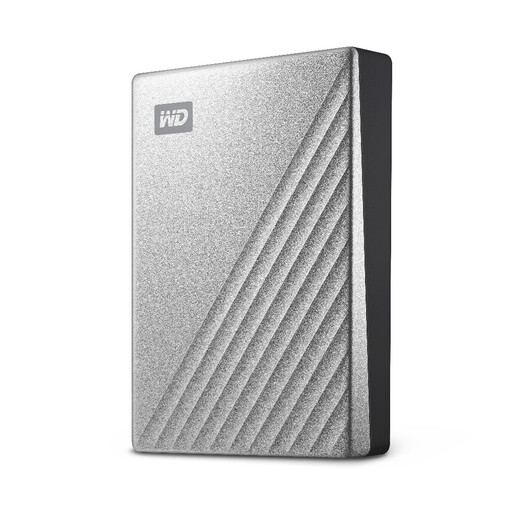 Image unavailable
Western Digital My Passport Ultra 4TB, silver
This portable external hard drive is a local-copy option for a collection that fits within its stated 4TB capacity, with room for the backup use you plan. Check its formatting and the availability of suitable backup software for your operating system before setting up scheduled copies.
View on Joybuy
 Image unavailable
Western Digital My Passport Ultra 5TB, blue
Consider this portable hard drive for a directly connected copy if its stated 5TB capacity covers your measured files and intended backup history. Confirm operating-system compatibility and any backup-software requirements for the way you plan to update the copy.
View on Joybuy
 Image unavailable
Western Digital My Passport Ultra for Mac 5TB, silver
This Mac-oriented portable hard drive is worth checking if its stated 5TB capacity accommodates your collection and intended backup history. Confirm its format and compatibility with your Mac and chosen backup method before transferring existing files.
View on Joybuy
Questions about backing up a large collection
How much storage does a large family collection need?
Measure the photos, documents, videos and other folders you will copy, then allow for growth and any backup history you want to keep. For a Mac Time Machine disk specifically, Apple Support recommends at least twice the Mac's storage capacity; for network-attached storage, Synology says usable space depends on the drives and RAID configuration.
Can a cloud photo service replace a local backup?
A cloud service can provide another location, but do not assume that an accessible cloud copy is protected from account problems or destructive changes. The National Cyber Security Centre warns that connected backup locations can be affected by ransomware; keep a separately managed copy and check that you can restore files from it.
Can I download a whole Amazon Photos album in one action?
Not through the browser's whole-album download action: Amazon Customer Service says to open an album and select the pictures you want to download. For a large library, work out the selection process and check available local space before relying on that route.
What should I check before using a drive for Mac Time Machine?
Check that the destination and its format suit Time Machine, and make another copy of any files already on the disk before changing its setup. Apple Support lists directly connected storage and compatible network-attached storage as destination types; a network device must support Time Machine over SMB or AFP.


