What should you prioritise when choosing family photo backup storage?
Start with what would make a backup usable for your household: restoring files after loss, making room for a growing library, covering different devices or updating a local drive conveniently.
| Concern |
What to check when buying |
Who this matters to |
| Recovery after loss or deletion |
Check whether a copy is kept separately, how deletion and version recovery work, and whether you can test a restore. |
If losing the original would leave your household without important photos or documents, I would prioritise a restorable copy. Around 33% of consumers put recoverability first. |
| Capacity and ongoing cost |
Compare the current library and expected growth with drive capacity or the cloud plan’s allowance, sharing terms and renewal. |
If family photos and videos are steadily filling your available space, I would weigh room for growth against continuing plan costs. Around 27% of consumers put capacity and cost first. |
| Uploads across household devices |
Check backup settings and covered folders on each phone and computer; access to a library does not necessarily mean a device uploads automatically. |
When several people use different devices, I would check that each one actually contributes its photos to the backup. Around 20% of consumers prioritise dependable uploads across devices. |
| Convenient local transfers |
Check the exact drive’s connector, file system and compatibility with the computers you intend to use. |
If I often update large folders from a computer, I would check that the drive is straightforward to connect and write to. Around 20% of consumers prioritise convenient local transfers. |
Joybuy product options for local photo backups
These Joybuy options are removable SSDs and HDDs for keeping a separate local copy of a family photo archive.
 No image available
Samsung Portable SSD T7 2 TB, USB Type-C 3.2 Gen 2, Grey
A portable local SSD option for keeping a copy of a growing photo and video archive.
The product name specifies 2 TB capacity, USB Type-C and USB 3.2 Gen 2 (3.1 Gen 2).
Joybuy
 No image available
Samsung MU-PE1T0S 1 TB, USB Type-C 3.2 Gen 2, Black
A portable SSD option for a household that wants a local copy of photos and documents.
The product name specifies 1 TB capacity and USB Type-C 3.2 Gen 2 (3.1 Gen 2).
Joybuy
 No image available
Samsung T7 Shield Portable SSD 1 TB, USB 3.2 Gen 2, Blue
A portable local SSD option for keeping a separate copy of household photos and videos.
The product name specifies 1 TB capacity and USB 3.2 Gen 2.
Joybuy
 No image available
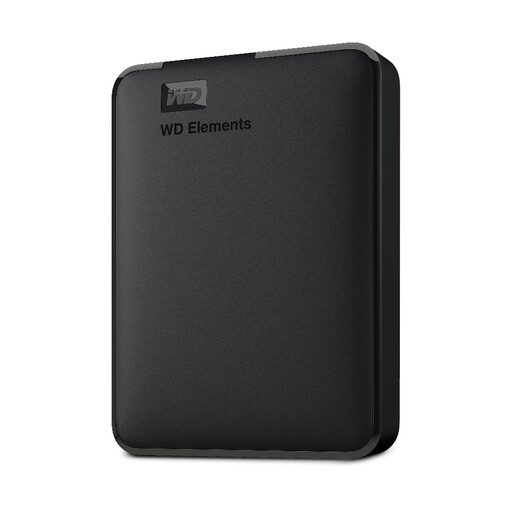
WD 2 TB Elements Portable External Hard Drive, USB 3.0, formatted for PC and Mac
A portable HDD option for a computer-managed local copy of a growing family archive.
The product name specifies 2 TB capacity, USB 3.0 and formatting for PC and Mac.
Joybuy
 No image available
SanDisk Portable SSD 2 TB
A portable SSD option for keeping a separate local copy of photos and videos.
The product name specifies 2 TB capacity.
Joybuy
Frequently asked questions about family photo backups
Is seeing photos on two synced devices enough to know you have a backup?
No; keep a separately retained copy and test restoring a sample file. Apple says deletions in iCloud Photos propagate across devices using the feature and that iCloud Photos content is not duplicated in iCloud Backup. Google also describes conditions under which deleting in Google Photos removes device and synced copies.
What should you do after setting up a drive backup?
Test that an important photo or document restores, then store the drive separately and disconnect it between updates. The UK National Cyber Security Centre advises checking that you know how to restore backed-up files.
Will a Windows-ready external HDD work as a writable Mac backup without changes?
Not necessarily. Toshiba says Canvio Basics comes formatted as NTFS for Windows and requires reformatting for macOS. Check the exact drive, intended backup software and household computers before formatting, and do not format the only existing copy.
What cloud-plan terms should a family check before subscribing?
Check whether storage is shared or allocated per person, which devices and files are covered, renewal terms and how files can be exported or restored. Microsoft’s UK Family listing describes 2 TB shared among one to six people and automatic renewal unless cancelled; other services and plans differ.
Can a cloud service keep a backup outside the home?
Yes, cloud storage can keep a copy away from home, but check that files are actually uploaded and that you can restore them. The Information Commissioner’s Office describes cloud storage as a way to keep copies of important files outside the home; it can be combined with a separately managed local drive.


