Households protecting irreplaceable files
Family photos and important documents need a recoverable copy apart from the device used every day. If the computer and its attached drive could be affected together, plan where another copy will live.


Choose a backup arrangement by the size of your files, the devices you need to cover and how you would restore them after a loss. For family photos that would be difficult to replace, a local copy paired with a separately protected off-site or offline copy offers a recovery route beyond one connected drive or synchronised folder. The National Cyber Security Centre warns that connected USB, network and cloud locations can be affected in the same incident, so check that each copy can actually be restored.
The National Cyber Security Centre defines a backup as a copy of important data stored in a separate safe location. The right destination depends on what you need to protect and how you will retrieve it.
Family photos and important documents need a recoverable copy apart from the device used every day. If the computer and its attached drive could be affected together, plan where another copy will live.
Check the size of the files you intend to copy before choosing a destination. A growing collection also needs room for future files and any versions you plan to retain.
Several computers and phones may call for scheduled backups to a shared destination. Synology describes computer and mobile-photo backup for compatible NAS setups; you would still need to configure recovery and protect a second copy.
Decide what must be recoverable before comparing drives, network storage and cloud services. Each route below addresses a different part of that job; none removes the need to check how restoration works.
Consider it when: You want to connect a drive for local copies of a photo library or computer files.
Trade-off: A drive left connected can be affected alongside the computer, as the National Cyber Security Centre warns.
Consider it when: You move large files between devices frequently or carry a local copy.
Trade-off: Quoted transfer speeds depend on the drive, host and connection; portability does not protect a copy stored in the same location.
Consider it when: Several household devices need a central destination and you are prepared to configure their backup jobs.
Trade-off: A NAS needs ongoing management and, when kept at home, another separately protected destination.
Consider it when: You need an off-site copy or access from several devices.
Trade-off: Access and recovery depend on the account, the chosen service and its terms; check how to export your files.
Consider it when: Your files would be difficult to recreate and you need both a local copy and one protected elsewhere or offline.
Trade-off: You must maintain and test more than one destination.
The concerns below group consumers by the need they would put first when choosing backup storage for personal photos and computer files.
| Concern | What to check | Who this matters to |
|---|---|---|
| Recoverable, separate copies | Check how to restore deleted or damaged files, then decide where an off-site or offline copy will be kept. | If losing the computer could also put family photos at risk, I need a copy I can restore independently. About 27% of consumers would put recovery and separation first. |
| Capacity for the archive | Measure the files or devices to be backed up; allow for growth and any retained versions. | With a growing photo library, I do not want the initial backup to stop because its destination is full. Capacity would be the primary concern for about 27% of consumers. |
| Portable transfers | Match the drive connector and cable to your computer, and check the conditions behind any quoted speed. | When I regularly move large files, I want a portable copy that works with my devices without relying on a speed they cannot support. For about 20% of consumers, straightforward transfers would come first. |
| Backups across devices | Check which computers, phones and folders are covered, who can access them, and whether earlier versions can be recovered. | If several people's devices hold parts of the family archive, I need routine copying that does not rely on remembering each transfer. About 26% of consumers would prioritise automation across devices. |
The National Cyber Security Centre reports incidents in which ransomware affected connected USB and network storage as well as the original files. An attached drive alone may therefore leave no usable recovery copy.
Keep another copy separately protected. Where an offline copy fits your routine, disconnect it when it is not being updated and periodically test a restore.
The computer and cable can limit transfer speed. Samsung says its T7's quoted maximum speeds require a USB 3.2 Gen 2 host, compatible cable and UASP; that condition should not be assumed to describe every SSD. File-system requirements can also differ by model.
Check the exact drive's connector, connection standard and file format against the computers that will make the backups.
Google Drive Help says edits can sync automatically between a computer and Google Drive. That does not by itself establish how long an earlier version or deleted file remains recoverable.
Check the chosen service's version history, deletion rules and restore eligibility, and decide whether you need another separate copy.
Cloud access depends on the account and service terms. GOV.UK consumer guidance warns that suspension or cancellation can affect access to stored files, making a large library harder to move at short notice.
Check account-security settings, renewal and cancellation terms, and the steps needed to copy your files elsewhere before leaving.
Its external-drive lines are relevant when you want a USB destination for local copies of files and photos.
Its portable SSD range is relevant when frequent large-file transfers influence your choice of local storage.
Its NAS systems are relevant to households planning a shared network destination for computers and mobile photos.
These portable SSDs and external hard drives are options for making local copies of household files. Choose capacity against your own archive and arrange a separately protected copy for files you cannot recreate.
 Image unavailable
Consider this local drive if you need to copy a sizeable photo or file archive and its 4 TB capacity fits what you have measured. The product name specifies USB Type-C and USB 3.2 Gen 2x2; check your computer's connection before relying on that interface. One drive is not a separately protected second copy.
 Image unavailable
This is a portable local destination to consider if 1 TB covers the files you intend to copy. Its product name specifies USB 3.2 Gen 2; check the connection your computer can use. Keep another protected copy rather than relying on this SSD alone.
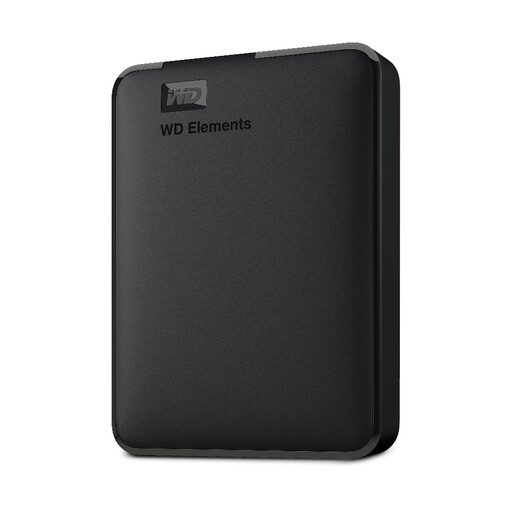 Image unavailable
Consider this hard drive for a local copy of photos and documents if the files you plan to protect fit within 2 TB. The product name identifies USB 3.0 and describes PC and Mac formatting; confirm the file format required by your own devices. Store an additional copy separately.
 Image unavailable
This portable SSD offers a 2 TB local destination for files you want to copy or carry. Check that its connector works with your computer before buying, and compare the capacity with your actual archive. A separate protected copy remains necessary for recovery beyond this drive.
 Image unavailable
Consider this portable external hard drive when your measured file collection calls for a 5 TB local destination. Check its connection and file format against the computers that will make and restore the backup. Keep another copy separately protected.
Not necessarily: synchronisation keeps edits current, but you still need to know whether an earlier or deleted file can be restored. Google Drive Help describes automatic syncing between a computer and Google Drive. Check the exact service's version history, deletion rules and exclusions, as well as whether you have another separate copy.
Measure the folders or devices you intend to protect, then allow for new files and any versions you want to keep. The National Cyber Security Centre notes that a backup may cover selected photos and documents or an entire device; those choices require different amounts of space. Compare your chosen scope with the usable capacity of the exact destination.
Do not leave your only backup permanently connected. The National Cyber Security Centre reports ransomware incidents affecting connected USB and network drives and advises keeping an offline backup digitally disconnected when not in use. Set a routine for updating that copy and testing that you can restore from it.
Check capacity, account security, recovery features, service terms and how you would export your files. The Information Commissioner's Office advises checking whether a service's security and availability suit the files you upload; GOV.UK consumer guidance warns that suspension or cancellation can affect access, so plan time to copy files elsewhere before leaving.