What matters when choosing storage?
Work out how the photos will leave the cloud before choosing a device. Then compare the downloaded library's size with the space you need for future additions, and decide whether the copy will be stored offline, carried between locations or shared across the household.
| Concern |
What to check |
Who this matters to |
| Bulk download |
Test a small export or folder download, including its files and folder structure. Check that the computer has space for both a downloaded ZIP and extracted files where needed. |
If I have thousands of cloud photos, I need a workable download before a new drive is useful. Around 34% of consumers put completing and checking that bulk download first. |
| Archive capacity |
Measure the downloaded photo-and-video library and allow space for planned additions. Confirm the chosen drive's capacity and connection. |
When the family archive keeps growing, I want enough room for the copy I have now and the files still to come; roughly 33% of consumers make capacity their primary concern. |
| Portable copy |
Check the drive's capacity and your computer's port and cable compatibility. Consider how you will protect a copy carried away from home. |
If I move the backup between locations or update it often, carrying it and connecting it easily matter most. That is the leading need for around 13% of consumers. |
| Shared access |
For a NAS, check disk inclusion, usable capacity, mobile-upload support, account permissions and a separate backup destination. |
With photos coming from several household devices, I would rather manage a shared archive than copy each phone manually; around 20% of consumers prioritise that ongoing arrangement. |
Joybuy products for local copies
These external hard drives and portable SSDs suit a local copy made after downloading the photo library to a computer. Compare capacity with the downloaded library and intended growth; a drive does not itself solve restrictions in the cloud service's download workflow.
 No image available
Western Digital My Passport Ultra 5TB, Blue
Consider this portable hard drive for a local archive that you update and then store separately.
Capacity: 5TB. Check the downloaded library's size and your intended computer connection before choosing it.
View on Joybuy
 No image available
Samsung Portable SSD T7 4TB, Grey
Consider this portable SSD if you plan to carry or regularly update a local photo copy.
Capacity: 4TB. The title specifies USB Type-C 3.2 Gen 2; check the computer connection and the space required by your library.
View on Joybuy
 No image available
Samsung Portable SSD T7 2TB, Grey
Consider this portable SSD for a copy you want to move between locations, provided the full archive fits.
Capacity: 2TB. The title specifies USB Type-C 3.2 Gen 2; check your computer connection before buying.
View on Joybuy
 No image available
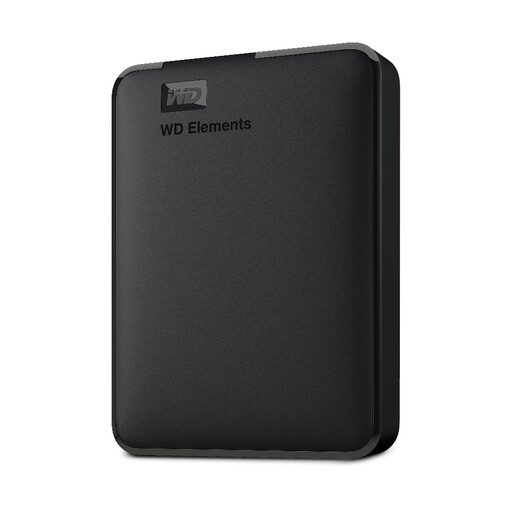
WD Elements 2TB Portable Hard Drive, Black
Consider this portable hard drive for a manually copied archive if its capacity accommodates your downloaded files.
Capacity: 2TB. The title specifies USB 3.0 and formatting for PC and Mac; check the format required by your backup workflow.
View on Joybuy
 No image available
SanDisk Portable SSD 2TB
Consider this portable SSD for a local copy you intend to carry, once you have measured the archive.
Capacity: 2TB. Confirm the connection needed for your computer and cable.
View on Joybuy
Questions about photo backups
Can I back up Google Photos without selecting every photo?
Yes, Google says Google Takeout can create an archive of data from its products. Check the downloaded archive before copying it to your drive: Google says changes made between requesting the download and creating the archive may not be included, and some account actions may be delayed or unavailable.
Can I download a whole Amazon Photos album at once?
Not through the browser workflow described by Amazon Customer Service, which says entire albums cannot be downloaded. Check the options in your account and test a manageable selection before planning how to retrieve a large library.
Can OneDrive download a photo folder in one operation?
Yes. Microsoft says selected files or folders can be downloaded as a ZIP, and downloading from within a folder without selecting individual items starts a download of that folder's contents. Allow computer space for the ZIP and extracted files before copying them to the backup drive.
Is an iCloud Photos transfer to another cloud service a local backup?
No. Apple's iCloud Photos-to-Google Photos transfer sends a copy to another service rather than directly to a local drive; Apple provides separate instructions for archiving or copying iCloud content locally. Apple says the service-to-service transfer takes three to seven days and cannot be requested while Advanced Data Protection for iCloud is enabled.
Is RAID in a NAS enough to protect family photos?
No. Synology warns that RAID crashes and drive failures can still cause data loss and recommends copies on separate storage, including one offsite. A NAS can be the shared household destination, but plan another destination and test that you can restore files from it.


