What to check before buying
Portable hard drive
Choose it when: You want a local photo and document copy that you can disconnect and store after backing up.
Bear in mind: Check the exact capacity and connection of the variant you choose rather than treating all portable drives as interchangeable.
Desktop hard drive
Choose it when: Your archive is very large or growing, and the drive will normally remain at home. Western Digital lists My Book desktop-drive capacities reaching 26TB.
Bear in mind: A drive kept at home still needs a backup schedule and a copy protected from incidents affecting the computer.
Portable SSD
Choose it when: You regularly carry the drive or move large files and want faster transfers, as described in Which?’s comparison of external SSDs and hard drives.
Bear in mind: Rated speeds are model-specific and may require a compatible computer port and cable.
Whichever drive type suits you, plan where the copy will be kept and how it will be updated. Backup software and an additional location, such as cloud storage, address different parts of that plan; neither changes the capacity or connection of the drive you buy.
| Concern |
What to check |
Who this matters to |
| Keeping a recoverable copy |
Decide where to store a separate copy between backups, and restore a sample photo and document to check the routine. |
If a computer fails or its connected drive is affected too, I need a copy I can still retrieve; roughly 36% of consumers would put recoverability first. |
| Capacity for growth |
Measure the folders to protect and allow for new files and retained versions. For Time Machine, Apple recommends a backup disk with at least twice the Mac’s storage capacity. |
Years of photos already take up space, and I do not want future backups to crowd out older files; capacity would be the primary concern for around 29% of consumers. |
| A manageable routine |
Check operating-system compatibility, folder coverage and whether your chosen backup method can restore earlier versions. |
If copying files depends on remembering every folder each time, I may miss something important; roughly 21% of consumers would prioritise a routine that fits their computer. |
| Carrying and transferring files |
Check the drive’s capacity, the computer port and the cable needed for the connection you intend to use. |
When I take the drive between locations or regularly move large files, portability and transfer time matter most; around 14% of consumers would make that their primary concern. |
Joybuy portable-drive options
These portable hard drives and SSDs are options for keeping a local copy of family photos and documents. Compare their stated capacities with your archive, then choose a backup routine that lets you store a copy separately and restore files when needed.
 No image available
Western Digital My Passport 4TB Portable Hard Drive, Black
Consider this portable hard drive if its stated 4TB capacity leaves enough room for your existing folders and future backups.
For a Mac, confirm setup requirements for this variant. Check that your chosen backup method covers the folders and earlier file versions you need.
View on Joybuy
 No image available
Western Digital My Passport 2TB Portable Hard Drive, Black
This portable hard drive is worth comparing with your measured collection if 2TB leaves room for the files and backups you plan to keep.
If you use a Mac, check this variant’s setup requirements. Confirm folder coverage and version restoration in the backup method you intend to use.
View on Joybuy
 No image available
Samsung MU-PE1T0S 1TB Portable SSD, Black
For a portable local copy, check whether this model’s stated 1TB capacity accommodates your collection and future backups.
The product name specifies USB Type-C 3.2 Gen 2. Check your computer port and cable before relying on the connection’s transfer capability.
View on Joybuy
 No image available
Samsung Portable SSD T7 2TB, Blue
This portable SSD has a stated 2TB capacity; compare that with your archive before using it as a backup destination.
Its product name specifies USB Type-C 3.2 Gen 2. Check the host connection and cable if transfer speed is a deciding factor.
View on Joybuy
 No image available
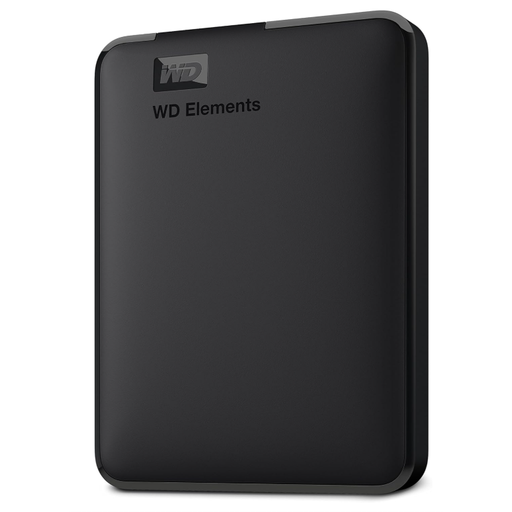
Western Digital Elements 6TB Portable Hard Drive
Consider the stated 6TB capacity if you want a portable drive for a large collection, after checking how much room your folders and future backups require.
The product name specifies USB 3.0. For Mac use, check the required file-system setup before selecting the drive for backup.
View on Joybuy
Questions about external-drive backups
Is one external drive enough for family photos and documents?
One local drive does not protect against every incident. The National Cyber Security Centre warns that ransomware can affect connected backup storage alongside the computer; keep a copy separate and not permanently connected, and check that you can restore important files.
How large should a backup drive be?
Choose capacity after measuring all the folders you intend to protect and allowing room for growth and retained versions. If you use Time Machine, Apple recommends a backup disk with at least twice the Mac’s storage capacity; that is guidance for Time Machine, not a universal capacity rule.
Can Windows back up photos automatically to an external drive?
Yes, Microsoft says File History can regularly back up Windows library folders to an external drive or network location and restore earlier versions. Include any photo or document folders kept outside the default libraries before relying on it.
Can a Mac use an external HDD or SSD for automatic backup?
Yes, Apple says Time Machine can back up Mac files automatically to suitable external storage. During setup, macOS may ask to erase the selected device, so check whether it holds files you still need before using it as a Time Machine disk.


