What matters when choosing storage
Decide where the everyday library will live, then decide how an independent copy will be kept current and recoverable. A cloud account, a local drive and a network-attached storage device can each play a different part in that arrangement.
Cloud storage
Choose it when: Automatic uploads and access across signed-in household devices take priority.
Accept that: Growing storage needs may mean an ongoing subscription, while synchronised deletions can affect every enabled device.
External drive
Choose it when: You can transfer files and check a local copy yourself, then disconnect the drive between backups.
Accept that: One drive can fail or be lost, and it does not by itself make photos available away from home.
Network-attached storage
Choose it when: Several devices need a centrally managed local library and someone can administer the equipment.
Accept that: A device in the home still needs a separately arranged off-site backup.
Local and cloud copies
Choose it when: Irreplaceable photos need both a convenient everyday library and a copy away from home.
Accept that: More than one destination must be maintained, secured and checked for successful restoration.
| Concern |
What to check |
Who this matters to |
| Room to grow |
Count photos, videos and other files; check whether email uses the same cloud allowance and how household storage is allocated. |
If my family keeps adding videos, I need room for the whole collection without repeatedly changing our storage arrangement. Around 31% of consumers put capacity and ongoing commitments first. |
| Access and sharing |
Check device compatibility, individual accounts and who can open or change shared folders. |
Photos taken on different phones need to be easy for us to find on the devices we use. For around 23% of consumers, convenient household access and sharing is the primary need. |
| Protection from loss |
Locate an independent off-site copy, check deletion or version recovery, and try restoring selected files. |
Our family photos cannot be retaken, so I want a recoverable copy even if a device is lost or something is deleted. Keeping those memories recoverable comes first for around 31% of consumers. |
| Privacy and recovery |
Review link visibility and two-step verification; set up an account-recovery method before enabling stronger encryption. |
I want to limit who can see family files without locking ourselves out of them. Around 15% of consumers make controlled access and workable recovery their main priority. |
External drives for a local copy
These portable drives are options for keeping a local copy of household photos and files. Choose capacity and connections for your devices, then arrange a separate off-site copy for anything irreplaceable.
 No image available
Samsung Portable SSD T7, 4 TB, grey
For a portable local copy when your photo and file collection needs 4 TB of stated capacity. This USB Type-C, USB 3.2 Gen 2 drive is one copy, not a complete backup arrangement.
View on Joybuy
 No image available
Samsung Portable SSD T7, 2 TB, grey
For a portable local copy if 2 TB meets your archive needs. Its stated connection is USB Type-C, USB 3.2 Gen 2; keep another copy of irreplaceable files elsewhere.
View on Joybuy
 No image available
Samsung MU-PG4T0B, 4 TB, black
For a 4 TB portable local archive where a USB Type-C connection suits your devices. The stated interface is USB 3.2 Gen 2x2; check your computer's port compatibility if that interface matters to your choice.
View on Joybuy
 No image available
Western Digital My Passport Ultra, 5 TB, blue
For a portable local archive when you need 5 TB of stated capacity. Check the required file format before using it with macOS, as this drive may need reformatting; retain another copy away from home.
View on Joybuy
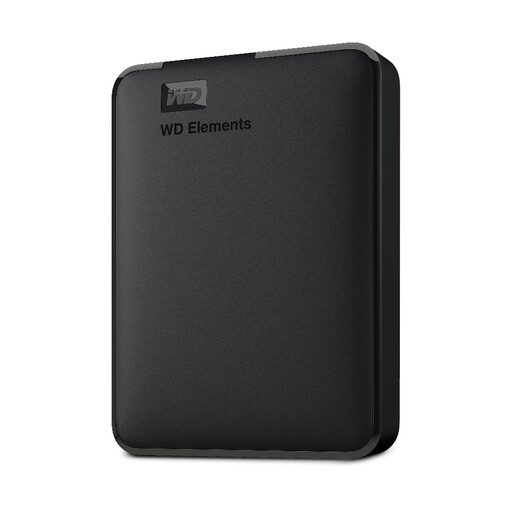 No image available
WD Elements portable external hard drive, 2 TB, black
For a 2 TB local copy of photos, videos and documents. The title specifies USB 3.0 and PC and Mac formatting; confirm the connection and file format needed by the devices in your household.
View on Joybuy
Frequently asked questions
Is a synchronised photo library a separate backup?
No. Synchronisation can carry a deletion to other devices: Apple says deleting an item from iCloud Photos removes it wherever iCloud Photos is enabled. Keep an independent copy of irreplaceable photos and check that you can restore it.
What backup arrangement makes sense for family photos?
Keep an accessible everyday library and independent copies, including one off-site. The National Cyber Security Centre describes the common 3-2-1 approach as at least three copies on two devices, with one copy away from the original location; check backups by restoring selected files.
What should I check before sharing photos from a cloud account?
Check who can open each shared folder or link, secure the account with two-step verification and make sure you can recover access. The Information Commissioner's Office describes private, shared and public visibility settings; Apple says Advanced Data Protection also requires the account holder to arrange recovery of end-to-end encrypted data.
What happens when cloud storage fills up?
New uploads or synchronisation may stop, depending on the service and account. Apple says new photos and videos will not upload when iCloud storage is full; Microsoft says accounts over their allowance after cancellation cannot upload or synchronise new files. Check the terms for the account you plan to use and monitor the space used by photos alongside other files.


