Families sharing a household dashboard
You want calendars, reminders and lists visible on one screen, with enough space to show more than one view when needed.


Start with the screen position: arrange it to avoid window reflections, then look for a stand or mount that lets you adjust its angle. A 27-inch QHD or 4K monitor is worth considering for dense calendars and several windows; a Full HD display can suit simpler, larger-text notices. Check the room at its brightest usual time, and confirm laptop compatibility before relying on USB-C for a one-cable desk.
You want calendars, reminders and lists visible on one screen, with enough space to show more than one view when needed.
You want a straightforward way to connect a laptop to the schedule screen and, if the devices are compatible, reduce the number of cables on the desk.
You need to plan the screen angle and lighting around a nearby window. The Health and Safety Executive advises arranging screens and lighting to avoid reflections and glare.
Check the proposed position at the brightest time you normally use it. Then decide how much calendar detail must fit onscreen and which device will connect to the monitor.
| Concern | What to check | Who this matters to |
|---|---|---|
| Window reflections | Check the screen position in daylight and whether the stand or mount lets you turn or tilt the panel. A matte finish does not replace a workable position. | I need to read the schedule as daylight changes, without a window reflection covering the text. Around 37% of consumers would put reflection control first. |
| Calendar detail | Compare Full HD, QHD and 4K at the intended viewing distance; check that the connected device supports the chosen resolution. | If several calendars, lists or windows must stay visible together, I need enough detail without making shared reading awkward. Around 36% of consumers would prioritise information density. |
| Desk connections | Identify the source device and check its video outputs; for USB-C, confirm video support and charging requirements. | I want to connect a shared laptop without repeatedly changing cables or losing the charging setup it needs. For around 27% of consumers, connection simplicity would be the primary concern. |
Window direction, sunlight and desk angle affect what appears on the screen. The Health and Safety Executive advises arranging screens and lighting to avoid reflections and glare.
Check the intended position at the brightest usual time, using a similarly sized screen or an outline if possible. Make sure the stand or mount allows a useful viewing angle.
A laptop must support the required video output, while its charging needs must match what the monitor can supply.
Compare the laptop manual with the monitor connection details before planning a one-cable setup.
Depending on the devices, you may still need a separate charger, dock, cable or adapter.
A 27-inch Full HD display offers less desktop detail than a 27-inch QHD or 4K display. That difference matters more when several schedule views need to remain open together.
Decide whether the screen will show a simple larger-text noticeboard or dense calendars and simultaneous apps, then compare resolutions at the intended viewing distance.
A light sensor or eye-comfort mode does not establish how readable a monitor will be beside your window.
Assess the screen angle and room lighting as well as its settings. If the desk is also used for work, follow the employer’s display-screen-equipment assessment process where applicable.
These examples show different monitor features to compare; a brand name alone cannot establish how a screen will perform in a particular room.
The UltraSharp U2725QE is a 27-inch 4K hub-monitor option for a desk where connections and changing light matter.
The 27UP850K-W combines a 27-inch UHD 4K IPS display and USB-C with stand adjustment.
The GW2790 is a 27-inch Full HD option for a simpler household noticeboard.
The Series 5 Pro 527pu is a 27-inch QHD USB-C option for a compatible laptop desk.
The 27-inch S80UD is a UHD monitor with USB-C and a built-in LAN port for a laptop-led desk.
These monitors offer different ways to set up a shared schedule screen, from detailed 4K displays to larger-format noticeboard options. Check panel finish, positioning and connections against your room and source device rather than treating any model as a guaranteed fit beside the window.
 No image available
Consider its 27-inch 4K UHD display if the household schedule includes dense calendars or several windows. Check the panel finish and whether its positioning options suit the window-side desk; the Matte Black colour description does not identify the screen coating.
 No image available
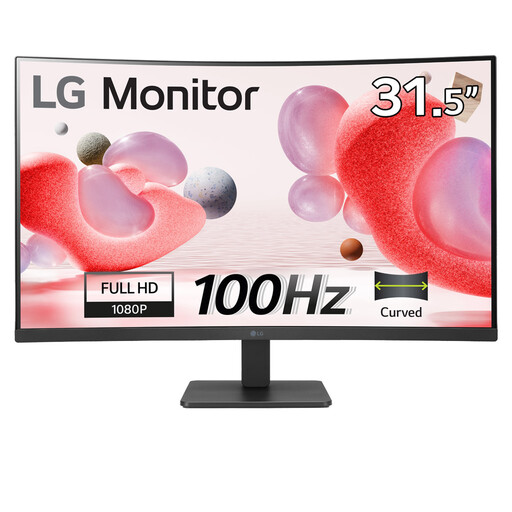
Consider this larger-format screen if several people need to view the household schedule. Its name identifies a 31.5-inch IPS display and built-in speakers; check the panel finish and mounting arrangement for the intended position.
 No image available
Its 4K display and height-adjustable stand make it an option for a detailed schedule at a laptop desk. The Nano Glossy panel is not matte, so check reflections in the proposed position; confirm USB-C video and charging compatibility with the laptop.
 No image available
Consider the 27-inch 4K display for schedules with several items onscreen. Its name lists USB-C 65W and Dolby Audio; check the screen coating, window reflections and whether 65W meets the intended laptop’s charging needs.
 No image available
Consider this 32-inch screen for a simpler, larger-text household noticeboard rather than dense calendars. Its name lists a Full HD VA panel, HDMI and an anti-glare finish; check the mounting and viewing position, as the finish alone cannot settle window reflections.
Not by itself. The Health and Safety Executive advises arranging screens and lighting to avoid reflections and glare, so test the proposed position before relying on brightness, a matte finish or a light sensor.
Consider it when several calendar views, lists or computer windows need to stay visible together. For a simpler larger-text noticeboard, Full HD may meet the need; compare the amount of information shown at your intended viewing distance.
No. Check that the laptop’s USB-C port supports video at the intended display resolution and that the monitor’s power delivery meets its charging requirements. Otherwise, another video connection or a separate charger may be needed.
Arrange the screen and lighting to avoid reflections and glare. For workers who use display screen equipment daily as part of normal work, continuously for an hour or more, the Health and Safety Executive says employers must carry out a workstation assessment.