Home interview recorders
You want to sit with one relative in a quiet room and record a long conversation on a computer or compatible tablet without a complicated setup.


Choose the recording setup before the brand: a USB microphone suits a quiet, seated interview at a computer, a handheld recorder suits visits without a computer, and a two-transmitter phone microphone suits video conversations where both people need to be heard. Whichever route you take, place the microphone near the storyteller, make a short test recording and plan how you will save a separate copy afterwards.
You want to sit with one relative in a quiet room and record a long conversation on a computer or compatible tablet without a complicated setup.
You record during visits or away from a desk and want a self-contained device that captures audio without a computer.
You want to keep both picture and speech on a smartphone while two people move around or sit apart.
Start with where the conversation will happen and which device will record it. Then check how close you can place a microphone to each speaker and how you will listen to, transfer and keep the recording.
Choose it when: One relative will speak at a desk, with a compatible computer or tablet doing the recording.
Trade-off: A fixed desk position is less convenient when people move or sit in different parts of a room.
Choose it when: You need to capture audio during visits without relying on a computer or phone.
Trade-off: You still have to position its microphones near the speaker and manage the files afterwards.
Choose it when: You are filming on a smartphone and want a microphone near both interviewer and storyteller.
Trade-off: The phone connection, recording app and transmitter power become part of the setup.
Choose it when: You want a seated setup now and have a reason to use compatible XLR equipment later.
Trade-off: XLR recording needs additional compatible hardware; software controls may also have device requirements.
| Concern | What to check | Who this matters to |
|---|---|---|
| Clear speech at a desk | Can you place the microphone near the speaker, and will its USB connection work with your computer or tablet? | For a seated conversation with one relative, I want a simple setup that keeps their voice close to the microphone. Around 30% of consumers put that straightforward desk recording first. |
| Recording during visits | Check the recorder’s file format, recording media and transfer method before a long conversation. | If I am visiting a relative, I want to record without setting up a computer and still be able to take the file home. Standalone portability comes first for around 30% of consumers. |
| Two voices on phone video | Check that the receiver or wireless connection works with your phone and that your recording app accepts the microphone. | When I film our conversation, I need both of us to be heard even if we sit apart. Around 20% of consumers prioritise that two-person phone-video setup. |
| Room control and future connections | Check the connection you will use now, compatibility of any software controls, and whether you plan to use XLR hardware. | In a distracting room, I want more control over a seated recording without choosing a connection I cannot use. That control or upgrade path is the primary need for around 20% of consumers. |
Distance can make a softly spoken relative harder to understand, even with a more elaborate microphone. The Oral History Society advises close placement for an audio interview.
Plan where a stand, clip-on microphone or recorder can sit near the storyteller. The Society gives around 15 cm from the interviewee’s mouth as a starting point; make a short test recording and adjust the position if needed.
A two-transmitter system can suit smartphone video, but it depends on the right phone connection, charged transmitters and a compatible recording app. It is not a self-contained audio recorder.
If video and movement are not priorities, compare that setup with a handheld recorder for visits or a USB microphone for a seated interview.
A long family conversation is difficult to recover if the recording media, file format or transfer method causes a problem.
Check the available storage, record a test file and confirm you can transfer it. Keep a separate backup after the interview.
Long WAV recordings may call for additional storage or backup media.
USB and XLR serve different recording setups. If you will record only to a compatible computer over USB, an XLR output does not change that immediate workflow.
Choose USB/XLR flexibility if you already have compatible XLR equipment or expect to add it.
Using the XLR connection can require a compatible recorder or audio interface as well as the microphone.
Its NT-USB Mini and Wireless Micro illustrate two different routes: a USB desktop microphone for a seated speaker and a two-transmitter system designed for smartphones.
The H1essential is relevant when you want a portable recorder rather than a microphone that depends on a computer or phone to capture audio.
The MV7+ is relevant to a more involved desktop setup where USB recording now and an XLR connection later are both useful.
These choices cover two-person wireless microphones for mobile interviews, portable recorders for visits and a USB/XLR microphone for a seated setup. Choose the recording method that suits the conversation before comparing individual models.
 No image available
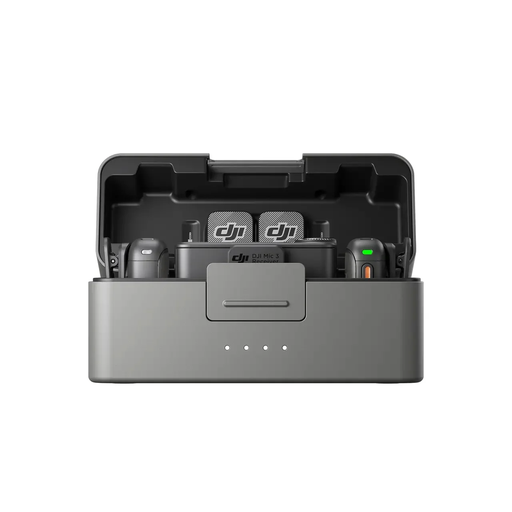
Consider this bundle when an interviewer and relative both need microphones during a mobile or video-led conversation. Check that its receiver works with your intended phone and recording app, and how you would access any internal backup recordings.
 No image available
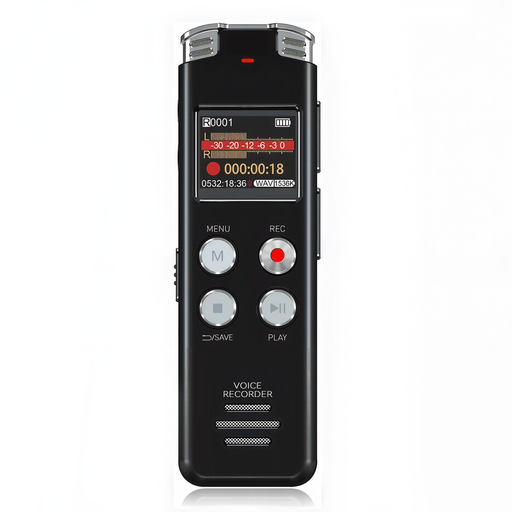
A portable recorder is a route to consider for audio-only conversations during visits. Position it near the storyteller and make a test recording; if listening while you record matters, check whether this model provides that function.
 No image available
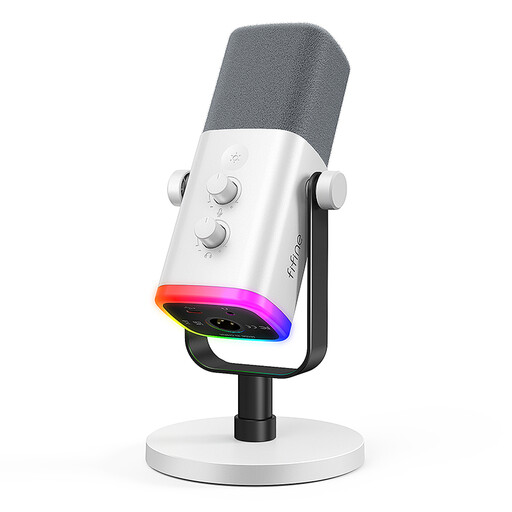
Consider a fixed microphone position for a seated family interview if you can keep it close to the speaker. Check compatibility with the computer you intend to use; recording through XLR also calls for compatible equipment.
 No image available
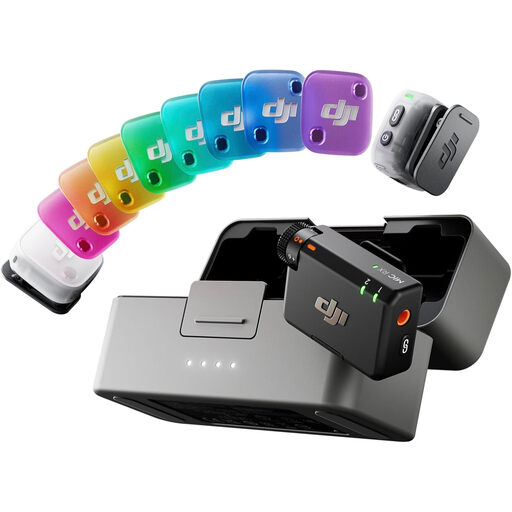
This two-transmitter bundle is relevant when both people need to be heard in a mobile interview. Confirm whether your phone and recording app will use its receiver or a Bluetooth connection before choosing a recording workflow.
 No image available
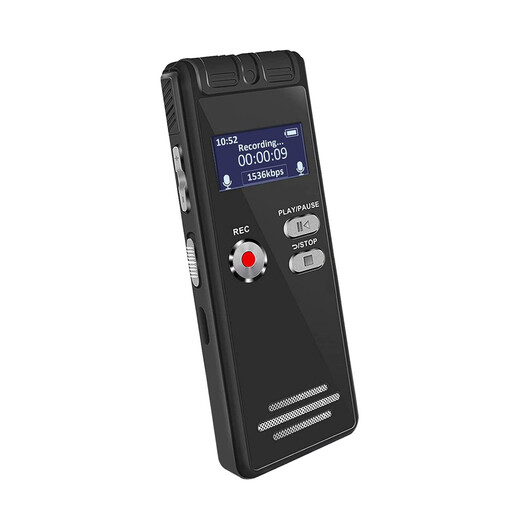
Consider this portable recorder for a conversation away from a desk. Test its position near the storyteller, and check whether you can listen during recording if catching problems immediately is important to you.
Place it near the person speaking rather than across the room. The Oral History Society suggests around 15 cm from an interviewee’s mouth for audio-only recording; make a short test and adjust if you hear breath or handling noise.
Choose WAV if preservation and later editing matter and your recorder supports it. The Oral History Society favours WAV over MP3 for quality; check that you have enough storage and can keep a separate copy of the finished file.
No: a handheld recorder can capture audio independently. A compatible USB microphone uses a computer or tablet for recording, while an XLR microphone needs compatible XLR recording hardware when you use that connection.
The Information Commissioner’s Office says UK GDPR does not apply to processing carried out as a purely personal or household activity. If you intend to publish recordings or use them beyond that private context, do not assume the same exemption applies; check the applicable requirements and discuss sharing with the people recorded.