Families keeping a usable older TV
If the screen still works well for the room, an HDMI streaming device may provide access to the apps you need without replacing the display. Check the TV’s input and the device’s current app support first.


Keep a television that still suits your household and add a compatible streaming player or set-top box if the main problem is missing apps. Replace the TV when you also need a different screen or want an integrated platform; if streams buffer across devices, check the home connection before changing viewing hardware. Whichever route you choose, confirm the exact model’s apps, HDMI requirements and accessibility features.
If the screen still works well for the room, an HDMI streaming device may provide access to the apps you need without replacing the display. Check the TV’s input and the device’s current app support first.
An integrated smart-TV platform or compatible external box may suit shared live and catch-up viewing. Freely describes an internet-connected route to UK broadcaster services without an aerial or dish; check the exact television or device before choosing it.
Check subtitles, audio description and spoken navigation in the apps people will actually use. If viewing is interrupted by buffering, assess Wi-Fi coverage and competing household activity as well as the TV.
Start with the problem you need to solve: the screen, the available apps or the connection. An HDMI cable connects compatible hardware, but it does not add a streaming platform on its own.
| Priority | What to check | Your needs |
|---|---|---|
| Apps and live TV | Check each essential service’s supported-device list against the exact TV, player or box and its software version. Confirm any live-TV feature separately from on-demand access. | I want everyone’s regular UK services on the shared screen, not just an app-store logo. ITV lists ITVX platforms with model and software conditions; Freely describes its integrated broadcaster experience for compatible devices. |
| Existing screen | Check that the TV has a usable HDMI input and still meets your size and picture needs. For 4K, check the display, selected input, HDCP support, cable and service requirements together. | If our current picture suits the room, I would rather assess an external player or box before replacing the TV. Google says its streaming devices require HDCP 1.3 or higher, and HDCP 2.2 for 4K content. |
| Integrated setup | Decide whether you need a new screen as well as built-in streaming. Check the exact smart-TV model’s platform and required apps; for an external device, check its HDMI connection and setup requirements. | I want to know whether one integrated TV meets our needs, or whether keeping our screen and adding a separate device makes more sense. A cable or passive adapter alone will not supply apps. |
| Home connection | Check for buffering on other devices, heavy Wi-Fi use and weak coverage in the TV room. Consider a wired connection where practical; assess coverage separately from the broadband connection itself. | Streaming needs to remain usable while other people are online. Ofcom advises checking competing data-heavy activity and says mesh systems can improve Wi-Fi coverage without increasing the underlying broadband connection’s performance. |
| Shared access | Check captions, audio description and navigation in the exact apps and programmes needed. If separate viewing areas matter, check profile controls on the intended platform. | Someone in our household may need spoken menus or accessible programmes, while others may want separate profiles. ITV and Amazon describe features whose behaviour or availability depends on the platform, device or content. |
A new screen may leave weak Wi-Fi unchanged. If the problem is a missing app, an external HDMI device could instead give a satisfactory display another streaming platform.
Test the TV’s HDMI input, check the required apps on the intended device and assess the connection in the viewing room before choosing a route.
Google requires HDCP 2.2 for 4K content on its streaming devices. Netflix’s Apple TV 4K guidance also specifies a compatible TV, suitable HDMI port and steady connection for its 4K streams.
Check the player, TV input, HDCP level, cable, service and connection as one chain for the format you intend to watch.
Meeting those requirements may involve changing the cable or input, or using a different display.
ITV’s ITVX guidance includes device, model-year and software conditions, so a platform name does not establish support for every model.
Check each essential service’s current supported-device guidance against the exact model and software version before ordering.
Device navigation features and accessible programmes are different things. ITV documents platform-specific ITVX controls and limits on audio description; Amazon says Fire TV feature availability can vary by device.
Check the particular app, programme type and device controls needed by the person who will use them.
These platform references help narrow compatibility checks; they do not mean that every device from a brand supports the same apps or features.
A UK streamed live-and-on-demand TV platform for selected televisions and compatible external devices.
Apple TV 4K is an external-player route for an HDMI-equipped television.
Google streaming devices offer an external route for a compatible display.
A streaming platform to consider when its exact device supports the household’s required services.
An external-player or Roku-OS TV route that needs an exact-device app check.
These options cover two ways to change a family streaming setup: adding a player to a suitable existing TV or replacing the screen with a smart TV. Compare each model with your essential apps and connection requirements.
 No image available
An external-player option if you want to keep a suitable HDMI television. The listing names 4K and Dolby Vision; check your TV’s input, the intended service and the exact device’s current app and firmware support before relying on those features.
 No image available
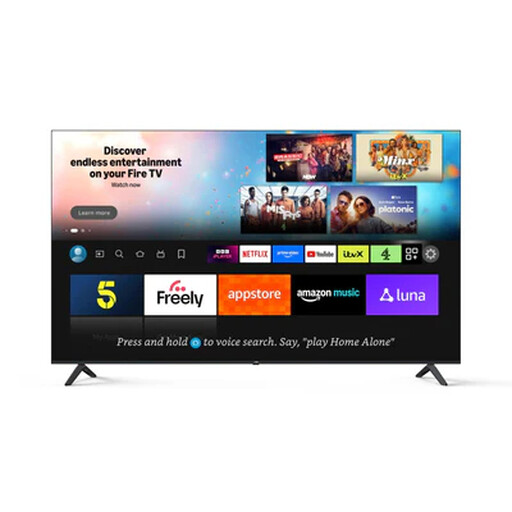
A replacement-screen option for a household considering an integrated Freely platform. The title specifies a 40-inch Full HD display and TiVo; confirm Freely and every essential app on this exact model and its current software.
 No image available
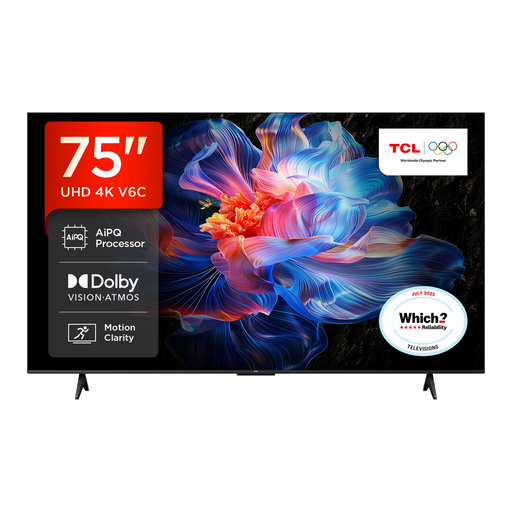
Consider this route if replacing the screen is part of the decision, not just adding apps. Its title specifies a 50-inch 4K QLED display and Wi-Fi; check the exact model’s UK apps, software and required accessibility features.
 No image available
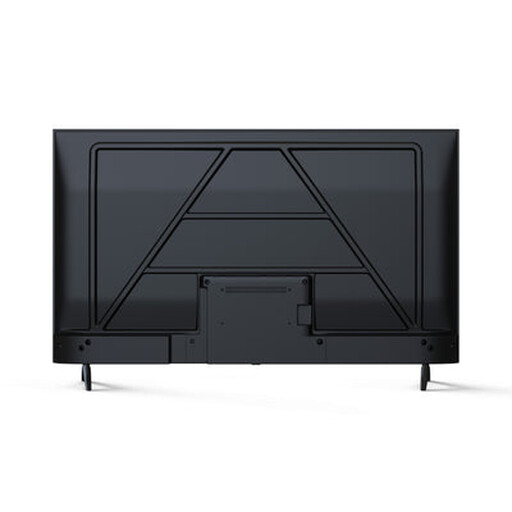
A smart-TV replacement to assess if the room and installation location suit a 75-inch screen. The title specifies 4K, HDR and Google TV; check essential UK apps and their required features on this exact model.
 No image available
A replacement-TV option when a 50-inch screen suits the viewing space. The title specifies a 4K Direct-LED display, HDR10 and Wi-Fi; check the exact model’s app support and accessibility behaviour before choosing it for shared viewing.
No, if the existing TV still suits the room and has a usable HDMI input, a compatible streaming player or set-top box is another route. Apple and Google specify HDMI-equipped displays for their streaming hardware; check the chosen device’s apps and setup requirements.
Do not assume so. Check each essential service’s current supported-device guidance against the exact model and software version. ITV’s ITVX guidance includes platform, model and firmware conditions.
The player, TV, selected HDMI input, cable, service and connection must meet the requirements for the stream you want. Google requires HDCP 2.2 for 4K content on its streaming devices; Netflix’s Apple TV guidance specifies an HDCP 2.2-or-later HDMI port and a steady connection of at least 15 Mbps for Netflix 4K.
Not in the same way across every app and programme. ITV describes platform-specific ITVX controls and limits on audio description, so check the exact device and whether the needed feature works for live or on-demand viewing.
Check the connection first, especially if other devices are affected. Ofcom advises looking at competing high-data Wi-Fi activity and using a wired connection where practical. Mesh Wi-Fi can improve in-home coverage, but it does not increase the underlying broadband connection’s performance.