Bright-window family historian
You read record images or map relatives beside a bright window. Screen placement and control of reflections matter alongside the display itself; the Health and Safety Executive advises arranging screens to avoid glare.


For a family-tree desk beside a bright window, deal with reflections before choosing a computer: angle the screen away from direct window glare and use blinds or curtains when needed. An adjustable anti-glare monitor offers more positioning options, but it needs a compatible desktop; an all-in-one can suit a simpler setup if its screen size and placement work for your tree and records. Check your genealogy software or browser requirements before choosing Windows or macOS.
You read record images or map relatives beside a bright window. Screen placement and control of reflections matter alongside the display itself; the Health and Safety Executive advises arranging screens to avoid glare.
You want to run Family Tree Maker rather than work only in a browser. Check the Windows or macOS requirements published by Software MacKiev for the version you plan to use.
You mainly use an online family-tree service. A computer that can keep a supported browser current, paired with a workable display layout, may meet your needs without changing desktop software.
Start with the window and screen position, then decide how much room you need for branches and records. Check software and display connections before committing to an all-in-one or a separate monitor.
| Concern | What to check | Who this matters to |
|---|---|---|
| Reflections and positioning | Can you angle the screen away from the window? Check anti-glare treatment, stand adjustment and whether blinds or curtains are needed. | When the desk has to stay by a bright window, I need to read names and scans without fighting reflections; around 42% of consumers put reflection control first. |
| Room for trees and records | Compare physical screen size and resolution, then consider whether your preferred tree and document layout fits at a comfortable zoom level. | If I keep a tree open beside record images, I want enough visible space to inspect both; around 33% of consumers put workspace detail first. |
| Software and connections | Check the requirements for your genealogy application or browser. For a separate 4K monitor, confirm the desktop's output and intended display mode. | Before changing computers or screens, I need my chosen family-history tools to keep working; around 25% of consumers put compatibility first. |
A brightness specification does not establish that reflections will disappear. The Health and Safety Executive advises arranging the desk and screen to avoid glare from windows and bright lights.
Work out the screen angle and any window covering you need before comparing displays. If the desk cannot move, check the screen surface and adjustment options.
The monitor and desktop must support the intended connection and display mode. For its E27k G5, HP specifies 4K-capable graphics and a suitable DisplayPort or HDMI output to run 3840 × 2160 at 60 Hz.
Check your desktop's exact video output, supported resolution and the monitor's input before ordering.
A different cable or adapter may be needed if the connectors do not match.
Family Tree Maker 2024 has distinct Windows and Mac requirements, while an online tree service depends on a supported browser.
Decide whether you will use installed software, browser tools or both, then check the relevant operating system and browser requirements.
An old desktop may hold document scans, research notes and account information. Oxfordshire County Council advises removing personal data before taking a computer to a recycling centre.
Back up the family-tree files and media you want to keep, sign out of services and erase personal data before using an appropriate recycling route.
The iMac is an integrated Mac desktop to consider if your family-history tools run on macOS and its screen placement suits the desk.
The Dell S2725QS is a separate-monitor example for a desktop setup where screen adjustment matters.
The HP E27k G5 is another separate-monitor example for buyers considering a physically adjustable 4K display.
These choices include an all-in-one desktop and monitors to pair with a compatible desktop. Compare their screen size and resolution against your tree-and-record layout, and check positioning and connections for your window-side desk.
 No image available
Consider this if you need a complete desktop rather than a monitor-only upgrade. The listed configuration has an Intel Core i7-13620H, 16GB DDR5 RAM, a 512GB SSD and Windows 11 Home.
Check whether the 27-inch Full HD screen gives your tree and records enough room, and whether you can position the integrated display away from window reflections.
 No image available
Consider a display upgrade if you already have a desktop that can drive a 4K monitor. This is a 27-inch 4K UHD, 16:9 monitor, not a computer.
Check the offered screen treatment and stand adjustment for your window position, and confirm your desktop's video output supports the intended display mode.
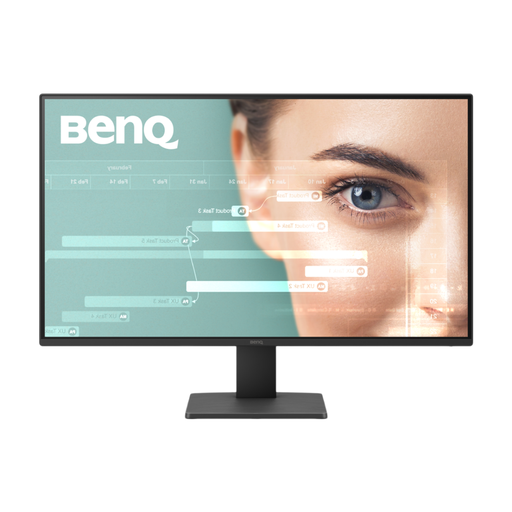 No image available
Consider this monitor if you already have a desktop and a 27-inch Full HD screen fits your tree-and-record layout. It is a monitor rather than a complete computer; the product name lists a 100Hz refresh rate and 5ms response time.
For the window-side position, check the screen treatment and available stand adjustment. Confirm the exact inputs on the offered model against your desktop before ordering.
No: brightness alone does not remove reflections. The Health and Safety Executive advises positioning the desk and screen to avoid glare from windows and bright lights; changing the screen angle or using blinds may help address its source.
Yes, provided the computer meets the requirements for its operating system. Software MacKiev lists Windows 10 x64 or later for the Windows version and macOS Big Sur 11 or later for the Mac version; check its memory, storage and display requirements for the version you plan to install.
Check the desktop's video output, the monitor's input and the display mode they can use together. For example, HP says its E27k G5 needs 4K-capable graphics and DisplayPort or HDMI output to run at 3840 × 2160 and 60 Hz; also confirm which cable the connection requires.
Back up the files and scans you want to keep, then remove personal data from the computer before recycling it. Oxfordshire County Council specifically advises clearing personal information before taking a computer to a recycling centre; check the arrangements for your local collection or centre.