What matters when choosing the TV?
Start with the devices that must remain connected, allowing for a future soundbar if you expect to add one. Then check the signal requirements of each source and the support information for the particular TV model.
| Concern |
What to check |
Who this matters to |
| Connections for existing devices |
List each device’s output and count the TV inputs left after allocating any ARC/eARC soundbar port. Check whether devices sharing an HDMI switch need to be used at the same time. |
I want Sky Q, a docked Switch and my disc player ready without repeatedly changing cables; roughly 33% of consumers put keeping their devices connected first. |
| Soundbar and control |
Identify the labelled ARC/eARC ports on both TV and soundbar. If Sky Q remote power control matters, check TV compatibility with HDMI Consumer Electronics Control (CEC), as specified by Sky UK. |
When I add a soundbar, I want TV audio and everyday controls to work with my existing setup; around 20% of consumers prioritise audio and control connections. |
| Picture and console signals |
Match each source to the capabilities of the particular TV input. For Sky Q Ultra HD, Sky UK specifies 3840 × 2160 at 50 frames per second and HDCP 2.2. |
If I use Sky Q Ultra HD or a console, an available socket alone does not tell me whether I can use my intended picture signal; about 20% of consumers make signal compatibility their primary concern. |
| Smart-TV support |
Check the exact model’s stated minimum security-update period and its automatic or manual update method. Check app availability separately. |
I plan to keep the TV connected for years, so I want to know how I will install security updates; roughly 27% of consumers put ongoing smart-TV support first. |
Joybuy TVs to assess for your setup
These smart TVs can be assessed against a plan for keeping your existing devices. Compare the usable inputs, any soundbar connection and model-specific update support with your household’s requirements.
 No image available
Haier H50K85GUF 50-inch 4K Smart TV with Freely and Fire TV
Consider this 50-inch 4K model if you want its named smart-TV services while retaining your current sources. The product name also lists HDR10 and Dolby Audio; check the inputs available after any soundbar connection and the model’s security-update period.
View on Joybuy
 No image available
TCL 55P8K-UK 55-inch 4K QLED Smart TV
If several existing devices need to stay attached, compare this 55-inch model’s usable inputs with your device list. Its name identifies a 4K QLED display and Google Cast; check the ARC/eARC connection, the input intended for Sky Q and the model’s security-update period.
View on Joybuy
 No image available
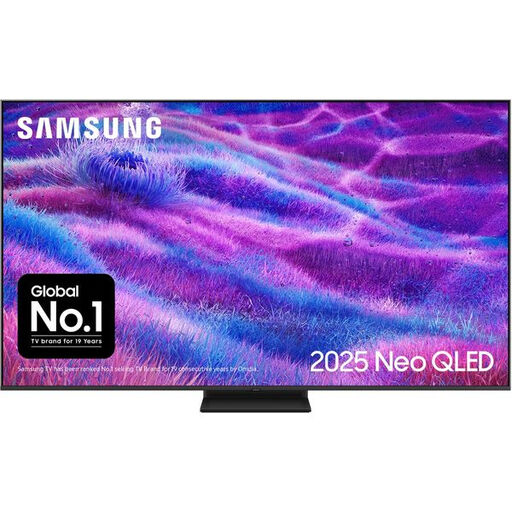
Samsung QE55QN80F 55-inch 4K Neo QLED Smart TV
For a 55-inch replacement, map the connections required by your retained devices before choosing this model. Its product name specifies 4K Neo QLED; check the soundbar port, the signal capability of each intended input and the model’s security-update period.
View on Joybuy
 No image available
Coocaa 40CTQH38ZUK 40-inch FHD QLED Smart TV with Freely and TiVo
If a 40-inch Full HD TV suits your intended viewing, check how your existing devices and any soundbar would connect to this model. Its name lists Freely and TiVo; confirm that its usable inputs and security-update period meet your plans.
View on Joybuy
Questions about keeping existing devices
Can Sky Q and a Nintendo Switch share a TV input?
They can share a compatible HDMI switch if you do not need to display them simultaneously and the switch handles the signals and controls you intend to use. Sky UK and Nintendo UK each describe an HDMI path to the TV for Sky Q and a docked Switch respectively; Nintendo Switch Lite does not support TV mode.
Does an HDMI soundbar use one of the TV’s ports?
Usually, yes: an HDMI soundbar connection uses the TV port labelled ARC or eARC, so set that port aside when counting inputs for source devices. Sony UK advises checking the labels on both products; an optical connection is another possibility if both TV and soundbar have compatible optical ports.
What should I check about smart-TV support?
Check the exact model’s stated minimum security-update period and how to install its updates, rather than relying on the brand or platform name. The National Cyber Security Centre explains the declared minimum period for covered UK connected devices; the availability of particular apps needs a separate check for the model.
How can I keep the TV software up to date?
Use automatic updates where the model offers them, or follow its manufacturer’s manual update instructions. Samsung UK, LG UK and Sony UK describe update methods, including USB routes for relevant models; keep the TV’s model number so you can find the instructions that apply to it.


