Joybuy product options
Joybuy tablet options for a family-supported home communication routine, including larger-screen devices for video calls, photos and simple messaging.
 No image available
Xiaomi Pad 8 8GB/128GB Wi-Fi Grey
For seated video calls and shared photos in a family-supported tablet routine.
Stated specifications include an 11.2-inch 3200 × 2136 display, 8MP front camera, stereo speakers, Wi-Fi and 128GB storage.
Test the chosen call app, contacts, permissions and accessibility settings on the delivered device before handover.
Joybuy
 No image available
Samsung Galaxy Tab A11+ 11-inch 128GB Wi-Fi Grey
For home video calls and photo viewing where a larger Wi-Fi tablet fits the routine.
The listing states an 11-inch 1920 × 1200 display, 5MP front camera, quad speakers, 3.5mm audio jack, Wi-Fi and 128GB storage.
This Wi-Fi model does not replace a mobile-data phone for calls away from reliable Wi-Fi; the listing specifies a USB-C cable rather than a charger in the box.
Joybuy
 No image available
Samsung Galaxy Tab A11+ 8GB/256GB Wi-Fi Grey
For home video calls and family photos where more stated storage is useful.
The listing states an 11-inch 1920 × 1200 display, 5MP front camera, Wi-Fi, Bluetooth and 256GB expandable storage.
Set up and trial the call app, contact permissions and account recovery before giving the tablet to its intended user.
Joybuy
 No image available
TABWEE W90 11-inch Dual 4G SIM Tablet
For calls at home or away from Wi-Fi where a family-managed mobile-data route is appropriate.
The listing states an 11-inch 1920 × 1200 display, 8MP front camera, dual-SIM 4G LTE, dual-band Wi-Fi, 256GB storage and microSD expansion.
A SIM card is not included; check UK network compatibility, tariff terms, data allowance and the exact supplied model details before purchase.
Joybuy
 No image available
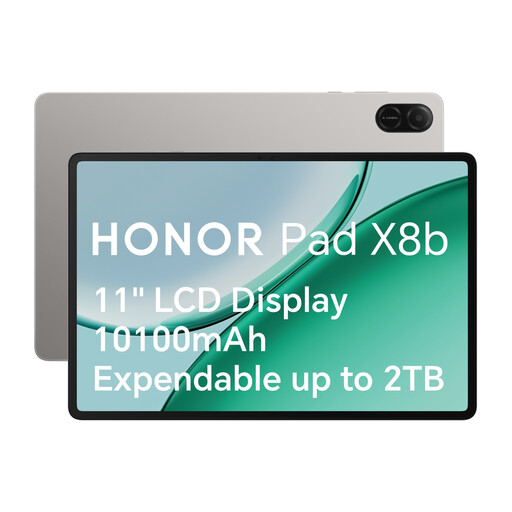
HONOR Pad X8b 128GB Space Grey
For larger-screen photo viewing and a home communication setup with Wi-Fi.
The listing states an 11-inch 1920 × 1200 display, up to 500-nit brightness, four speakers and expandable storage.
Confirm the front camera, intended video-call workflow, accessibility settings, app compatibility and household Wi-Fi before buying it for regular video calls.
Joybuy
Frequently asked questions
When is a tablet a better choice than a simplified smartphone?
Choose a tablet when video calls and photo viewing are mainly seated activities at home and a larger visual workspace helps. Choose a simplified smartphone when the same contacts are needed outside the home, after checking that the person can comfortably hold, charge and navigate the smaller device.
When does a smart display offer a different route?
A smart display is a fixed, mains-powered and Wi-Fi-dependent option for voice-led or one-tap calls in a usual room. It does not replace a portable tablet or phone, and Drop In should only be enabled with informed agreement because a received Drop In can start an audio or video connection automatically.
What should be set up before giving the device to an older relative?
Complete a trial call in the room where the device will normally be used, connect reliable Wi-Fi, add agreed contacts and set readable text, contrast and a focused home screen. Check camera, microphone and notification permissions, retain the account-recovery process securely, and retest the calling and photo-sharing workflow if a simplified mode is used.
Will video calls cost extra?
Video calls made over home Wi-Fi do not use a mobile-data allowance, but calls through a phone network can use substantial data. Check the relevant mobile tariff and the Wi-Fi quality in the usual calling location before relying on video calls as a regular routine.


