Offline-first cottage players
If cottage Wi-Fi may be slow or unavailable, check whether your chosen game and the features you use work after you have downloaded them. Installing the game before departure gives you time to test the intended mode.


Choose a tablet that supports your exact farming game and intended way of playing before deciding on screen size or connectivity. A Wi-Fi model can suit a trip centred on downloaded single-player play, but you should check the game’s offline requirements and prepare downloads before leaving; a larger screen favours play at the cottage over compact handling. Investigate cellular connectivity only if the game needs it and you can check coverage at the cottage—it does not guarantee workable multiplayer.
If cottage Wi-Fi may be slow or unavailable, check whether your chosen game and the features you use work after you have downloaded them. Installing the game before departure gives you time to test the intended mode.
If you have games or saves associated with iPadOS or Android, establish what carries over to the new tablet before comparing hardware. Check the particular game and your save method rather than assuming purchases transfer between platforms.
If most play will happen at the cottage, a larger display may be worth considering. Think about where you will support the tablet and whether you also expect to hold or carry it regularly.
Start with the exact game’s platform and connection requirements, then choose a screen you will be comfortable using and storage that fits your downloads. Check charging equipment before you pack.
| Concern | What to check | Who this matters to |
|---|---|---|
| Game and connection | Check the exact game’s platform, offline mode and requirements for downloads, saves or multiplayer. Test the way you plan to play before travelling. | If I cannot rely on cottage Wi-Fi, I need my chosen game and play mode to work with the connection I will have. Around 33% of consumers put game compatibility and a workable connection plan first. |
| Screen and handling | Compare screen size and the exact variant’s weight; decide whether you will hold the tablet or rest it on a table. | If I will spend long sessions holding the tablet, a larger view must be worth the extra bulk to me. Screen visibility and handling come first for around 25% of consumers. |
| Games and storage | Check each game’s current compatibility and storage requirement against the selected configuration. Verify microSD support on the precise model if expansion matters. | I want several games and updates ready to use locally without choosing a configuration that is too small for my library. Around 25% of consumers prioritise storage and game requirements. |
| Trip readiness | Check the exact box contents and your access to a suitable charger; plan any case, compatible storage card or data arrangement you need. | When charging points are inconvenient, I want to know what I need to take along rather than discover it at the cottage. Charging and accessories are the primary concern for around 17% of consumers. |
Connection requirements depend on the game and play mode. ConcernedApe’s Stardew Valley mobile multiplayer guide describes that feature as experimental and identifies local Wi-Fi with a PC-hosted farm as the preferred arrangement.
Install your chosen game and updates before departure, check how its saves work and test the offline or local-network mode you intend to use.
A cellular-capable tablet offers another way to connect, but coverage and the game’s connection method still matter. ConcernedApe warns that hosting or connecting to Stardew Valley mobile multiplayer over a mobile network is likely to cause problems.
Check the game’s requirements, local coverage and your data arrangement before choosing a cellular variant.
More display area comes with a handling trade-off: Apple lists its 11-inch Wi-Fi iPad Air at 464 g and its 13-inch Wi-Fi model at 616 g.
Consider a larger format for play supported on a table; compare smaller models if you expect to hold the tablet or pack it frequently.
Box contents vary by product. Samsung’s UK purchase information says the Galaxy Tab S10 FE and FE+ do not include a travel adaptor.
Check the contents of the exact tablet you choose and whether you already have a compatible charger and any other accessories you intend to take.
Consider the iPad Air route when your chosen game or existing purchases make iPadOS the platform you need.
The Galaxy Tab S10 FE line is an Android option for shoppers considering a screen around 11 inches, with Wi-Fi and 5G variants.
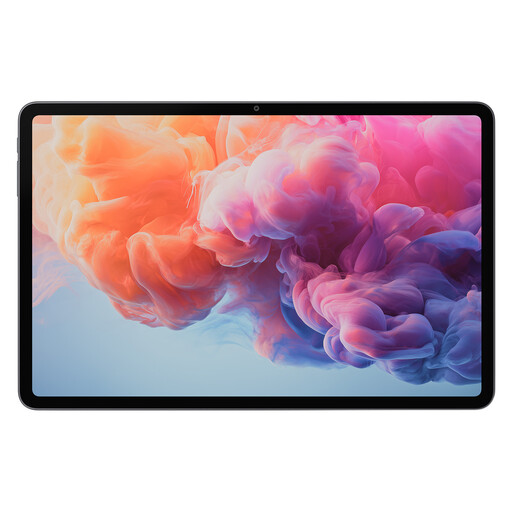
The Tab P12 illustrates the larger-screen Android route for play that will mostly stay at the cottage.
These tablets cover Android choices with compact and larger displays for farming-game play at a cottage. Choose by your game’s requirements and how you will use the tablet; the listed hardware alone cannot establish offline support or gaming runtime.
 No image available
An 11-inch Android option if you want a tablet to hold or pack for cottage play.
The title specifies an FHD+ 90Hz display, Helio G100 processor and 8800mAh battery capacity. It presents 256GB and 2TB as storage options, so check the configuration of this SKU before relying on either figure.
Check the exact game’s compatibility and offline mode; battery capacity does not tell you how long it will run during play.
 No image available
Consider its larger display if you expect to play mainly while seated at the cottage.
The title lists a 12.7-inch 2K display, 256GB storage, a Helio G99 processor, a 10,000mAh battery and an included stylus. It specifies dual-SIM 4G LTE and 5G Wi-Fi; 5G Wi-Fi is not a claim of 5G mobile service.
Check your game’s requirements and whether the tablet’s size is comfortable for the way you will use it.
 No image available
The listed 512GB storage may suit you if keeping a larger game library on the tablet is a priority.
The product name specifies 12GB RAM and 512GB storage. Check the exact game’s compatibility and offline requirements, as well as the connection options you need at the cottage.
 No image available
Its 13.4-inch format is worth considering if play will mostly happen at the cottage rather than while carrying the tablet.
The title lists a 120Hz display, 256GB storage, an MTK G99 processor, dual-SIM 4G LTE and 5G Wi-Fi. Confirm the installed Android version before buying, as the product information gives conflicting versions.
Check the game’s requirements and whether the larger tablet will be comfortable to use.
 No image available
This is another larger-screen option for play centred on the cottage.
The title specifies a 12.1-inch display, MTK G100 processor, 8GB RAM, 128GB storage and 10,000mAh battery capacity. It also states that no charger is included.
Check that you have a compatible charger, along with the connection and game support your intended play mode requires.
Choose Wi-Fi if your game works as intended offline or the cottage connection meets the needs of the features you plan to use. Consider a cellular model only after checking the game, local coverage and data arrangement; ConcernedApe’s Stardew Valley mobile multiplayer guide warns that mobile-network hosting or connections are likely to cause problems.
Not necessarily: check the exact game and test your intended mode before departure. Sign-in, saves and multiplayer may have different connection requirements; ConcernedApe describes Stardew Valley’s mobile multiplayer feature as experimental.
An approximately 11-inch model is worth comparing if you will hold and carry it regularly; consider a larger screen if it will usually rest on a table. For scale within one range, Apple lists the 11-inch Wi-Fi iPad Air at 464 g and the 13-inch Wi-Fi model at 616 g.
Check the contents of the exact tablet’s box and bring a compatible charger if needed. Samsung states that its Galaxy Tab S10 FE and FE+ do not include a travel adaptor; a case, stand or compatible storage card may also be relevant to how you plan to use your tablet.