
24/7 Customer Support

Free returns

Same-day & Next-day Delivery

Quality Guaranteed

Unlock Your Welcome Offers: FREE Delivery | Up to 80% OFF | Free 30-day JoyPlus trial
Download the APP
A suitable charger can simplify your daily routine, while the wrong one may leave you with slow charging, unnecessary cables or a plug that is inconvenient to use in the UK. With phones, tablets, laptops, watches and wireless accessories all competing for power, choosing by wattage alone can be misleading.
The following guide explains the specifications that matter and highlights practical options for different lifestyles.
A 100W charger does not automatically charge every device at 100W. Phones may accept considerably less, while some laptops require a specific USB-C Power Delivery profile. The charger, cable and device must all support compatible standards.
A powerful unit can still be useful for multi-device charging, but check how its output is distributed when two or more ports are occupied.
A multi-port charger may advertise three or four ports, yet the total output can be shared between them. A charger with two USB-C ports might deliver its headline wattage through one port but reduce the output when both are connected.
Look for the single-port and multi-port output figures, rather than relying on the total number printed on the packaging.
Not every travel charger is a UK plug charger. An EU-standard model may require a separate travel adaptor for British sockets. Similarly, an older USB-A cable may prevent a USB-C fast charger from delivering its intended power.
Use an appropriate, certified cable in good condition. Damaged cables can become hot and may interrupt charging.
For modern phones, tablets and laptops, USB-C PD (Power Delivery) is an important specification. It allows the charger and device to negotiate a suitable voltage and current. PPS can provide more flexible power adjustment for compatible devices, including selected Samsung phones.
Other protocols, such as QC, AFC, FCP and SCP, may improve compatibility with particular devices. However, protocol support does not override the device’s own charging limit.
Use these figures as a practical starting point:
A laptop charger should match the laptop manufacturer’s recommended USB-C input. A charger described as 30W may not be suitable for laptops requiring 45W or more.
A dual-port charger is often practical for a bedside table or office, while a four-port GaN charger can replace several adaptors in a travel bag. GaN, or gallium nitride, allows manufacturers to produce compact chargers with higher power density. It does not remove the need for ventilation or safe handling.
Frequent travellers should check:
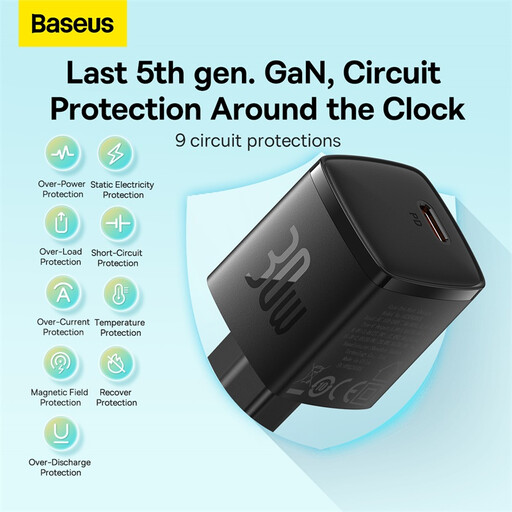
Why This Fits Their Persona: Its compact 30.2mm design and approximately 45g weight suit commuters, students and anyone replacing a basic phone charger. The EU-standard specification should be checked carefully before use with UK sockets.
The stated 30W USB-C output is clearer than an inflated combined figure. Buyers can also see that it is not intended for laptops requiring 45W or more.
Small GaN construction, USB-C PD output and smart port recognition for compatible devices.
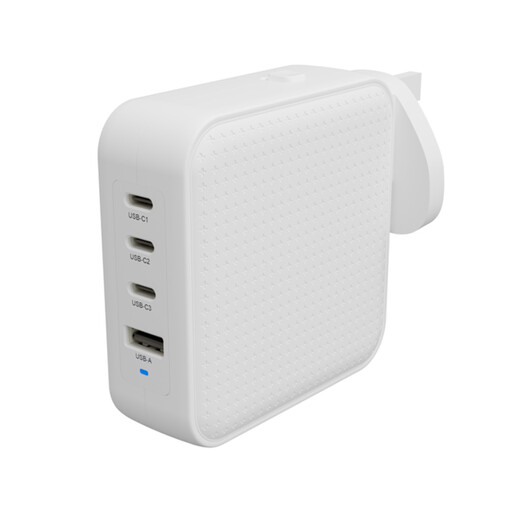
Why This Fits Their Persona: Professionals and remote workers can charge a laptop, tablet, phone and accessory from one unit at home, in an office or abroad.
Its 3C+1A layout and stated 100W total output make it more suitable for several devices than a single-port high-wattage charger. Output is dynamically allocated, so connected devices still share power.
100–240V input, interchangeable UK/EU/AU adaptors, three USB-C PD ports and a USB-A port.
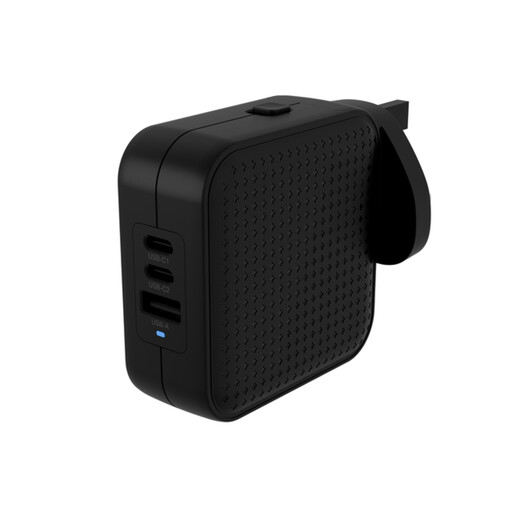
Why This Fits Their Persona: It provides a middle ground for travellers carrying a laptop, tablet and phone without the bulk of separate adaptors.
The product specifies 70W total power and dynamic distribution, helping buyers set realistic expectations when several devices are plugged in.
Two USB-C PD ports, one USB-A port, international plug options and an included C8 desktop adaptor.
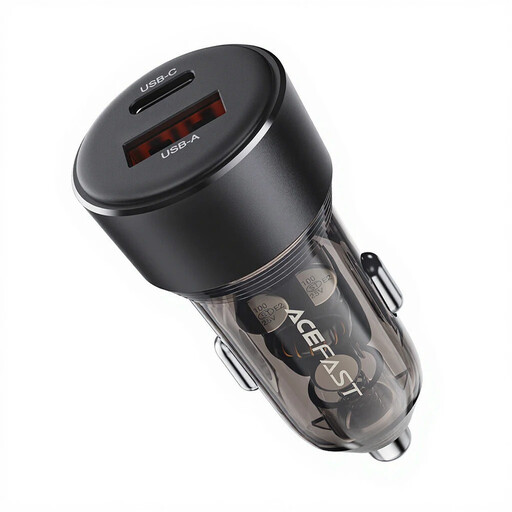
Why This Fits Their Persona: Designed for a vehicle’s 12–24V socket, it suits commuters who want to charge two phones, a tablet or wireless accessories while travelling.
It states up to 30W per port and 60W total, rather than leaving simultaneous charging performance unclear. It is specifically for DC 12–24V vehicle sockets, not mains use.
USB-C and USB-A ports, PD/QC/PPS compatibility and built-in protection against overheating, overvoltage and overloading.
Before connecting a device, confirm that the charger is intended for the socket being used. A UK plug charger is suitable for standard British mains sockets, while an EU plug requires the correct adaptor.
Keep chargers uncovered during operation and away from water, fabric and other flammable materials. Stop using one that becomes unusually hot, emits smoke or makes abnormal sounds. For a car charger, connect devices after the engine has started where possible, and do not use it in a socket outside the stated voltage range.
A wireless charging stand also needs a suitable USB-C power source. Check whether the required mains adaptor is supplied before ordering.
We have compiled a complete, real-time list of products that fully satisfy these strict selection criteria and UK safety regulations.
A charger should be suitable for the device and used in a dry, ventilated area. Unplug it when not in use if the manufacturer recommends doing so, or if the charger is damaged, unusually hot or exposed to moisture.
Not necessarily. Wattage is the maximum output, not a fixed amount of electricity consumed at all times. Actual consumption depends on the device, battery level, charging protocol and time connected. A 100W model may use more when powering a compatible laptop, but it will not automatically draw 100W when charging a phone.
Lifespan depends on build quality, heat exposure, cable condition and frequency of use. Keep the charger dry, avoid covering it and do not bend or strain cables at the connector. Replace any unit showing cracks, loose pins, scorching or inconsistent charging.