
24/7 Customer Support

Free returns

Same-day & Next-day Delivery

Quality Guaranteed

Unlock Your Welcome Offers: FREE Delivery | Up to 80% OFF | Free 30-day JoyPlus trial
Download the APP
A frayed, slow or unreliable charging cable is a modern-day frustration we can all do without. When your device’s battery is low, the last thing you need is a cable that can’t keep up. But with so many options on the market, all claiming to be fast and durable, how do you choose the right one?
As a Joybuy Product Recommendation Officer, my role is to help you navigate the choices. This guide cuts through the marketing jargon to provide clear, practical advice on selecting a high-performance fast charging cable that suits your devices and your lifestyle. We will look at key features to consider and highlight a few standout options available today.
Before you add a cable to your basket, understanding a few key specifications can ensure you get the performance you expect.
The most crucial step is to identify the correct connector types for your device and your power adapter.
Not all fast charging is equal. The power a cable can handle is measured in watts (W).
A cable is only as good as its construction. A durable charging cable will save you money and hassle in the long run. Look for features like:
Based on features, user needs and build quality, here are some noteworthy fast charging cables to consider.
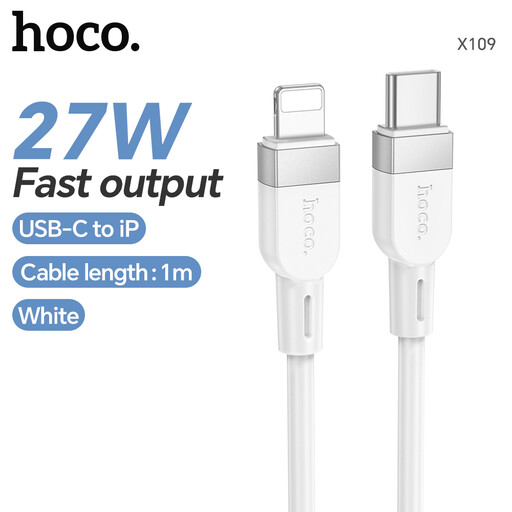
Why It Stands Out: This cable is designed specifically for Apple users who want to take advantage of fast charging. Its silicone construction makes it remarkably soft and flexible, preventing the tangles and stiffness common with other cables. It supports up to 27W power delivery, ideal for quickly charging recent iPhone models when paired with a compatible USB-C power adapter.
Pros:
Who is it for? iPhone and iPad users looking for a flexible and effective USB C to Lightning cable to replace their standard one or to enable fast charging.
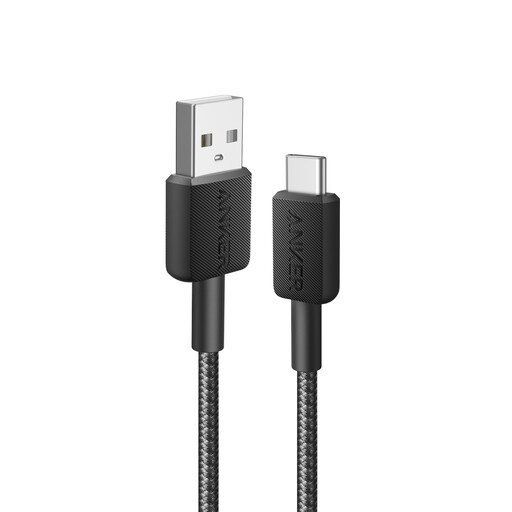
Why It Stands Out: Anker is a well-regarded name in charging accessories, and this cable demonstrates why. It’s built for longevity, with the brand stating it can withstand up to 10,000 bends. Its key feature is the USB-A connector, making it perfect for connecting modern USB-C devices to older chargers, car chargers or laptops that don't have USB-C ports. It is also USB-IF compliant for safe and reliable charging.
Pros:
Who is it for? Anyone who needs to charge a USB-C device using an older USB-A power brick or computer port. It’s a practical and reliable choice for everyday charging and syncing.
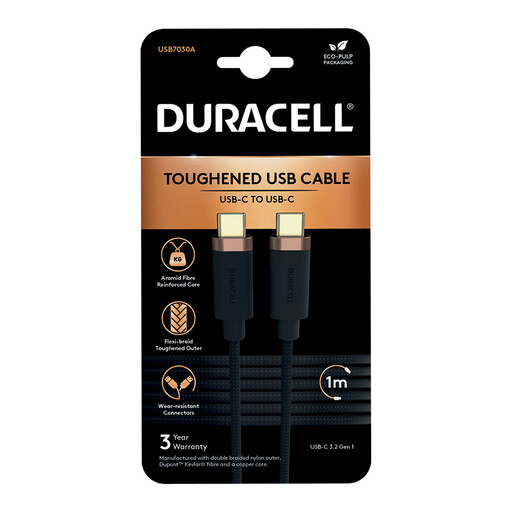
Why It Stands Out: This cable from Duracell is a powerhouse, both in performance and construction. It supports up to 65W power delivery, making it suitable for charging not just phones but also tablets and many USB-C laptops at high speed. Its build quality is exceptional, featuring a double-braided nylon exterior and an internal core reinforced with Dupont Kevlar fibre. It also offers SuperSpeed data transfer at 5Gbps, making it a true all-rounder.
Pros:
Who is it for? Users with high-power devices like a MacBook, Dell XPS or other USB-C laptops. It is also an excellent choice for anyone who values maximum durability and fast data transfer speeds.
Our recommendations cover some of the most common needs, but the world of charging cables is vast. If you are looking for a different length, colour or connector combination, there are many other quality options to explore.
? Discover a wider selection of USB Type A to Type C cables on Joybuy
1. Can I use any fast charging cable with my phone? Not exactly. For optimal performance, your cable, power adapter and device must all support the same fast-charging standard. Using a 65W cable with a 20W phone charger will only deliver 20W. Always match the cable's connector type (e.g., USB-C, Lightning) to your device and ensure its wattage rating meets or exceeds what your charger provides.
2. Does a braided cable really last longer? Generally, yes. A braided cable made from materials like nylon provides an extra layer of protection against physical stress. It helps prevent the internal wires from breaking due to bending and protects the cable from cuts and abrasion. This makes it a good indicator of a durable charging cable designed for long-term use.
3. What's the difference between a charging cable and a data transfer cable? Most modern cables, including all the ones recommended above, can do both. However, the speed at which they transfer data varies. A basic cable might offer speeds of 480Mbps, which is fine for syncing music and photos. A high speed data transfer cable, like the Duracell 65W model, can offer speeds of 5Gbps or more, allowing you to transfer large files like 4K videos in seconds rather than minutes.