
24/7 Customer Support

Free returns

Same-day & Next-day Delivery

Quality Guaranteed

Unlock Your Welcome Offers: FREE Delivery | Up to 80% OFF | Free 30-day JoyPlus trial
Download the APP
Buying fast charging cables and chargers can seem straightforward until a phone charges slowly, a laptop fails to recognise a cable or a multi-device accessory stops working after a few months. The headline wattage is only part of the decision. Connector type, charging protocol, plug compatibility and cable construction all affect everyday performance.
This guide explains the main buying traps and highlights practical options for UK households, commuters, Apple and Android users, laptop owners and frequent travellers.
A cable marked 200W charging cable or 240W charging cable does not automatically make every device charge at that speed. The charger, cable and device must support compatible power standards. A phone designed for 20W cannot draw 200W simply because a cable has a higher rating.
For laptops and tablets, check whether the charger supports USB Power Delivery (USB PD) and whether its output matches the device. Some Android devices also require particular fast-charging protocols, while Apple devices may need suitable USB-C or Lightning accessories.
A 4-in-1 charging cable may provide several connector ends, such as USB-C, USB-A, USB-C output and Lightning. However, the total power may be shared when more than one device is connected. Data transfer can also be limited or available through only one connector.
A multi-device cable is useful for reducing luggage and desk clutter, but it should not be treated as a replacement for a high-output multi-port USB-C charger in every situation.
A charger with an EU plug may require a suitable UK travel adaptor and may not be convenient for permanent use at home. Before ordering, check the plug type and whether the product is intended for UK sockets.
For cables, repeated tight bending near the connector is a common cause of failure. Braided nylon, silicone jackets, reinforced housings and sensible cable lengths can help with daily handling, but no cable should be pulled by the cord or used after its insulation is damaged.
Look beyond the largest number on the packaging. A 60W USB-C cable can be suitable for phones, tablets and some lightweight laptops, provided the charger and device support USB PD. A 200W or 240W cable offers greater headroom for compatible high-power equipment, but the actual charging speed remains controlled by the complete system.
For a charger, review:
A GaN fast charger can offer high output in a relatively compact design. A multi-port USB-C charger is practical for a desk, bedside table or family travel bag, but confirm how much power remains available when several devices are connected.
Modern laptops, tablets and many Android phones use USB-C. Older Apple devices and selected accessories may still require a USB-C to Lightning cable or a Lightning charger cable. Some cables use detachable or integrated ends, so check exactly which side connects to the charger and which side connects to the device.
A cable described as USB-C to USB-C is not interchangeable with a USB-C to Lightning cable. Also check whether you need USB-A compatibility for an older wall adaptor, car charger, power bank or laptop.
For commuting or travel, a 1.2m to 2m cable can provide useful reach from a socket to a sofa, bedside table or work surface. Longer cables are convenient but can be more difficult to store.
Useful construction features include:
Always stop using a cable if it becomes unusually hot, shows exposed wiring or has visibly damaged connectors.
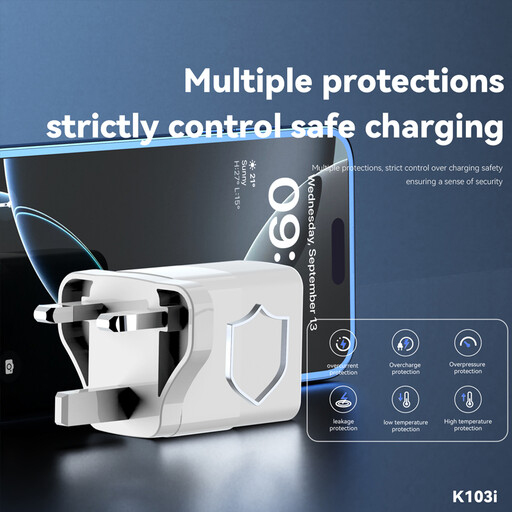
Why This Fits Their Persona: A compact option for shoppers who need a straightforward wall charger and Lightning connection for compatible Apple devices at home, in the office or as a spare.
Its listed maximum output is 22.5W, making the power claim more specific than an unexplained “fast” label. Confirm device compatibility and UK plug requirements before purchase.
Lists 5V/3A, 9V/2.22A and 12V/1.67A output modes, with 100–240V input specified.
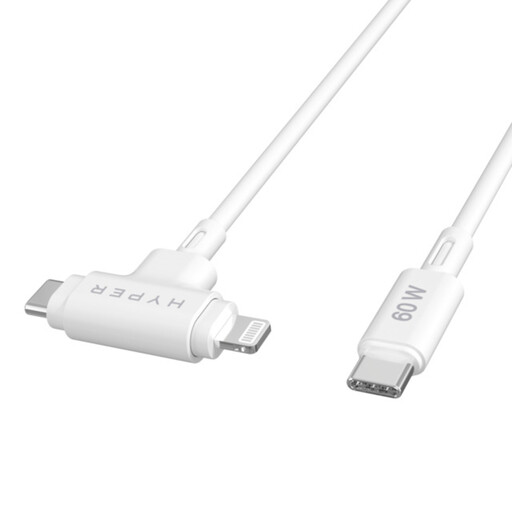
Why This Fits Their Persona: Suits users who carry Apple and USB-C devices and want one portable cable for work trips, rail journeys and everyday charging.
The product specification states its 60W Power Delivery capacity, 1.5m length and USB 2.0 data rate, helping buyers separate charging performance from transfer speed.
Combines USB-C and Lightning connectors, with a silicone outer jacket and listed Apple MFi certification.
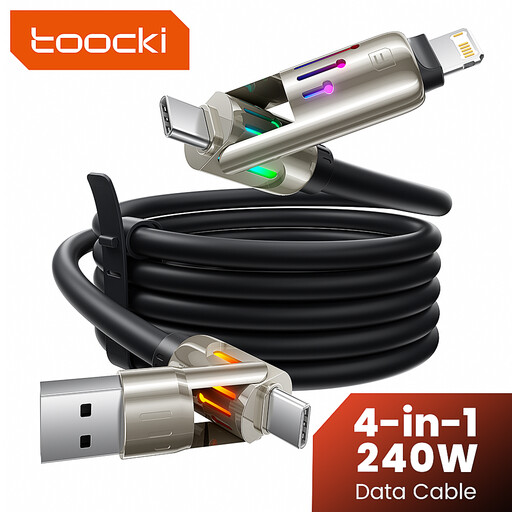
Why This Fits Their Persona: Designed for households, travellers and hybrid-device users carrying phones, tablets, consoles and laptops with different connection needs.
Its connector combination is stated as USB-A/USB-C to USB-C/Lightning, while the instructions specify that the source, device and charging standard must all support the advertised power.
Offers a 2m braided design, integrated LED light and four connection combinations for travel and everyday use.
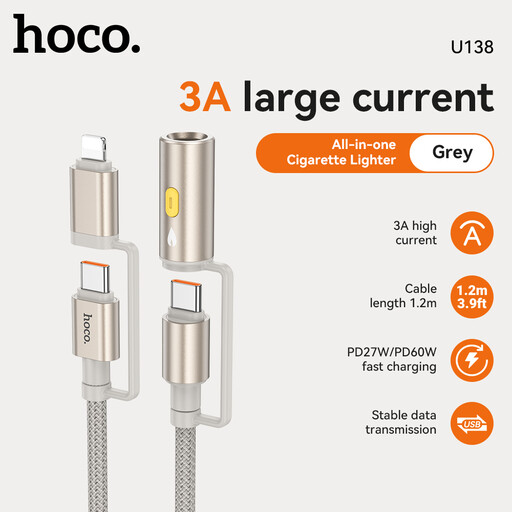
Why This Fits Their Persona: A practical choice for drivers who want USB-C and Lightning compatibility from a vehicle’s 12V/24V socket.
The supplied safety information specifies correct insertion into a suitable socket and warns against use with damaged sockets, moisture or visible cable damage.
Combines a vehicle power adaptor with USB-C and Lightning charging connections in one travel accessory.
We have compiled a complete, real-time list of products that fully satisfy these strict selection criteria and UK safety regulations.
They can be worthwhile when your existing cable is damaged, incompatible with a newer charger or unable to provide the power your device supports. Match the cable rating and connector to the charger and device rather than paying solely for the highest wattage printed on the packaging.
Some can, but the result depends on the cable’s rating, connector combination, charger output and device protocols. A 240W cable has capacity for compatible high-power devices, but it will not make an incompatible laptop charge at that rate. For several devices at once, a multi-port USB-C charger may be more practical.
Avoid sharp bends, knots, excessive tension and contact with liquids or heat. Disconnect by holding the connector housing, not the cord. Store cables loosely and replace them if the jacket splits, wiring becomes visible or the connector becomes unusually hot during use.