
24/7 Customer Support

Free returns

Same-day & Next-day Delivery

Quality Guaranteed

Unlock Your Welcome Offers: FREE Delivery | Up to 80% OFF | Free 30-day JoyPlus trial
Download the APP
A broken or underperforming charging cable is more than a minor inconvenience; it can disrupt your entire day. With nearly every modern device, from your iPhone 15 and MacBook Pro to your work laptop, now using USB-C, finding the right cable should be simple. Yet, the market is flooded with options that often fail to deliver on their promises.
As a Joybuy Product Recommendation Officer, my role is to help you navigate this confusing landscape. We will look past the marketing buzz and focus on what truly matters, helping you avoid the common pitfalls that lead to wasted money and frustration.
Before you add any cable to your basket, be aware of these frequent issues:
To ensure you get a cable that works correctly and lasts, focus on these three core parameters.
The single most important specification is the power rating, measured in watts (W). This determines how quickly your device can charge.
A durable charging cable is about more than just a braided nylon sheath. Pay close attention to the construction.
Cable length impacts convenience. A standard 1-metre cable is fine for desktops or charging from a power bank, but a 2m USB C cable offers far more flexibility for use at home or in the office, allowing you to comfortably use your device while it charges from a distant wall socket.
Instead of a generic list, we have matched specific cables to different user needs, ensuring you get the right product for your lifestyle.
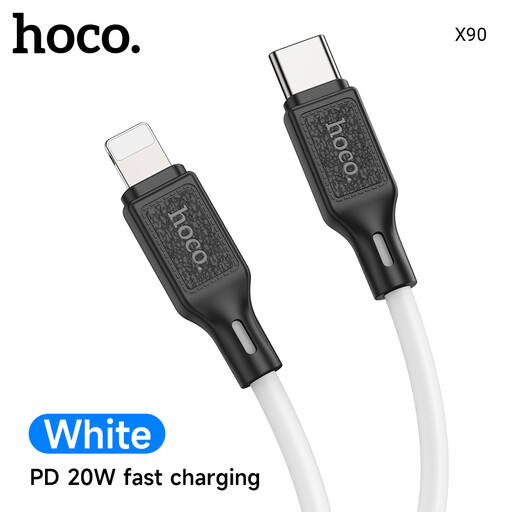
Why This Fits Their Persona: You need a reliable, no-fuss cable for charging your phone, tablet or headphones. This is a practical and affordable replacement or spare for daily use at home, in the car or at the office.
It is clearly specified as a 60W cable, perfectly matching the power needs of mobile devices without overpromising performance for high-power laptops.
The silicone sheath offers good flexibility and tangle resistance. Its 1-metre length is convenient for portability and desktop use.
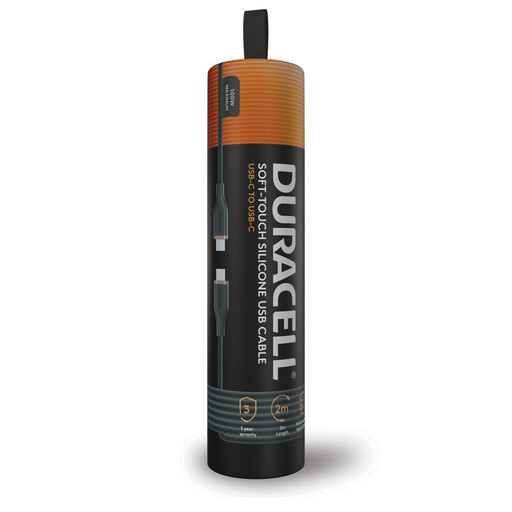
Why This Fits Their Persona: You rely on a powerful laptop for work and need a single cable that can handle it all. This is a proper laptop charging cable USB C solution that also offers extra length for convenience in meeting rooms or at home.
It explicitly supports 100W Power Delivery, ensuring it won't be the bottleneck when charging a MacBook Pro or other demanding laptop. The 2-metre length also solves the problem of short, impractical cables.
The construction includes a double-braided nylon exterior and an internal core with Dupont Kevlar fiber for enhanced durability. The generous 2-metre length is a significant practical benefit.
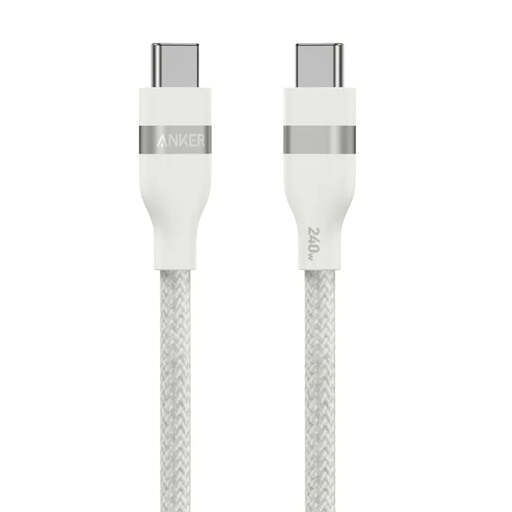
Why This Fits Their Persona: You are tired of replacing frayed cables every few months and are willing to invest in a product built to last. This cable is for those who prioritise longevity and robust construction above all else.
It directly addresses the durability illusion. According to Anker's information, it has a 30,000+ bend lifespan and can withstand 220 lbs of force, focusing on the real-world stress that causes other cables to fail.
Its primary advantage is its stated durability. The 240W power rating also makes it future-proof, ready for the next generation of power-hungry devices.
We have compiled a complete, real-time list of products that fully satisfy these strict selection criteria and UK safety regulations.
Yes, absolutely. It is perfectly safe. USB Power Delivery (PD) is a smart technology. The cable, charger and your device communicate to determine the maximum safe power level. A high-wattage cable will not force too much power into your phone; your phone will simply draw the amount it needs.
No. This is a common misconception. Most USB-C cables designed primarily for charging, even premium ones, only support USB 2.0 data speeds (480Mbps). This is fine for syncing music or small files, but for transferring large video files or backing up your computer, you should look for cables that explicitly state support for USB 3.1, USB 3.2 or Thunderbolt standards, which offer significantly faster speeds (5Gbps and higher).
The most obvious signs are physical damage like fraying near the connector or a loose-fitting plug. Other symptoms include intermittent charging (your device connects and disconnects), slow charging speeds even with a compatible charger or your device not being recognised by a computer. If you notice any of these, it is time to replace the cable for both performance and safety reasons.