Families using calls and SMS
A feature phone suits a child whose family can communicate through direct calls and texts without needing an app-based group chat.


Choose a feature phone if calls and SMS cover the child’s communication needs; do not count on it for an app-based family group. If a particular messaging app is necessary, consider a simplified or parent-managed Android smartphone, then check that the exact handset supports the app and its setup requirements. Google’s Family Link can manage apps on compatible Android devices, but it cannot turn a full smartphone into a guaranteed single-app device.
A feature phone suits a child whose family can communicate through direct calls and texts without needing an app-based group chat.
If shared messages, photos or calls depend on WhatsApp or another named app, look for explicit support on the exact handset rather than assuming a basic phone can install it.
A managed smartphone is an option when app messaging matters and an adult can set up the child’s account, manage apps and revisit the controls. Google says some apps needed for supervision or device operation cannot be blocked.
Start with the channels your family actually uses, then check the exact handset and the setup each channel requires.
| Priority | What to check | Your needs |
|---|---|---|
| Calls and SMS | Check calling and texting on the exact model, plus the intended SIM, tariff and network compatibility. Physical keys may matter if straightforward navigation is a priority. | Calls and ordinary texts would cover how my child and family keep in touch. |
| Family messaging | Confirm that the named app can be installed and activated on the exact handset. Samsung UK says WhatsApp setup requires a phone that can receive a verification SMS or call; messaging away from Wi-Fi needs mobile data. | Our family uses an app group for messages or photos, so calls and SMS alone would not cover that conversation. |
| App controls | Check the child’s device and account against Google’s Family Link requirements. Google documents app management on Android 6.0+ and says some required apps cannot be blocked. | I can set up and review controls, while recognising that they do not make a smartphone internet-free. |
| Charging setup | Check what comes in the exact box. For the Joybuy-listed Galaxy A17 5G, Joybuy specifies no charging adaptor and a suitable charger output of 10W–25W. | I want to have the right charging equipment ready when the phone arrives. |
HMD describes the 2660 Flip as having no social-media apps. A phone chosen for calls and SMS may therefore leave out the channel the family uses most.
List the required calls, texts, group messages, photos and app calls, then confirm each app requirement against the exact model.
Google says some apps required for supervision or device operation cannot be blocked. Its purchase approvals apply to Google Play billing, not every possible payment route.
Set up the child’s account, review allowed apps and limits, and agree household rules alongside the device controls.
Doro describes its Aurora range as full Android with WhatsApp and other ordinary apps. A simpler layout does not remove smartphone account and app-management decisions.
Choose a simplified Android handset when the app capability is needed and an adult can manage its setup and use.
Joybuy says its listed Galaxy A17 5G is supplied without a charging adaptor, which matters if there is no suitable one ready for setup.
Check the box contents and arrange an adaptor that meets Joybuy’s stated 10W–25W output requirement for that listing.
HMD’s 2660 Flip illustrates the calls-first feature-phone route rather than an app-based family-messaging setup.
Doro has distinct routes: the Leva E30 is presented for calling and texting with physical keys, while Aurora is described as a simplified full-Android range.
Samsung’s Galaxy A17 5G represents the conventional smartphone route for a family prepared to manage an app-capable handset.
These options cover calls-and-texts handsets and a smartphone for families considering managed app messaging. Check the exact communication channels and network or app requirements before choosing.
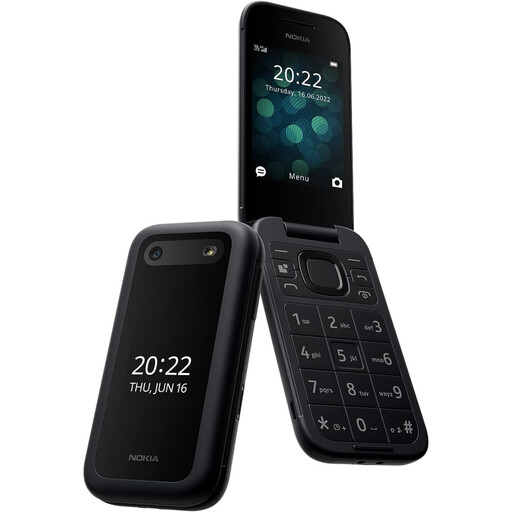 No image available
Consider this for a calls-and-texts plan rather than relying on it for a family messaging app. Confirm that the TA-1469 variant works with the intended SIM and UK network before buying.
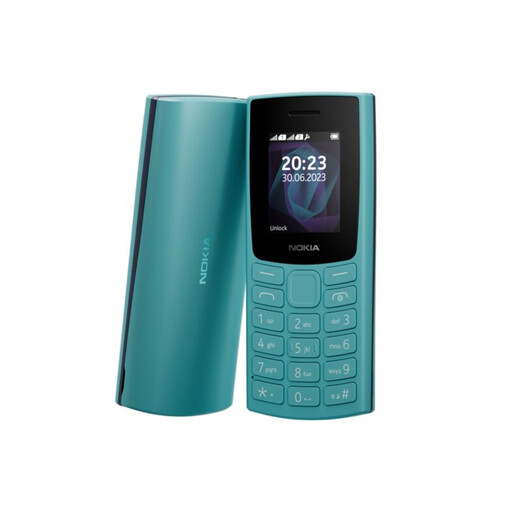 No image available
This is an option to assess when direct calls and SMS cover the family’s plan. Confirm the TA-1557 variant’s network compatibility with the intended SIM, and check any app requirement separately.
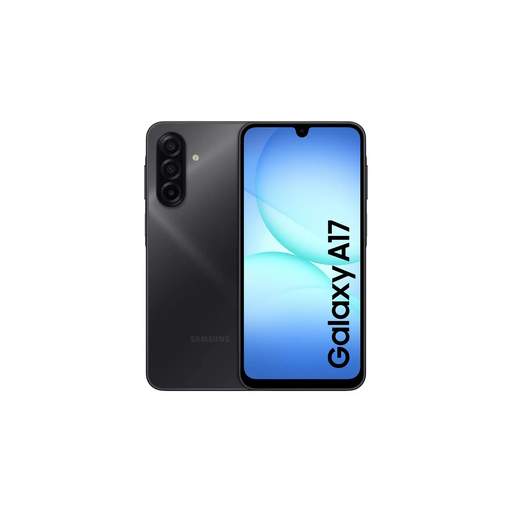 No image available
Consider this smartphone when family communication requires an app and an adult can manage the setup. Confirm app installation and activation on this exact variant before relying on it for group messages. Google says some apps cannot be blocked through Family Link. Joybuy says this listing has no charging adaptor; a suitable one requires 10W–25W output.
Do not assume it can. HMD describes the 2660 Flip as having no social-media apps; if WhatsApp is essential, confirm support and setup on the exact handset before choosing a feature phone.
No such restriction is guaranteed. Google allows app management on compatible Android devices but says some apps needed for supervision or device operation cannot be blocked; its purchase approvals cover Google Play billing.
Check support on the exact handset and the messaging provider’s current account terms. Samsung UK says setup on a Galaxy smartphone requires the ability to receive a verification SMS or call, while messages away from Wi-Fi require mobile data.
Joybuy says this Galaxy A17 5G listing is supplied without one. Check the box contents before checkout and, if arranging an adaptor, use Joybuy’s stated suitable output range of 10W–25W.