What matters when choosing?
Start with where and how you will read the itinerary, then decide how much screen space you can comfortably carry. Treat connectivity as a separate decision: even a cellular-capable tablet needs an offline plan for essential documents.
| Concern |
What to check |
Who this matters to |
| Access without a connection |
Check whether the exact variant has Wi-Fi only or cellular capability, and save tickets, itinerary files and required maps before travel. |
If a booking reference is needed when the connection changes, I want it stored on the tablet. Around 31% of consumers put continued access to their itinerary first. |
| Outdoor viewing and handling |
Check stated brightness, screen treatment, glove operation and the exact model’s protection rating and conditions. |
When I need to check a route outside with gloves on, I want to be able to see and operate the screen. Roughly 25% of consumers prioritise outdoor viewing and handling. |
| Screen space and portability |
Compare an itinerary page at a comfortable text size on 8-inch and 11-inch screens; check the weight of the chosen variant. |
A dense PDF needs to be readable without making the tablet awkward to carry through the terminal. Around 25% of consumers place that balance first. |
| Editing the itinerary |
Decide whether you need to annotate files or write longer updates, then check pen and keyboard compatibility and what is included. |
If plans may change while I wait, I need a practical way to update notes rather than just read them. About 19% of consumers put editing first. |
Joybuy tablets for itinerary review
These tablets offer 11-inch screens for reviewing itinerary documents. Their listed configurations differ, so check mobile-data capability, outdoor-use specifications and the exact variant rather than treating them as interchangeable.
 No image available
TABWEE W90 11-inch tablet, 256GB, 4G LTE
Consider this configuration if you want an 11-inch document screen and a stated mobile-data option. The product name also lists dual SIM slots and 5G Wi-Fi; 5G Wi-Fi does not establish 5G mobile service.
Confirm the exact 4G LTE variant and compatibility with your provider before relying on it. Check the battery specification if it matters to your journey, and verify screen visibility and protection for exposed use.
View on Joybuy
 No image available
DOOGEE U11 PRO 11-inch tablet, 256GB, Black
This is a document-viewing option if you intend to save the itinerary before travelling. Its product name lists a 90Hz IPS screen and an 8580mAh battery; the refresh rate alone does not establish outdoor readability.
Check a dense itinerary page at your preferred text size, and confirm the display and protection specifications before planning exposed outdoor use.
View on Joybuy
 No image available
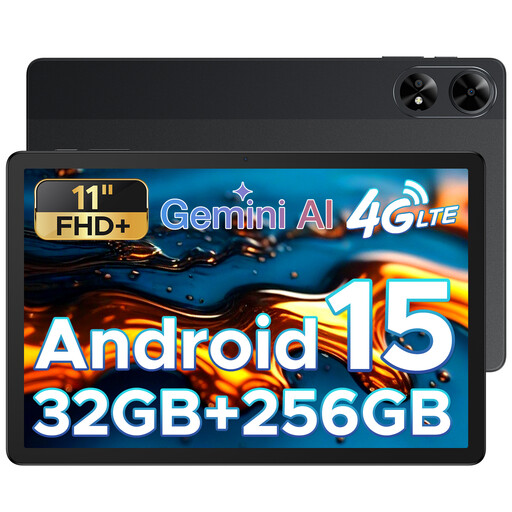
DOOGEE Tab G6 Plus 11-inch FHD+ tablet, 256GB, Black
The 11-inch FHD+ screen makes this a configuration to consider for viewing itinerary pages. The product name also lists an 8000mAh battery.
Confirm whether this exact configuration has mobile data before relying on it away from Wi-Fi. Check the display and protection specifications if you expect to use it outside.
View on Joybuy
 No image available
Apple 11-inch iPad Air (2026, M4), Wi-Fi 128GB, Space Grey
Consider this Wi-Fi configuration for reading larger itinerary documents while seated or under shelter. Save essential files locally and arrange another connection if you need updates away from Wi-Fi.
If carry weight or outdoor viewing is decisive, check the specifications for this exact variant. Do not assume that a separate cellular configuration describes this SKU.
View on Joybuy
 No image available
DOOGEE Tab E3 11-inch FHD+ tablet, Blue
The stated 11-inch FHD+ screen makes this a tablet to consider for itinerary pages; its product name also lists a 90Hz display and 5G Wi-Fi.
Check the selected storage capacity before buying. Although the name mentions dual SIM slots, confirm the exact mobile-network capability rather than interpreting 5G Wi-Fi as cellular service; check outdoor-viewing and protection specifications separately.
View on Joybuy
Frequently asked questions
Should I choose Wi-Fi only or a cellular tablet for a ferry-terminal itinerary?
A Wi-Fi-only tablet can work if you download essential files and can use terminal Wi-Fi or a phone hotspot when needed; choose cellular capability if an independent connection matters to you. Confirm the exact SIM or eSIM configuration and your provider’s terms for the journey. GOV.UK notes that surcharge-free UK roaming in EU and EEA countries is no longer guaranteed.
Can I rely on mobile data after the ferry departs?
Do not make mobile data your only way to reach tickets or itinerary details during a crossing. Ofcom warns that a device on the coast or at sea may connect to a ship satellite service instead of a land-based network; download the files you need and check your provider’s roaming controls beforehand.
Which screen features matter when checking an itinerary outdoors?
Check the exact model’s stated brightness, reflective treatment and usability with gloves, then try a representative itinerary page if possible. Samsung lists 600 nits and glove-responsive touch for the Galaxy Tab Active5 5G, Apple lists an anti-reflective coating for the 11-inch iPad Air, and Lenovo lists a 400-nit anti-glare display for the cited Tab M11 configuration. None of those specifications guarantees readability at every screen angle.
Do I need a rugged tablet at a ferry terminal?
Not necessarily: an ordinary tablet with a protective case may suit itinerary checks made mainly indoors. If you expect repeated outdoor handling, gloves or water exposure, examine a rugged model’s stated features and the manufacturer’s protection conditions for that exact device.


