What should you check before buying?
Start with the address and provider, then decide whether the task is replacing the gateway, extending Wi-Fi or connecting more wired devices.
| Priority | What to check | Your needs |
|---|
| Service and hand-off |
Check your address with Ofcom, then confirm the provider's order and installation details. Ofcom warns that checker predictions can differ from actual availability; Openreach FTTP uses an ONT Ethernet hand-off, but other arrangements may differ. |
I want to know what will be installed before choosing a WAN connection or buying equipment. |
| Router compatibility |
Confirm the required WAN interface, authentication and provider support for your exact service. BT Business says a third-party router must be compatible and is not supported by its main technical helpdesk. |
I would replace the supplied router only if my own device can connect to the service and provide the router functions I need. |
| Wi-Fi extension |
Check whether the mesh system or router supports access-point mode and needs a wired connection to the existing router. TP-Link describes this mode as retaining the existing router's network-management role. |
The broadband connection works, but I want Wi-Fi in more of the home without replacing the provider router. |
| Operating-mode features |
Check which device will handle routing and DHCP, and whether features you use remain available in access-point mode. ASUS says its supported routers disable firewall, IP sharing and NAT functions in that mode. |
I need to know whether changing modes will affect the network settings I rely on. |
| Wired connections |
Count the devices and access points needing Ethernet. For Openreach FTTP, Openreach specifies a Cat5e or Cat6 connection from the ONT to the router WAN port; plan any switch on the home-network side of a working router. |
I have fixed devices or a wired access point to connect after the broadband service is running. |
Joybuy mesh systems and wired switches
These mesh systems are options to assess if you need to extend in-home Wi-Fi; the switches address additional wired connections after a router is working. Check the intended operating mode and your provider's requirements before choosing a mesh system for a new connection.
 No image available
NETGEAR Orbi 370 RBE373 Wi-Fi 7 Mesh System, 3-Pack
A three-unit mesh option for in-home Wi-Fi. The title specifies dual-band BE3600 and 2.5Gbps Ethernet. If you plan to keep the provider router or replace its gateway function, confirm this model's operating modes and your provider's connection requirements first.
View on Joybuy
 No image available
TP-Link Deco BE22 (3-Pack) BE3600 Mesh Wi-Fi 7 System
A three-unit mesh option where extending Wi-Fi is the task. Check access-point mode and its available features on this exact model if the provider router will remain the gateway; confirm provider requirements before considering it as a replacement router.
View on Joybuy
 No image available
TP-Link Deco BE25 Mesh Wi-Fi 7 System (3-Pack)
A three-unit mesh option for extending in-home Wi-Fi. Before planning wired connections or retaining the provider router, confirm this variant's Ethernet port roles, access-point mode and the requirements of your broadband service.
View on Joybuy
 No image available
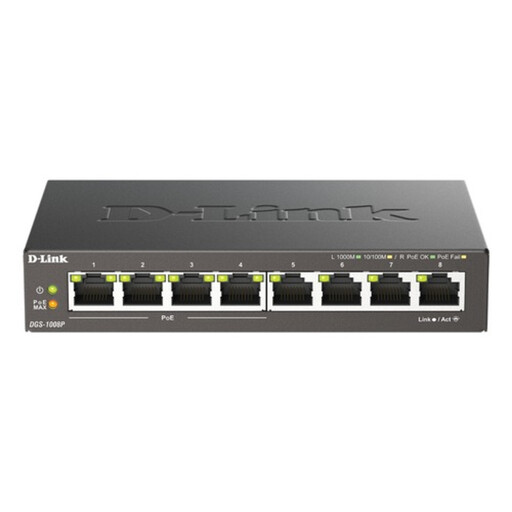
D-Link 8-Port Gigabit PoE Unmanaged Desktop Switch
An unmanaged switch for adding wired connections to a network with a working router; it does not replace the broadband router or provide Wi-Fi. If connecting a powered access point, check its PoE compatibility and the switch's power capacity.
View on Joybuy
 No image available
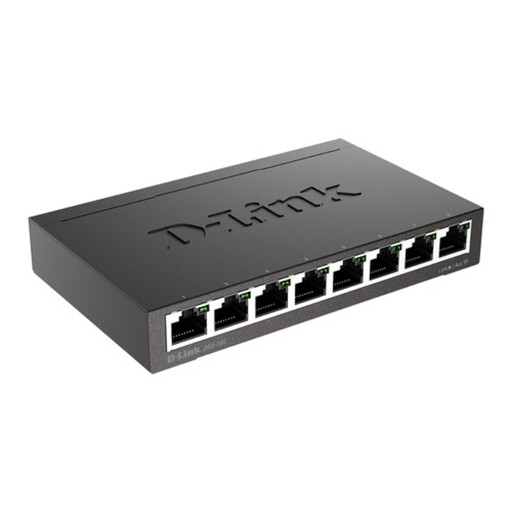
D-Link DGS-108 8-Port Gigabit Unmanaged Desktop Switch
An option for connecting more wired devices to an existing home network. This unmanaged switch does not establish the broadband connection or extend Wi-Fi on its own.
View on Joybuy
Common questions
Should I buy a router before the fibre installation?
Wait until the provider confirms the service and installation hand-off, then establish the connection with its supplied equipment. Openreach specifies an ONT-to-router Ethernet connection for its FTTP installation, but a replacement router must also meet the chosen provider's authentication and support requirements.
Can I keep my mesh system with a provider router?
You can assess that setup if your exact mesh model supports access-point mode. TP-Link describes this arrangement as leaving the existing router in charge of network functions while Deco extends Wi-Fi; check which mesh features remain available in that mode.
Can I use my own Wi-Fi router with a Virgin Media Hub?
Virgin Media says modem mode lets you connect your own Wi-Fi kit to a compatible Hub, but says that mode is not currently available for Hub 5x. Confirm your Hub model and its supported setup before buying or changing equipment.
Can I move an Openreach ONT myself?
Do not remove the Openreach ONT or its power supply: Openreach says they must remain in place. If its location needs to change, contact your communications provider rather than treating it as movable router equipment.
What should I do with replaced network equipment?
Use an applicable electrical-equipment collection or recycling route rather than putting an unwanted router or switch in ordinary household waste. UK government guidance describes designated facilities for collecting waste electrical and electronic equipment; check the options offered by your local authority or retailer.


