What should you prioritise?
For home and small-organisation backups, start with the need that matters most, then check whether each copy can actually be restored.
| Concern |
What to check when buying |
Who this matters to |
| Recovering important files |
Check that the required folders are copied, then restore sample files to a separate location. Consider where a disconnected copy will be kept. |
If I could not replace my photos or essential documents, I would prioritise a copy I can retrieve after an incident. Around 29% of consumers put recovery first. |
| Capacity for a growing archive |
Measure the files to protect and allow for growth and retained versions. For Mac Time Machine, Apple ideally recommends a disk with at least twice the Mac’s storage capacity. |
When my photo, video or work-file collection keeps growing, I need enough space for the files and planned copies. Around 23% of consumers put capacity first. |
| Transfer workflow |
Check the device port, cable and supported USB mode against the drive’s stated interface and rated speed. |
If I regularly move large files or update a local backup, I would check that the connection suits my devices. Around 18% of consumers put transfer workflow first. |
| Access across devices |
Check which devices, apps, folders and settings are included, and test retrieval from another device. |
When my files come from several devices or accounts, I need to know what is covered and how to get it back. Around 18% of consumers put access across devices first. |
| Security and ongoing cost |
Review account protection and recovery arrangements, drive security and the cloud plan’s current allowance and recurring charge. |
If my files are sensitive or I need a manageable continuing bill, I would weigh access controls and the plan cost together. Around 12% of consumers put security and ongoing cost first. |
Joybuy products for local backups
These Joybuy listings are removable local-storage options: portable SSDs and hard drives, plus a desktop hard drive for a stationary setup. They may suit a plan that includes a physical copy alongside other backup routes.
 No image available
Samsung T7 Shield Portable SSD 1TB, Blue
A portable SSD can suit a local-copy workflow when you want removable storage.
The listed title specifies 1TB capacity and USB Type-C with USB 3.2 Gen.2.
Joybuy
 No image available
Western Digital My Book 22TB Desktop Hard Drive
A desktop drive may suit a large computer-based archive that stays in one place.
The listed title specifies 22TB, USB 3.0, password protection and hardware encryption, with PC and Mac compatibility. It is a desktop rather than portable drive.
Joybuy
 No image available
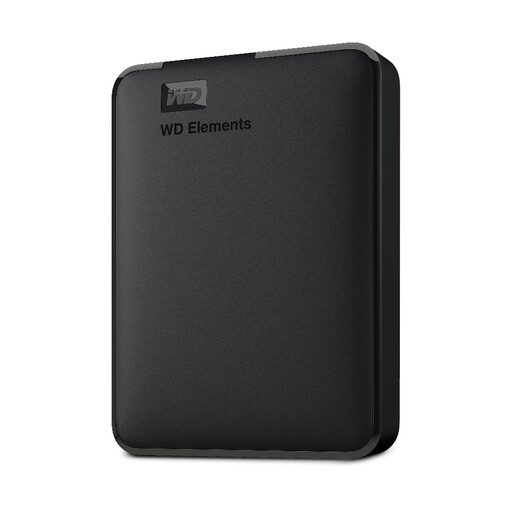
WD Elements Portable External Hard Drive 2TB
A portable hard drive may suit a removable local copy of computer files.
The listed title specifies 2TB, USB 3.0 and formatting for PC and Mac.
Joybuy
 No image available
SanDisk Portable SSD 2TB
A portable SSD may suit a local copy of a growing file collection.
The listed product name specifies 2TB capacity.
Joybuy
 No image available
Western Digital Elements Portable Hard Drive 4TB
A higher-capacity portable drive may suit a larger removable file archive.
The listed title specifies 4TB and USB 3.0; the product description specifies a USB-A cable. Reformatting may be required for Mac or other operating systems.
Joybuy
Frequently asked questions
How can I tell whether my backup will restore?
Check that the intended files are included, then periodically restore representative files to a separate location and open them. The UK National Cyber Security Centre recommends practising restoration so you know how to retrieve files before you need them.
Should I leave a removable backup drive plugged in?
The UK National Cyber Security Centre advises small organisations not to leave a storage-device backup connected when it is not in use, because malware can affect connected devices. Store the drive securely and reconnect it for planned updates and restore tests.
Can a synced photo library replace a separate backup?
Not for protection against every mistaken deletion. Apple says deleting a photo or video in iCloud Photos removes it from other devices signed in to the same Apple Account, so keep a separately maintained copy of photos you cannot replace.
Will an external drive work immediately with Mac Time Machine?
Not necessarily: Apple says Time Machine may offer to erase and reformat a disk, so protect existing files before setup. Apple ideally recommends a backup disk with at least twice the Mac’s storage capacity, although a smaller disk can still be used.
What should I check before choosing cloud storage?
Check the plan’s current allowance, recurring charge, supported devices and recovery features. Apple lists iCloud+ plans with 50GB, 200GB and 2TB of storage, while Microsoft describes 365 Basic as a 100GB subscription; confirm the current terms and which files are included before relying on either service.


