What matters when choosing a backup route?
Decide what you need to restore first, then whether you need a separate local or off-site copy, and how much setup or ongoing payment suits you.
| Concern |
What to check when buying |
Who this matters to |
| Recovery after loss or deletion |
Check version and deletion retention, whether a copy is separate from the original, and whether you can restore a sample file. |
If I lose a file or a device fails, I want to know how far back I can restore. About 33% of consumers put recovery after deletion, corruption or device loss first. |
| Capacity for a growing archive |
Estimate the files to protect, allow room for growth and retained versions, and check drive capacity and computer compatibility. |
If my photos, videos and documents keep accumulating, I need enough local space without having to rethink the setup straight away. Around 25% of consumers prioritise capacity for a growing archive. |
| Off-site access and ongoing cost |
Check which files and devices are covered, restore history, export options, and current payment, renewal and cancellation terms. |
If a local incident could affect my equipment or home, I want a copy stored elsewhere while keeping recurring charges in view. Roughly 25% of consumers prioritise off-site access and its ongoing cost. |
| Access across devices |
Check which folders and devices sync, who can change or delete files, what can be restored, and whether a separate backup runs as intended. |
If my household needs to open or share files on different devices, I want convenient access without relying on syncing as my only recovery option. About 17% of consumers put multi-device convenience first. |
Joybuy drives for local file backups
These options cover portable SSDs and external hard drives for local file copies. A drive can complement an off-site copy where a local incident could affect the equipment or files stored at home.
 No image available
SanDisk Portable SSD 2TB
A portable local-storage option for photos, videos and work files.
Capacity: 2TB. Read speed: up to 800MB/s.
View on Joybuy
 No image available
Western Digital Elements Portable 4TB Black
A portable HDD option for making a local copy of a growing photo or document archive.
Capacity: 4TB. Connectivity: USB 3.2 Gen 1. The listing says reformatting may be required for Mac use.
View on Joybuy
 No image available
Western Digital My Passport 2TB Black
A portable local drive for work documents and photos, with scheduled backup software described in the listing.
Capacity: 2TB. Connectivity: USB 3.2 Gen 1. The listing specifies hardware encryption and says the drive is not waterproof; avoid severe drops and liquid exposure.
View on Joybuy
 No image available
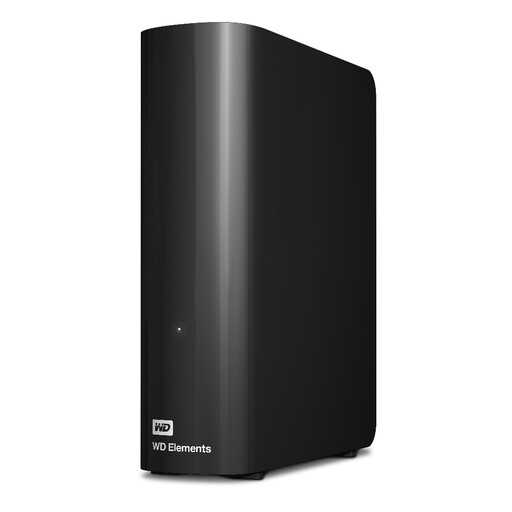
Western Digital WD Elements Desktop 20TB
A desktop HDD option for a large stationary archive of photos, videos and documents.
Capacity: 20TB. Connectivity: USB 3.2 Gen 1. The listing includes an AC adapter.
View on Joybuy
 No image available
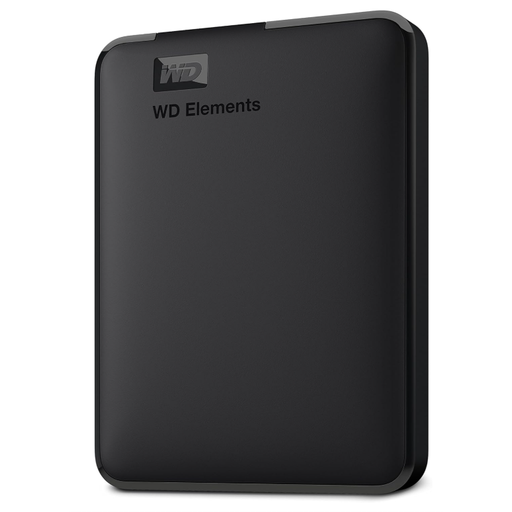
Western Digital Elements Portable 6TB
A portable local drive for a large copy of photos, videos and documents.
Capacity: 6TB. Connectivity: USB 3.2 Gen 1. The listing says reformatting is required for macOS use.
View on Joybuy
File backup questions answered
Is a synced photo library or cloud folder already a backup?
Not necessarily; check whether you can restore a separate earlier or deleted copy. Apple says iCloud Photos deletions propagate between devices and advises keeping backup copies of the library. Microsoft describes OneDrive restore features with account and time conditions.
How should I start and maintain a drive backup?
Choose the folders you need, use a supported backup tool or scheduled copying routine, and restore a sample file to check the result. Microsoft says Windows File History can use an external drive or network location, while National Cyber Security Centre guidance explains why a disconnected copy can matter if connected storage is affected.
What should I check before paying for cloud backup?
Check which files and devices the plan covers, its version-retention setting, how you can export or restore files, and its current renewal and cancellation terms. In April 2026, the UK government said announced subscription protections were expected to begin in spring 2027, so do not treat them as already operative.
Must a UK sole trader keep every work file for five years, or keep cloud files in the UK?
The cited guidance does not establish a uniform rule for every work file or require every cloud file to be stored in the UK. HM Revenue & Customs says relevant self-employed tax records must normally be kept for at least five years after the 31 January submission deadline for the relevant tax year, with an additional rule for very late returns. For professional processing of personal information, the Information Commissioner’s Office says UK GDPR transfer rules depend on the actual transfer, recipient and other conditions, not simply a server label or supplier address; purely personal household processing falls outside that particular test.
What data-protection paperwork might matter if my cloud backup holds customer information?
If you are a controller using a processor for personal data, the Information Commissioner’s Office says a written contract or other legal act must be in place. Check the parties’ roles, supplier terms and actual data flows; this conditional business obligation is not a universal requirement for a household photo backup.


