What matters when choosing storage?
Decide how copies will survive a device or home-level incident before choosing a drive. Then check whether the storage method fits the amount of material, the devices used and the routine you can maintain.
| Concern |
What to check |
Who this matters to |
| Recovering files after a failure |
Check that a copy can be stored away from the computer and that you can restore an earlier or deleted file where the service offers that option. |
If my laptop or a drive fails, I need statements and scans that I can still retrieve from another place. About 31% of consumers put recovery across separate copies first. |
| Keeping portable files private |
Check the encryption method and how access and recovery work if a password or PIN is forgotten. |
When I carry a copy of sensitive documents, I want someone who finds the device to be unable to open them. For about 25% of consumers, preventing unauthorised access is the primary need. |
| Maintaining cloud-account access |
Check two-step verification, account-recovery details and private sharing settings. |
If my off-site files depend on an online account, I need to retain control of that account and a way back in. Continued access is the first concern for about 25% of consumers. |
| Keeping backups up to date |
Check device compatibility and whether you can update the backup and restore a test file as part of a regular routine. |
A backup I forget to update will miss newer documents, so I need a process I can keep using. A maintainable routine comes first for about 19% of consumers. |
Joybuy storage selections
These drives provide local storage options for a household document archive or a smaller separate set of files. Whichever format fits your routine, keep another independent copy in a different location.
 No image available
Western Digital My Passport 2TB portable hard drive
Consider this for a local archive of household statements and scans if 2TB fits the files you plan to retain. Check the setup needed for your computer and how you will protect access to sensitive documents; keep a separate copy elsewhere.
View on Joybuy
 No image available
Samsung Portable SSD T7 4 TB, grey
A compact local-drive option if you move an archive between devices. The product name specifies USB Type-C 3.2 Gen 2; check the connection and password setup for the devices you use, and retain another independent copy.
View on Joybuy
 No image available
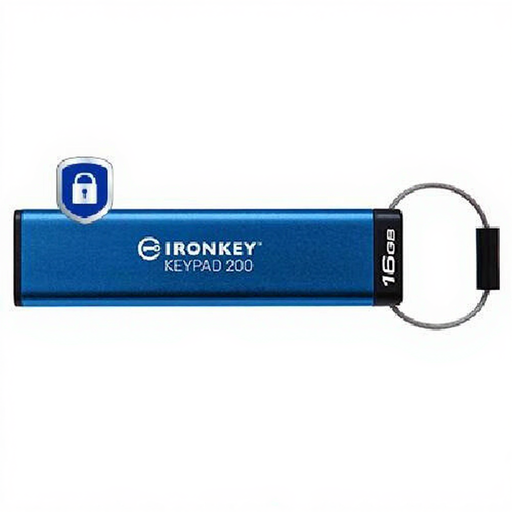
Kingston Technology IronKey Keypad 200 16GB
Consider this AES-256 encrypted USB drive for a selected set of sensitive files that fits within 16GB, rather than an entire household archive. Check how access is restored after a forgotten PIN and what happens after incorrect attempts; keep another copy.
View on Joybuy
 No image available
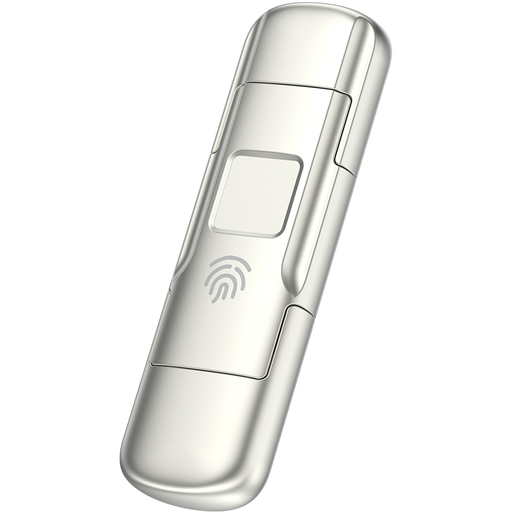
MOVESPEED YSUYC-256GSN 256GB fingerprint USB drive
This compact option has USB-A and Type-C connections for moving a selected file set between suitably equipped devices. Its name describes fingerprint encryption; check fallback access and reset behaviour before relying on it, and keep an independent copy.
View on Joybuy
 No image available
Western Digital Elements portable 4TB drive
Consider this USB 3.0 external drive if your local archive needs 4TB of storage. Check formatting and compatibility with your computer, choose appropriate protection for sensitive files and store another copy separately.
View on Joybuy
Questions about financial-record backups
How long should I keep digital Self Assessment records?
For a personal Self Assessment return sent on or before the deadline, HM Revenue & Customs says to keep the supporting records for at least 22 months after the end of the tax year the return covers. Other filing circumstances and self-employed business records can have different requirements, so check the rule that applies to your records.
Is one cloud folder enough for financial PDFs?
Do not rely on a single synced folder as your only copy: unwanted changes or deletions may synchronise too. Check the service's version and deletion-recovery options, secure the account and keep an independent copy.
Should I encrypt a portable copy of financial documents?
Encryption is a useful protection when a laptop or removable drive containing sensitive records could be lost or stolen, as the Information Commissioner's Office explains in its storage-security guidance. Plan how you will retain access to the password or recovery method; encryption does not replace a backup.
How do I protect access to cloud-stored records?
Use a unique strong password, enable two-step verification where available and review both sharing settings and account-recovery details. The National Cyber Security Centre recommends two-step verification for important accounts; protect the email account used for recovery as well.
How often should I check that a backup works?
Update it as often as needed to capture newly added records, then periodically restore a non-sensitive test file and open it. This checks more than whether a transfer finished: it also shows whether you can use the necessary account, device and password.


