What matters when choosing storage?
Decide what must remain recoverable first, then choose where to keep each copy and how to protect access to it.
External hard drive
Choose it when: You want a local destination for a larger archive of scans, statements and other files.
Plan for: Disconnecting it between backup sessions and keeping another copy elsewhere; a connected drive can be affected by the same incident as the computer, according to the National Cyber Security Centre.
Portable SSD
Choose it when: You expect to carry the local copy or transfer files frequently.
Check: The exact model's password setup and your computer's connection; Samsung says its advertised T7 speeds depend on compatible host hardware and cables.
Encrypted USB drive
Choose it when: You need a portable, separately stored copy of selected sensitive documents.
Plan for: Credential recovery and a second copy; Kingston says some IronKey security controls can restrict access after repeated incorrect attempts.
Cloud storage with local backup
Choose it when: You need an off-site copy and access from another device.
Plan for: Account recovery, two-step verification and a separate local copy rather than depending on one online account.
| Concern | What to check | Who this matters to |
|---|
| Recovering files |
Check capacity for the folders you intend to protect, and restore a test file. Disconnect a local backup drive outside backup sessions. |
If my computer fails or files are deleted, I need to retrieve my records from a separate copy. About 36% of consumers put recovery first. |
| Protecting a lost drive |
Check the exact model's encryption setup, password recovery options and behaviour after failed attempts. |
When I carry sensitive records, I want to limit access if the device is lost or stolen. For about 29% of consumers, that protection is the primary concern. |
| Off-site access |
Check which folders are stored, how account recovery works and whether two-step verification is available; maintain a separate local copy. |
If I cannot use my main computer, I need to reach my documents from another device. That off-site access comes first for about 21% of consumers. |
| Selected portable files |
Check whether the selected folders fit, which connector your computer needs and how you will open the files later. |
I only need to store a small set of key documents away from the computer, not carry my whole archive. About 14% of consumers prioritise that controlled portable copy. |
Joybuy storage selections
These local-storage options cover portable SSDs, external hard drives and a USB drive for selected financial documents. Pair a suitable local copy with a separately stored copy, and check that you can restore the files you need.
 No image available
Samsung Portable SSD T7 2TB, blue
A portable local copy for records you expect to move or update frequently. This 2TB USB Type-C 3.2 Gen 2 model has optional password protection described by Samsung; set it up before storing sensitive files. Keep another copy separately and test restoration.
View on Joybuy
 No image available
Samsung T7 Shield MU-PE1T0S 1TB, black
A portable SSD option when the local copy may travel. This 1TB USB Type-C 3.2 Gen 2 variant is in Samsung's T7 Shield line; confirm the password setup and compatibility with your computer before relying on it for sensitive records. Keep a second copy elsewhere.
View on Joybuy
 No image available
Western Digital My Passport Ultra for Mac 5TB, silver
A 5TB external hard drive for a larger local document archive. This is the Mac-oriented variant; if you will use Windows, confirm the file-system setup needed for your computer. Disconnect the backup between sessions and retain a copy in another location.
View on Joybuy
 No image available
Western Digital Elements Portable 4TB, black
A 4TB USB 3.0 local drive for keeping an archive separate from the computer between backup sessions. If the drive may be lost or carried, check the exact model's encryption options; also confirm compatibility with your computer. Test file restoration and keep another separate copy.
View on Joybuy
 No image available
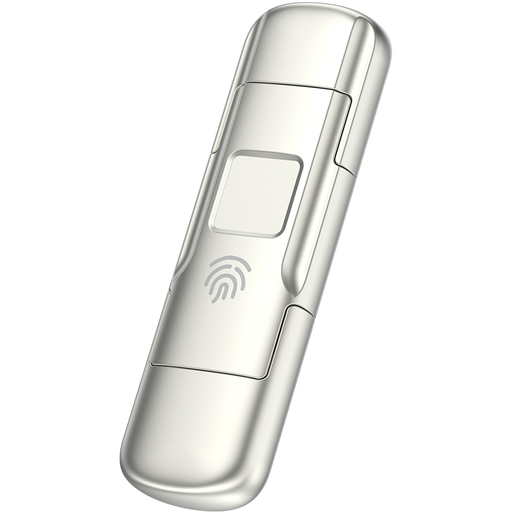
MOVESPEED YSUYC-256GSN 256GB USB drive, silver
A removable copy for selected documents rather than an archive whose size you have not checked. The product name specifies USB-A and Type-C connections and fingerprint encryption; confirm how access and recovery work after failed attempts before storing sensitive files. Keep another tested backup.
View on Joybuy
Questions about financial-record backups
Is one external drive enough for financial documents?
Do not rely on one drive as the only place your records can be recovered. The National Cyber Security Centre describes a backup as a copy stored separately and advises using both online storage and a storage device for additional protection. Check that you can restore a file from each copy.
Should I leave my backup drive connected?
Disconnect it when a backup is not running. The National Cyber Security Centre warns that ransomware can affect connected USB and network backup drives, so a drive left plugged in may not provide the separation you need.
Does encryption protect a portable backup if I lose it?
Encryption can reduce the risk of unauthorised access to files on a lost or stolen device, according to the Information Commissioner's Office. It does not recover files or forgotten credentials: check the chosen drive's access rules and keep another copy.
What should I secure when using cloud storage?
Protect the cloud account as well as maintaining a separate local backup. Enable two-step verification where available, establish how you would recover account access and confirm which folders your storage arrangement actually copies.
Does UK GDPR require me to encrypt household backups?
The Information Commissioner's Office says UK GDPR does not apply to processing carried out purely for personal or household activities. That distinction does not cover business or other non-household processing, and encryption can still help protect sensitive files on a portable device that is lost or stolen.


