Choose a console ecosystem with games and a play format that suit the child, then set up a separate child account and its family controls before enabling online interaction or purchases. Nintendo, Xbox and PlayStation offer different account settings and hardware formats, so check the intended games, disc or handheld needs, and any online membership requirements together. PEGI ratings help assess game content, but do not indicate difficulty or replace a review of online features.
Who is this choice for?
The right first-console setup depends on how the child will play and which account settings the adults need to manage.
Parents setting up a child’s own account
Start with a child or supervised account rather than sharing an adult login if you need to manage game access, playtime, communication and purchases. Internet Matters advises parents and carers to use parental controls when setting up a first console.
Families choosing where games will be played
Consider whether the child will mainly play handheld, on a shared TV or through downloaded games. The console format affects choices such as TV output, physical discs and which games can be played.
Carers managing spending and online contact
Check the platform’s child-account settings before online play begins. Purchase restrictions and communication controls differ by platform, and some features need their own approval settings.
What should you check before choosing?
Start with the child’s intended games and way of playing, then check the account controls and services those choices require.
| Priority |
What to check |
Your needs |
| Game content |
Check each game’s PEGI age rating and its online and purchase features. PEGI says its ratings concern content suitability, not difficulty; configure the child account’s content settings separately. |
I want to assess what a game contains without assuming its age label tells me how hard it is to play. |
| Communication and playtime |
Compare the child-account settings for online communication, multiplayer and playtime. Nintendo says a child under 16 needs parent or guardian approval in its Parental Controls app to use Switch 2 GameChat. |
If my child will play online, I need settings that fit whether they play with known friends or communicate more widely. |
| Purchases |
Set up the platform’s family or supervised account and review purchase restrictions before adding funds. Microsoft Xbox Support says purchase approval is not needed when a child spends existing Microsoft currency or Xbox gift cards. |
I want to know which purchases require my approval and what happens if the child already has account funds. |
| Console format |
Check handheld and TV use, disc support and the intended games. Nintendo says Switch Lite has no TV output; Xbox Series S and PS5 Digital Edition are digital-only console choices. |
Will the child play away from the TV, and do we want to use physical game discs? |
| Online services and extras |
Check each intended game’s online membership requirements and whether the household needs another controller or other accessories. PlayStation says paid PlayStation Plus is required for online multiplayer on PS5 Digital Edition. |
I want to understand what the games and play modes require beyond the console itself. |
What can catch families out?
-
Expecting a digital-only console to play discs
Xbox Series S cannot use physical game discs, and PS5 Digital Edition has no built-in disc drive. That matters if the family already owns discs or expects to receive games on disc.
Decide whether discs matter before choosing a version. PlayStation offers a separate disc drive for compatible PS5 Digital Edition models; check the exact model’s compatibility before relying on that option.
A compatible PS5 disc drive is a separate accessory, not a built-in feature of the Digital Edition.
-
Letting a child play through an adult account
Child-account settings are designed to apply restrictions to the child’s own use. Sharing an adult account can undermine that separation.
Create the family group and child or supervised account, then review content, communication, playtime and purchase settings before online play.
-
Treating a PEGI rating as the whole suitability check
PEGI’s age rating addresses game content, not the skill needed to play. A game’s online interaction and optional purchases are separate considerations.
Check the rating alongside the game’s online and purchase features, and review the child account’s settings.
-
Planning around the console alone
The intended games and play modes may call for an online membership or accessories. A digital library may also change how the family manages downloads and storage.
List the games and ways the child expects to play, then check their current service requirements and any additional equipment before choosing a console.
How do the platform families differ?
These platform references describe relevant console formats and family settings; they do not mean every model is interchangeable.
Nintendo
Nintendo Switch 2 and Nintendo Switch support handheld and TV-connected play, while Switch Lite is a handheld-only choice. Nintendo provides a Parental Controls app for Switch 2 and Switch.
- Nintendo describes playtime and some communication restrictions; under-16s need separate parent or guardian approval to use Switch 2 GameChat.
- Nintendo says Switch Lite has no TV output. Check that each intended game supports handheld play; some games need separately purchased Joy-Con controllers for particular functions.
Xbox
Xbox Series S is an all-digital console for families considering a Microsoft family group and the Xbox Family Settings app.
- Microsoft Xbox Support describes controls for screen time, age-based content, communication and multiplayer.
- Series S cannot use physical game discs. Microsoft also says purchase approval does not apply when a child spends existing Microsoft currency or Xbox gift cards.
PlayStation
PlayStation 5 is a TV-console route with child-member settings available through PlayStation family management. PS5 Digital Edition is intended for downloaded games rather than discs.
- PlayStation describes child-account controls for content, playtime, privacy, online communication and monthly spending limits.
- PS5 Digital Edition has no built-in disc drive, and PlayStation says paid PlayStation Plus is required for online multiplayer. Check the exact model before considering a separate disc drive.
Joybuy console options
These Nintendo Switch 2 and Xbox Series S options are for families considering handheld-and-TV play or an all-digital console. Compare the exact variant with the child’s intended games and your family-account setup.
 No image available
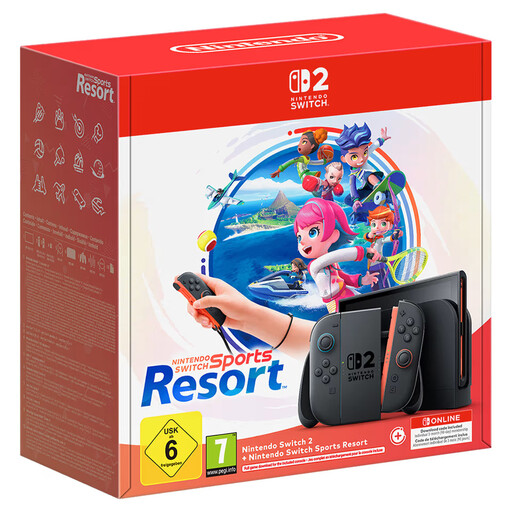
Nintendo Switch 2 Console + Nintendo Switch Sports Resort
Consider this named bundle if the child wants Nintendo Switch 2 games and the family plans to set up a supervised account. Nintendo says children under 16 need parent or guardian approval to use GameChat; check the separate setting before enabling it.
View on Joybuy
 No image available
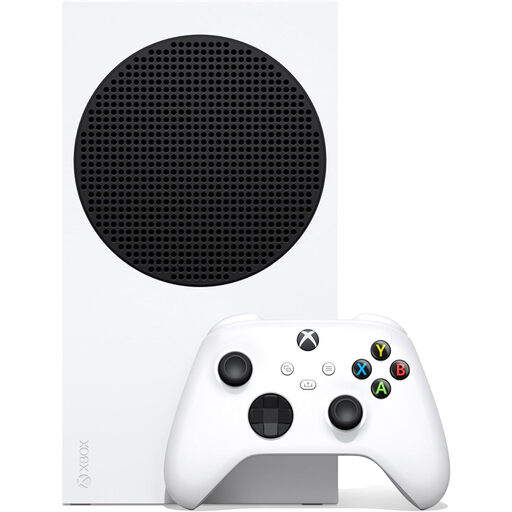
Xbox Series S 1TB
This 1TB variant suits a family choosing downloaded Xbox games rather than physical discs. Microsoft’s family settings cover content, screen time, communication and multiplayer; review purchase settings separately, especially if the child has existing account funds.
View on Joybuy
 No image available
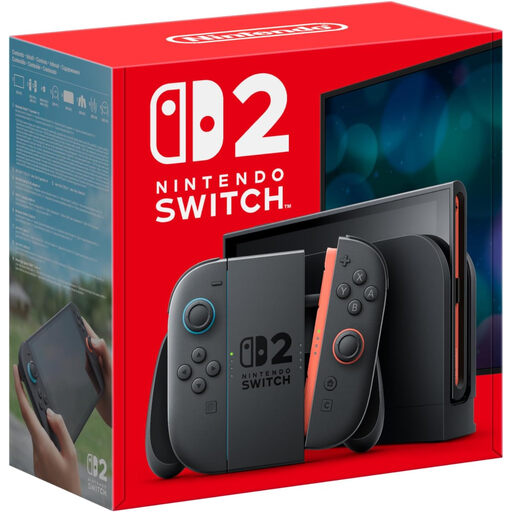
Nintendo Switch 2 Console (UK Version)
This console option is relevant when the child wants Nintendo Switch 2 games without choosing the named bundle above. Set up the supervised account and review GameChat approval for under-16s; check the exact unit’s display details if they matter to your choice.
View on Joybuy
 No image available
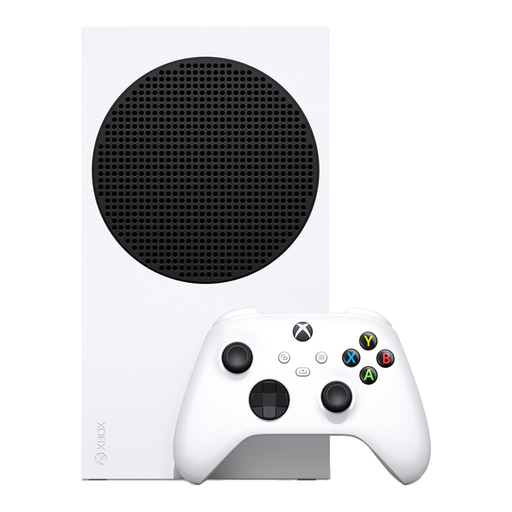
Xbox Series S 512GB Console – White
This 512GB variant is another all-digital Xbox Series S choice; physical game discs will not work with it. Set up the child’s Microsoft family settings for content and communication, and check the storage needs of the games they intend to install.
View on Joybuy
Frequently asked questions
Should a child have their own console account?
Use a child or supervised account if you want settings tied to the child’s use rather than an adult login. PlayStation, Xbox and Nintendo provide family-account arrangements, but their controls differ; create the appropriate family group and review its settings before online play.
Do parental controls guarantee online safety?
No. Console settings can help manage content, purchases, communication and playtime, but they cannot cover every interaction. Internet Matters advises parents and carers to use controls when setting up a first console; review the child’s games and communication settings as their use changes.
Does a PEGI age rating tell me whether a game is easy?
No. PEGI says its age ratings provide guidance about content suitability, not game difficulty or the skill required. Check the rating and the game’s play requirements separately.
Will my child need a membership to play online with friends?
Check the specific game and console service before buying a membership. Nintendo says Switch Online is needed for online features in supported games, while PlayStation says paid PlayStation Plus is required for online multiplayer on PS5 Digital Edition; requirements can vary by game.
Can I control a child’s Nintendo Switch 2 GameChat access?
Yes. Nintendo says a child under 16 needs parent or guardian approval in the Parental Controls app to use Switch 2 GameChat. Review its separate settings rather than assuming another communication restriction also covers GameChat.


