Households without a usable home connection
Check what service is available at your address before choosing a Wi-Fi-only device. Ofcom cautions that actual broadband availability at a property can differ from coverage predictions.


Start with the barrier that would stop you getting online: a workable connection, a suitable device, help using it or an accessible setup. Before buying a laptop, tablet or smartphone, check how it will connect and whether local device or data support, or a broadband social tariff, would address that barrier; a device alone will not provide home internet access.
Check what service is available at your address before choosing a Wi-Fi-only device. Ofcom cautions that actual broadband availability at a property can differ from coverage predictions.
Consider both the device and the continuing connection. Good Things Foundation describes local routes to refurbished devices and mobile data, while Ofcom lists broadband and phone social tariffs for people receiving qualifying benefits.
Work out whether display size, text adjustments, a physical keyboard, an alternative pointing device or setup help will make the device usable. AbilityNet recommends choosing a computer around the person’s accessibility needs.
Find the obstacle you need to resolve first, then choose a connection, support route and device that work together. The percentages below describe how consumers might prioritise these distinct needs, not how often each barrier occurs.
| Concern | What to check when buying | Who this matters to |
|---|---|---|
| Connection at home | Check fixed broadband at the address and whether mobile coverage and a suitable data arrangement could work there. Ofcom warns that predicted availability may differ from actual service. | If I cannot get online at home, I need to establish a workable connection before choosing a Wi-Fi-only device. Roughly 31% of consumers would put connection feasibility first. |
| Device and connection affordability | Consider the device separately from continuing connectivity. Check local device or data support and, if you receive a qualifying benefit, social-tariff eligibility. | When I need both a device and a connection, I cannot judge the setup by the device purchase alone. Around 31% of consumers would make affordability their primary concern. |
| Confidence and setup help | Ask a local Digital Inclusion Hub what help it offers with choosing a device, getting connected and learning to use it; services vary by organisation. | If I am unsure how to set up accounts or use online services, trusted help may be more useful to me than different hardware. About 23% of consumers would put support first. |
| Accessible use | Check the input and display options you need, compatibility with any required accessories, and whether you can get help setting them up. | A connected device will still be difficult for me to use if its screen or controls do not suit my needs. Approximately 15% of consumers would prioritise accessibility. |
A laptop or tablet cannot provide home internet service by itself, and Ofcom notes that availability can differ at a particular property.
Check fixed and mobile options at the address before deciding which device or connection equipment to obtain.
You may also need a separate service or connection equipment to use the device online at home.
Good Things Foundation distributes refurbished devices and mobile data through participating community organisations; what a local organisation can offer varies.
Contact a nearby Digital Inclusion Hub about device, data and practical support before committing to a purchase. If you receive qualifying benefits, check social-tariff options with providers too.
A refurbished condition label does not tell you whether the exact model and installed operating system can still receive security updates.
Confirm the full model, operating system, supplied accessories and remaining update support before choosing it.
A device that can no longer receive the updates you need may have a shorter useful life for your intended tasks.
Touch input or a small display may be difficult for someone who needs different controls or a larger viewing area. AbilityNet advises selecting a computer around specific accessibility needs.
Where possible, try the intended input and display arrangement or seek accessibility-focused setup advice before buying.
A suitable keyboard, pointing device or display may need to be arranged separately.
These laptops and Wi-Fi tablet are device options for a first home setup. Choose among them only after deciding how you will get online and whether a keyboard, touchscreen or particular software is needed.
 No image available
Consider this laptop if you need a physical keyboard and a 15.6-inch screen for home use. The named variant has an Intel Core 5 120U processor, 24 GB of memory and a 1 TB SSD. Confirm your connection route, required accessory compatibility and update support for the exact model.
 No image available
This is another physical-keyboard option if a 15.6-inch Full HD screen suits your setup. The named variant has an Intel Core i5-13420H processor, 8 GB of memory and a 256 GB SSD. Check the installed Windows mode against any software you need, as well as the connection and exact-model update support.
 No image available
Consider this laptop where a physical keyboard and 15-inch Full HD display fit the intended tasks. The named variant has an AMD Ryzen 3 7320U processor, 8 GB of memory, a 128 GB SSD and Windows 11 Home in S Mode. Check that S Mode permits your required software, and confirm connectivity and update support.
 No image available
This laptop provides a physical keyboard and a 15.6-inch Full HD screen for a home setup. The named variant has an Intel N150 processor, 8 GB of memory and a 128 GB SSD. Confirm the installed Windows mode if particular software is essential, along with your connection route and exact-model update support.
 No image available
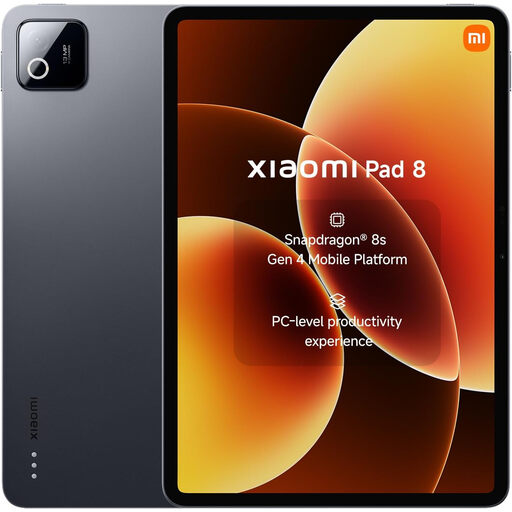
Consider the tablet if touch input suits the person using it. This Wi-Fi variant has 8 GB of memory and 128 GB of storage; it does not supply an internet service. The compatible Magic Keyboard is described as sold separately, so check keyboard needs, accessibility accessories and exact-model update support before choosing it.
Check how it will connect at your address before choosing the device. Then confirm that it suits your tasks and input needs, and that the exact model can receive the security updates you need; Ofcom cautions that predicted broadband coverage may differ from actual service.
You may be able to get help through a participating community organisation. Good Things Foundation lists local Digital Inclusion Hubs and runs device and mobile-data programmes through its network, but services, eligibility and availability vary; contact the organisation before relying on a particular option.
A social tariff may be available if you receive a qualifying benefit. Ofcom identifies Universal Credit, Pension Credit and some other benefits among the eligibility routes; check a provider’s current criteria, service availability and terms for your household.
Check whether the property qualifies for a connection request under the broadband Universal Service Obligation. Ofcom says a request may be possible where the property cannot obtain at least 10 Mbit/s download and 1 Mbit/s upload; eligibility and technical circumstances still need checking with BT, or KCOM in the Hull area.
The exact model and operating system need to remain suitable for the updates your intended use requires. A refurbished label alone does not establish that status, so confirm the model and its remaining support before choosing it.