Choose around the tasks the adult needs to do most: a smartphone suits portable calls and short tasks, a tablet offers a larger touch display, and a simple laptop or Chromebook suits regular typing and longer forms. Before buying, plan how the device will connect to the internet, who can help with setup and whether its controls meet any accessibility needs. Good Things Foundation identifies devices, connectivity, skills and support as linked parts of getting online.
Who is this for?
Adults who need help getting started
Accounts, passwords and an unfamiliar interface can matter as much as the device. Good Things Foundation treats support and skills as part of getting online; AbilityNet also offers technology support for older and disabled people.
Adults choosing a device for everyday services
Calls, reading, appointments and online forms place different demands on a screen and input method. Someone making short calls may prefer a portable phone, while regular form filling may call for a physical keyboard.
Adults with specific access needs
Vision, hearing, mobility, dexterity or cognitive needs can change which controls and accessories are usable. AbilityNet advises exploring the individual’s requirements when choosing a computer rather than relying on the device category alone.
What matters when choosing?
Choose the device for its main tasks, then check the connection, setup help and accessibility requirements. Mobile data is a way to connect a suitable device, not an alternative to choosing one.
Smartphone
Consider it when: Portable calls, messages and short online tasks come first.
Allow for: A small screen and touch keyboard when reading or filling in longer forms.
Tablet
Consider it when: Reading, video calls and browsing on a larger touch display are the main tasks.
Allow for: Holding or propping up the device, and check whether longer tasks need a keyboard.
Simple laptop or Chromebook
Consider it when: Emails, forms and documents make a physical keyboard useful.
Allow for: A device that is less convenient to carry; check that required services work in its browser or available apps.
| Concern |
What to check |
Who this matters to |
| Setup and support |
Arrange help with initial setup, passwords and basic troubleshooting. |
If accounts or settings feel unfamiliar, I need someone I can ask so I can keep using the device. Around 31% of consumers put dependable setup and support first. |
| Everyday task fit |
Try three intended tasks on the proposed screen and input method. |
For regular forms or longer emails, I want to know that typing and reading feel manageable. Around 25% of consumers prioritise how well the device fits their main tasks. |
| Connection and ongoing charges |
Confirm available Wi-Fi or mobile coverage, the required data allowance and continuing service charges. |
Without a dependable connection, I cannot use the online services I bought the device for. Ongoing access is the primary concern for around 25% of consumers. |
| Accessibility fit |
Test the required setting or accessory on the exact device and with the intended service. |
If reading the screen or operating the controls is difficult, I need to establish whether this particular setup works for me. Around 19% of consumers put a specific accessibility requirement first. |
Mistakes to avoid
-
Buying the device without planning the connection
A usable phone, tablet or laptop still needs a workable way online. Good Things Foundation identifies connectivity alongside the device, skills and support as part of digital inclusion.
Decide whether the adult will use home Wi-Fi or mobile data before choosing a Wi-Fi-only or mobile-connected model.
A broadband or mobile-data service may involve continuing charges.
-
Assuming a device labelled simple will suit the real tasks
A small screen or touch-only keyboard can make passwords, reading and forms difficult for someone who needs to do those tasks regularly.
Try the first three intended tasks on the proposed type of device before deciding which screen and input method to use.
-
Relying on an accessibility feature list alone
A feature’s availability and usefulness can depend on the exact model, software and service being used. AbilityNet recommends considering the individual’s needs when selecting a device.
Test the required screen reader, captions, magnification or input accessory on the exact model. Seek individual advice if an access need affects independent or safe use.
The chosen setup may also require a compatible accessory or specialist help.
Brands and platforms to consider
Google / Chromebook
Relevant when a keyboard-led device and ChromeOS accessibility settings suit the adult’s main tasks.
- Google Chromebook Help documents built-in accessibility options, including the ChromeVox screen reader.
- Check the exact Chromebook, required websites and apps, and the person’s ability to use the settings.
Apple
Relevant to an iPhone or iPad choice where screen-reader, braille-display or magnification controls need consideration.
- Apple describes VoiceOver and braille-display support on iPhone and iPad, alongside Magnifier.
- Feature availability can vary by region or language; check the exact device and intended use.
Samsung
Relevant to Galaxy phones and tablets when Android touch controls or particular vision settings are under consideration.
- Samsung UK describes TalkBack spoken feedback and display and contrast options for supported mobile devices.
- Samsung says availability can vary by model and software version, so test any essential feature before buying.
Lenovo
Relevant when the adult prefers a Chromebook and needs to choose between keyboard-led and touch-led designs.
- Lenovo UK describes traditional, 2-in-1 and detachable designs in its Chromebook range.
- Check the particular model’s keyboard, handling and suitability for the intended services.
Joybuy product choices
These phones, a tablet and Chromebooks offer different starting points for portable communication, touch-led use or regular typing. Choose the device type first, then check the connection and services it needs.
 No image available
Acer Chromebook Plus 514 CB514-5H, 14-inch, Iron
Consider this Chromebook for regular keyboard-based online tasks; check that the intended services and accessibility controls work for the user.
14-inch WUXGA display (1920 × 1200); Intel Core 5 120U; 8GB RAM; 512GB SSD.
View on Joybuy
 No image available
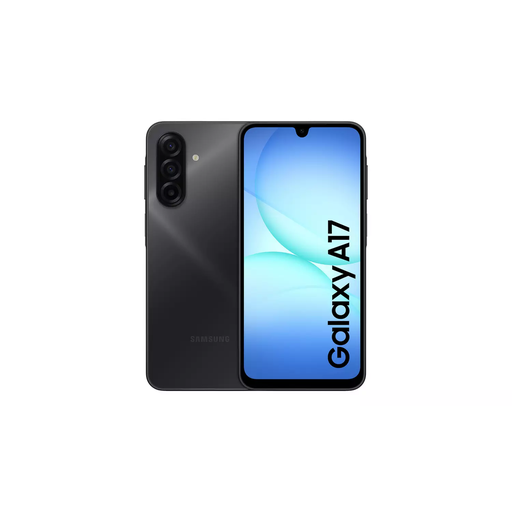
Samsung Galaxy A17 5G A176 Dual SIM, 4GB/128GB, Grey
Consider this smartphone if portable calls and short online tasks take priority. Check mobile coverage, the service plan and any essential accessibility settings before relying on it.
5G; Dual SIM; 4GB RAM; 128GB storage.
View on Joybuy
 No image available
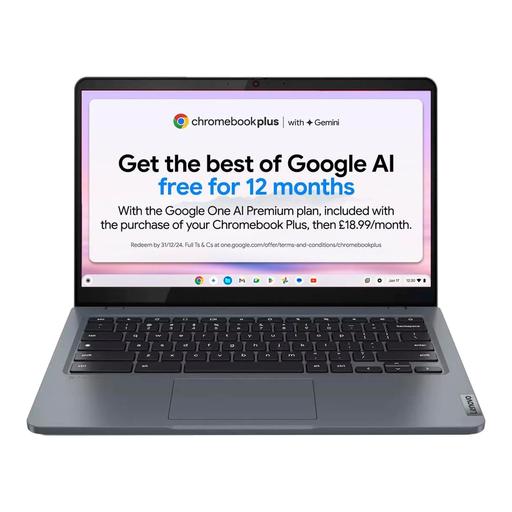
Lenovo IdeaPad Slim 3 Chromebook 14IAN8, 83BN001EUK, Grey
Consider this Chromebook for longer forms and other keyboard-led tasks. Confirm that the required websites, services and accessibility controls work on the exact model.
14-inch display; Intel Core i3 N305; 8GB RAM; 256GB eMMC storage.
View on Joybuy
 No image available
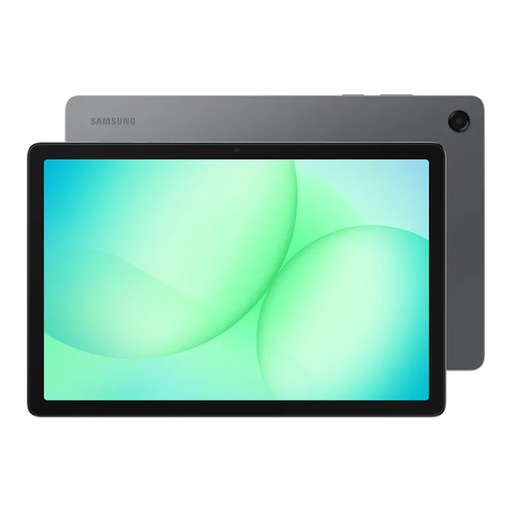
Samsung Galaxy Tab A11+, 11-inch, 128GB Wi-Fi, Grey
Consider this tablet for touch-led reading, browsing and video calls. Its Wi-Fi connection needs a workable internet source; check handling comfort and essential accessibility settings.
11-inch display; 128GB storage; Wi-Fi.
View on Joybuy
 No image available
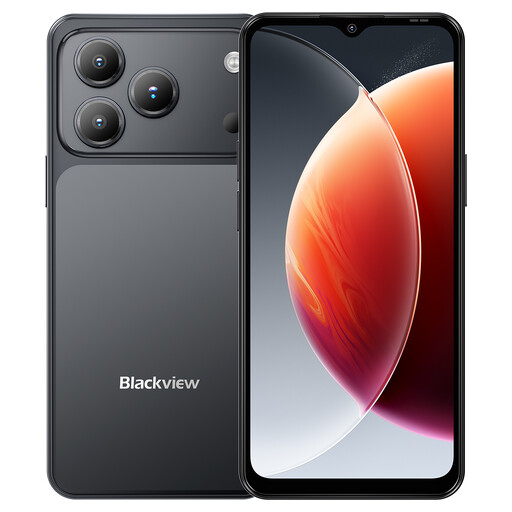
Blackview Wave 7C Android 16, 4G Dual SIM, 64GB, Black
Consider this phone for portable communication and mobile internet. Check local coverage and whether the required apps and accessibility settings work on this model.
6.56-inch display; 4GB RAM plus a listed 12GB RAM expansion; 64GB storage; 4G Dual SIM.
View on Joybuy
Common questions
Is a smartphone enough as a first internet device?
A smartphone can be enough when calls, messages and short app-based tasks are the priority. If the adult will regularly read at length, complete forms or write longer emails, try those tasks on a tablet or keyboard-led device too.
Should I arrange internet access before buying a device?
Plan the device and connection together. Check whether home Wi-Fi is available or mobile data is needed, then make sure the proposed device can use that connection. Good Things Foundation identifies connectivity and a suitable device as linked needs.
Could a social tariff help with ongoing connection charges?
It may help some eligible households: Ofcom describes social tariffs as broadband and phone packages for people receiving Universal Credit, Pension Credit and certain other benefits. Check current availability and the individual provider’s eligibility rules before choosing a service.
When is individual accessibility advice worth seeking?
Seek advice before buying when a vision, hearing, mobility, dexterity or other access need could affect independent or safe use, particularly if a specialist accessory is being considered. AbilityNet recommends exploring the individual’s requirements; test any essential feature with the exact device and intended service.


