Joybuy product options
Joybuy product options for the basic calls-and-texts route, where straightforward contact with trusted adults is the main requirement.
 No image available
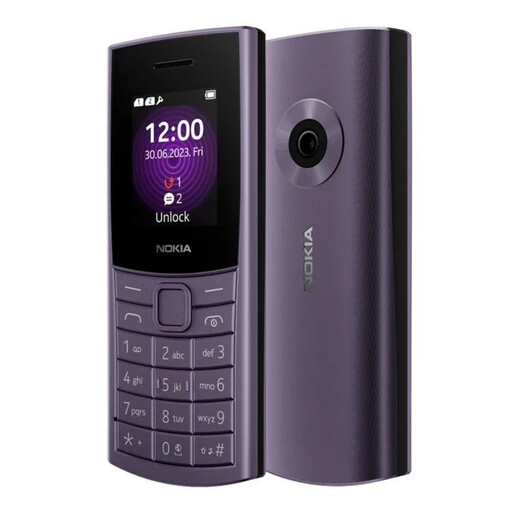
Nokia 110 4G TA-1543 DS Purple
A feature-phone option for a child who needs 4G voice calls and SMS rather than smartphone apps.
Listed features include a tactile keypad, dual Nano-SIM support, adjustable font and zoom, Bluetooth 5.0, a removable 1450 mAh battery and IP52 dust and drip protection. Confirm compatibility with the intended UK provider and SIM; IP52 is not waterproofing.
Joybuy
 No image available
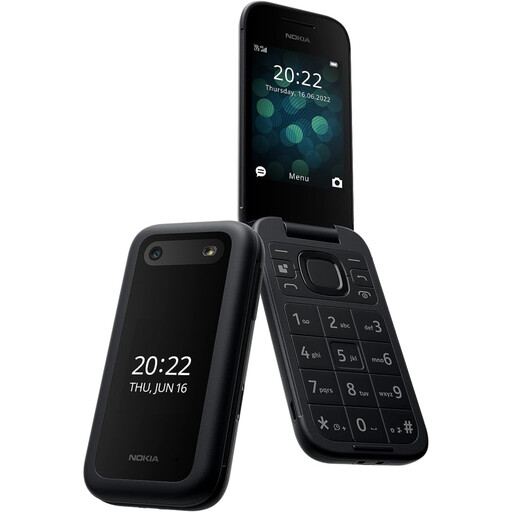
Nokia 2660 TA-1469
A clamshell feature-phone option for families prioritising straightforward calls and texts over maps, school apps and app-based messaging.
The listing states 4G LTE calling, SMS, dual Nano-SIM support, large buttons, Zoom UI, flip call handling, a removable battery and an emergency-contact feature. Check network and SIM compatibility with the intended provider, and note that the listing states it is not water resistant.
Joybuy
 No image available
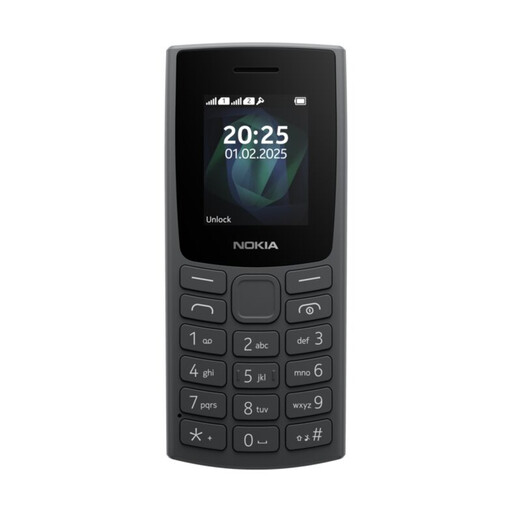
Nokia 105 TA-1557 DS Charcoal
A simple keypad-phone option where direct calling and SMS are the only communication needs.
The listing specifies calling, SMS, dual-SIM support, a removable battery, a compact body and splash-resistant construction. Verify the exact model's UK network-band and voice-service compatibility before buying; splash resistance is not waterproofing.
Joybuy
Frequently asked questions
Is a basic phone better than a smartphone for a child's first phone?
Choose a basic phone when calls and SMS to trusted adults are sufficient. Choose a smartphone when the child genuinely needs maps, app-based messaging or school apps and an adult can configure ongoing controls; also check that a basic phone's network compatibility and messaging functions meet the family's actual needs.
Do parental controls make a child's smartphone fully safe?
No. UK government guidance says parental controls are helpful but cannot fix everything. Google says Play restrictions do not prevent restricted content appearing through search results or direct links, and EE says network controls cannot block all content in apps, so use child-account, device, app and mobile-network settings together.
What account-age requirements should a UK parent check?
For Apple in the UK, a child under 13 cannot create an Apple Account without a parent or guardian's help and consent and must join Family Sharing. Google says a parent can create and manage an account for a child under 13 or the applicable country age through Family Link; check its account, device and same-country requirements, plus each app's own age terms.
What should be checked before giving a child a refurbished smartphone?
Check the exact model's manufacturer security-support status, ability to install current operating-system and app updates, battery condition, charging equipment, repair or warranty terms, secure erasure of previous data and compatibility with the adult's Apple or Google family setup. The National Cyber Security Centre advises avoiding devices that are no longer supported where possible.
Are mobile-network parental controls automatically on in the UK?
Do not assume so. Ofcom states that UK mobile providers offer free parental-control services for under-18-suitable internet access, but they may not be switched on automatically. Confirm the setting with the provider and check how it interacts with the child's apps and Wi-Fi use.


