Entertainment-first households
If listening, viewing or voice control is the priority, check that the services, screen and account arrangements you use are supported by the particular device.


Choose a first connected device around the household task: listening or viewing, monitoring an entrance, or controlling a light, appliance or heating system. Before buying, check the exact model’s setup and app requirements, privacy and recording arrangements, and stated security-update period; an applicable security baseline does not make a device risk-free.
If listening, viewing or voice control is the priority, check that the services, screen and account arrangements you use are supported by the particular device.
If you want to see or speak to visitors, consider whether live access, recorded video and the camera’s field of view suit your entrance.
If you want to automate lighting, a suitable appliance or heating, check the device’s app and connection requirements as well as your home’s wiring or equipment.
Start with the task, then check whether the device’s features, connection and installation suit the home where you plan to use it.
Consider when: voice-led listening or controls point towards a speaker, while adding viewing apps to a television points towards a streamer.
Check: the services you want, account and microphone preferences, and the television connection required by a streamer.
Consider when: responding to visitors is the priority for a doorbell, while a camera may suit a different area to monitor.
Check: the installed view and whether features such as reviewing or saving footage require a subscription.
Consider when: you want to switch a suitable appliance, control lighting or manage heating.
Check: the exact app features, any required hub and the electrical or heating-system compatibility for your home.
| Concern | What to check when buying | Who this matters to |
|---|---|---|
| Fit with the household task | Match the device type to the activity; check required services, screen, viewing area or connected appliance. | If I am choosing a first device, I want it to do the job I have in mind rather than buying by ecosystem name alone. About 33% of consumers put task fit first. |
| Privacy and recording | Check the camera’s actual field of view, privacy controls and whether later video playback requires a subscription. | If I am monitoring an entrance, I want to know what the camera captures and whether I can review footage later. Around 25% of consumers prioritise privacy and recording arrangements. |
| Compatibility and installation | Confirm that the specific function works in your chosen app and check any hub, connection, plug-rating or heating-system requirements. | If I need a device to work with equipment already at home, I want to confirm both the connection and installation before choosing. About 25% of consumers focus first on compatibility and setup. |
| Security support and accounts | Look for the exact model’s stated minimum security-update period and check how updates and account protections work. | If I expect to keep a connected device for years, I want to know how it receives security updates and how to protect account access. Around 17% of consumers prioritise ongoing security support. |
For relevant consumer connectable products supplied in Great Britain, the UK Government says the product-security regime took effect on 29 April 2024. It sets baseline requirements for products in scope; it does not establish that every smart-home product is covered or guarantee that a device is secure.
For the Battery Video Doorbell 2K, Ring distinguishes live viewing and two-way talk from reviewing, saving and sharing recorded video, which require a subscription.
Decide whether live access is enough for your needs, or whether you want later playback, and check the terms for the exact model.
Recorded-video features may require an ongoing subscription.
Features can depend on the particular device, app and connection method. TP-Link says Tapo P110M energy monitoring is used through the Tapo app rather than Matter; Philips Hue describes exceptions to its Bridge-based Matter route.
List the functions you need and check each one for the exact device, app and connection method.
Heating controls can depend on the home’s wiring and the type of boiler, heat pump or other system being controlled.
Check the manufacturer’s compatibility information against your existing controls before choosing a kit.
A compatible bridge or other equipment may be needed, depending on the chosen setup.
A device that works now may not keep receiving security updates throughout the time you intend to use it.
Check the exact model’s stated minimum update period and update method. The National Cyber Security Centre also advises keeping devices updated and enabling two-step verification when offered.
A reference point for a television-led setup that may also connect to compatible smart-home controls.
The Battery Video Doorbell 2K is a front-door visitor-response option.
The Tapo P110M is an example of an indoor plug for switching a suitable appliance.
Hue lighting and its Bridge illustrate a lighting-led setup with a separate hub decision.
The Wired Smart Thermostat X (2nd gen) Starter Kit is a heating-control example for a compatible wired installation.
These Joybuy product choices cover connected cameras and doorbells for monitoring, plus a Matter smart plug for appliance control.
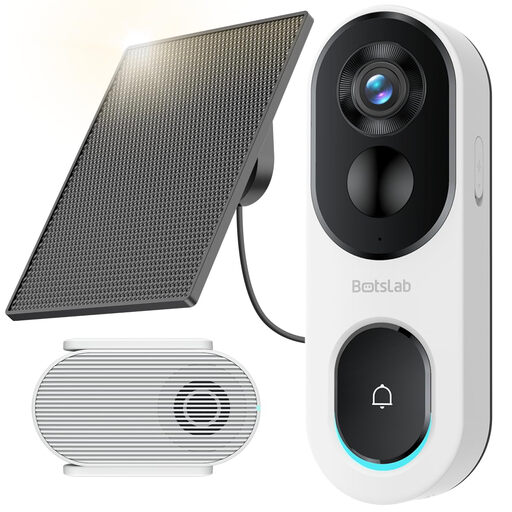 No image available
For front-door monitoring, the product listing describes visitor alerts and two-way audio.
The listing says a microSD card is not included; check whether local recording suits your setup and where the solar panel can be positioned.
 No image available
For controlling a suitable appliance, this product is listed as a Matter smart plug with a power meter.
Check the required controller and Thread border-router setup, and confirm the plug’s rating and indoor-use conditions for your appliance.
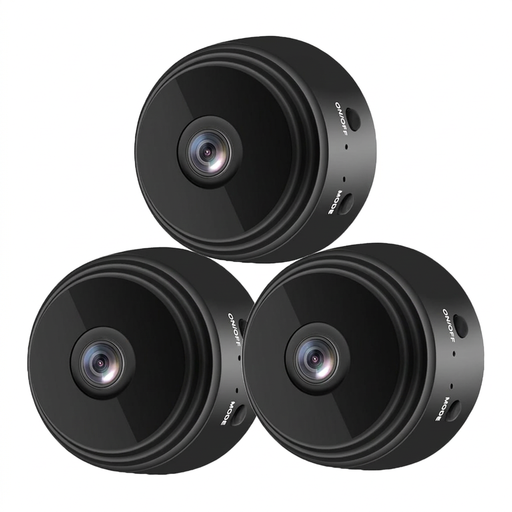 No image available
For indoor monitoring, the listing describes a three-camera set with app-based remote viewing.
The listing says a microSD card is not included and describes about 120 minutes of battery operation, with connection to power as an alternative. Check the storage and power arrangements you need.
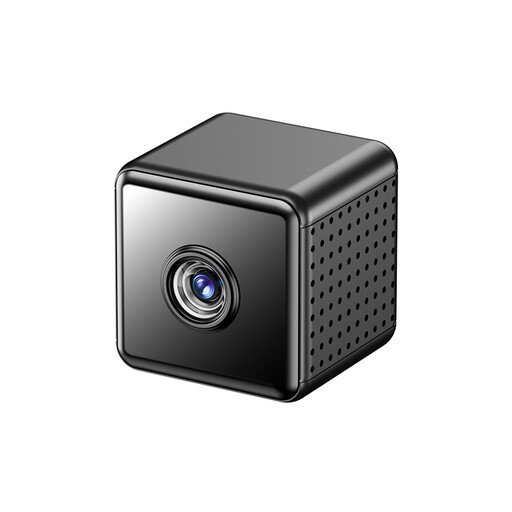 No image available
For indoor monitoring, the listing describes app-based live viewing and motion alerts.
The listing specifies indoor use and says the camera is not waterproof. Check that the intended position is protected from the elements.
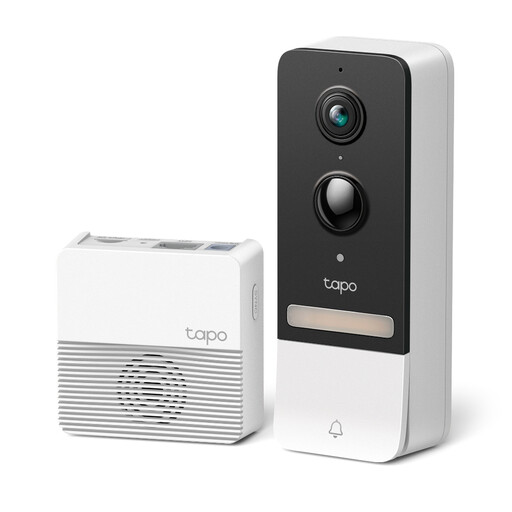 No image available
For front-door visitor response, this is a battery video doorbell; the listing describes remote viewing and two-way audio.
The listing describes local microSD or optional cloud storage. Check which recording arrangement suits your needs.
No. The UK Government describes the regime as applying to relevant consumer products that connect to the internet or a network, with exceptions. Check the scope for the particular product and supply circumstances; an applicable baseline is not a guarantee against every security risk.
Check the manufacturer’s stated minimum security-update period and security-issue contact, along with the compliance information supplied for a relevant product. For a particular offer, confirm those details for the exact model and version.
No. Feature availability can depend on the model, app and connection method. For example, TP-Link says Tapo P110M energy monitoring is used through the Tapo app rather than Matter, so check the specific function and controller you intend to use.
Follow the manufacturer’s instructions, install available device and app updates, change any supplied default password and enable two-step verification if offered. These are National Cyber Security Centre recommendations, not a guarantee that a setup is invulnerable.
The Information Commissioner’s Office says data protection law applies if home CCTV captures someone else’s property, a public area or communal space. Position the camera to capture only your property where possible, and check the ICO’s current guidance for the particular installation; its public guidance is under review.