Who each setup suits

Small-desk flight-sim players

If flight controls share the desk with your keyboard, the monitor’s width and stand depth matter alongside smooth movement. LG UK and ASUS UK list compact 23.8-inch Full HD 180Hz models that provide useful dimensions and features to compare with your available space.

Cockpit-detail and immersion seekers

If you have room for a larger display and want more pixels for cockpit interfaces and scenery, consider the 27-inch QHD models listed by LG UK. Check that your gaming system can deliver performance you find acceptable at 2560 × 1440.

Motion-clarity-first competitive players

If fast tracking matters more to you than QHD resolution, a compact esports-oriented monitor is another route. ZOWIE by BenQ UK lists the 24.5-inch XL2546K with a 240Hz TN panel and an adjustable stand.

What matters when choosing

Compact Full HD, 180Hz IPS

Consider it when: Desk space for flight controls is the deciding constraint; LG UK and ASUS UK list 23.8-inch models in this format.

Trade-off: Full HD has fewer pixels than QHD, so choose this route for its smaller format rather than maximum cockpit detail.

27-inch QHD, 180–200Hz

Consider it when: You can fit a larger screen and want QHD detail; LG UK lists 27-inch QHD models at 180Hz and 200Hz.

Trade-off: The larger setup needs desk clearance, while gaming at QHD depends on your system and settings.

Compact 240Hz esports monitor

Consider it when: Motion tracking is your overriding priority, including in competitive games beyond space combat; ZOWIE by BenQ UK lists the 24.5-inch XL2546K at 240Hz.

Trade-off: This TN-panel route is not a substitute for choosing QHD cockpit detail.

Concern What to check Who this matters to
Footprint and controls Measure free width and depth with your controls in place; compare them with the monitor’s with-stand dimensions. I need my joystick and throttle within reach without the monitor taking their space. Roughly 36% of consumers would put room for controls first.
Cockpit detail Check whether a 27-inch QHD screen fits and whether your system runs the game acceptably at 2560 × 1440. Reading cockpit information and taking in the scene matter more to me than keeping the display small; around 29% of consumers would prioritise that detail.
Motion and synchronisation Check the refresh rate at native resolution, the required input and adaptive-sync compatibility with your graphics setup. When ships move quickly across the screen, I care most about how motion looks on my setup. About 21% of consumers would make smooth motion their primary concern.
Positioning and connections Check stand adjustment or VESA mounting, available inputs and the seller’s applicable returns process. I need a workable eye line and a connection that suits my gaming system before committing to the setup. Approximately 14% of consumers would put setup flexibility first.

Mistakes to avoid

  • Choosing by diagonal size alone

    A modest screen can still crowd flight controls. LG UK specifies its 23.8-inch 24GS60F-B at 540.8 × 408.9 × 180.5 mm with its stand.

    Arrange your controls first, then compare the remaining space with the exact model’s with-stand dimensions. If you plan to use an arm, check the VESA pattern and the arm’s compatibility.

    Moving the screen off its supplied stand may require a compatible monitor arm.

  • Reading 1ms or 240Hz as a gameplay guarantee

    A response-time rating describes a specified monitor mode, while a refresh-rate rating does not say what frame rate your game system will produce. LG UK qualifies the 1ms GtG claim for its 27GS60QC-B by the selected Faster Mode.

    Check the mode, native-resolution refresh rate, input and cable needed for the setting you intend to use.

  • Assuming a larger QHD screen will suit every small desk

    QHD offers more pixels than Full HD, but a 27-inch monitor must still fit beside the controls, and game performance at 2560 × 1440 depends on the connected system.

    Measure the full setup and check performance at your intended game settings before choosing QHD over a compact Full HD screen.

  • Leaving the old monitor’s disposal until later

    An old display needs an appropriate electrical-waste route rather than being treated as ordinary household rubbish.

    Ask the seller about its monitor take-back arrangements or check for a local electrical-waste collection service before replacing the display.

Brands to consider for these monitor formats

LG UltraGear

LG UK lists both a compact 23.8-inch Full HD 180Hz IPS model and larger 27-inch QHD high-refresh models.

  • The 24GS60F-B has published with-stand dimensions and 100 × 100 mm VESA mounting, useful for planning a desk shared with controls.
  • The 27-inch QHD options take a different approach to screen size and detail; check the dimensions and stand of the specific model rather than assuming every UltraGear monitor fits.

ASUS TUF Gaming

ASUS UK lists 23.8-inch Full HD 180Hz Fast IPS models for the compact high-refresh route.

  • The VG249Q3A lists FreeSync Premium, while the VG249QL3A also lists height adjustment and G-SYNC compatibility.
  • Confirm the chosen model’s stand dimensions, connections and adaptive-sync compatibility with your own system.

BenQ ZOWIE

ZOWIE by BenQ UK positions the 24.5-inch XL2546K around esports use, with a 240Hz TN panel.

  • Its listed features include DyAc+, height adjustment, free tilt and a smaller-base design.
  • If QHD cockpit detail is the priority, compare this model’s resolution and panel type with the larger QHD route before choosing it for its refresh rate.

Joybuy monitors for these setups

These choices span compact Full HD monitors for desks shared with flight controls and 27-inch QHD monitors for setups with more room. Compare each model’s footprint and connection requirements against your own desk and gaming system.

KOORUI MG24A12FV2 curved gaming monitor

KOORUI MG24A12FV2 24-inch curved gaming monitor

Consider this compact option when flight controls need desk space but a 180Hz-rated display is also a priority.

Full HD VA panel; 1500R curvature; adaptive sync; two HDMI inputs, DisplayPort, VESA compatibility and tilt adjustment.

Measure the stand footprint and confirm which connection supports the refresh rate you intend to use. This VA model is a different panel option from the compact IPS route discussed above.

View on Joybuy
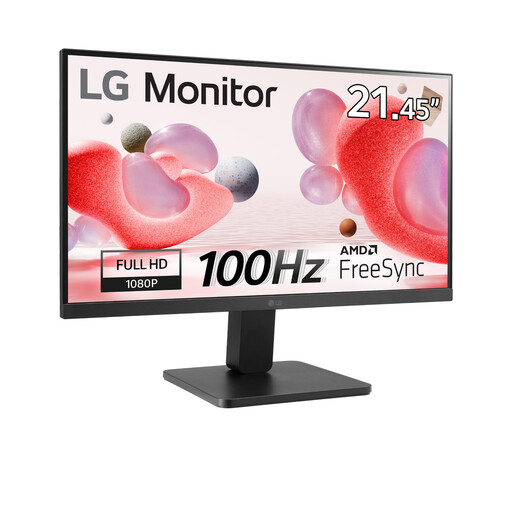
LG 22-inch Full HD VA monitor

LG 22-inch Full HD VA monitor, 100Hz

This smaller-screen option is worth considering if fitting the display around flight controls matters more than choosing the 180Hz compact route.

Full HD VA panel, 100Hz and HDMI.

Check its with-stand dimensions against your free desk space, and decide whether the stated refresh rate meets your motion priorities.

View on Joybuy

Samsung Odyssey G6 S27DG612 gaming monitor

Samsung Odyssey G6 S27DG612 27-inch QHD OLED, 240Hz

Consider this larger screen when QHD cockpit detail and a high refresh-rate rating matter more than keeping the monitor compact.

27-inch QHD OLED display rated at 240Hz.

Allow for the listed 237.5 mm with-stand depth alongside your controls, and check the gaming system and connection needed for your chosen resolution and refresh rate.

View on Joybuy
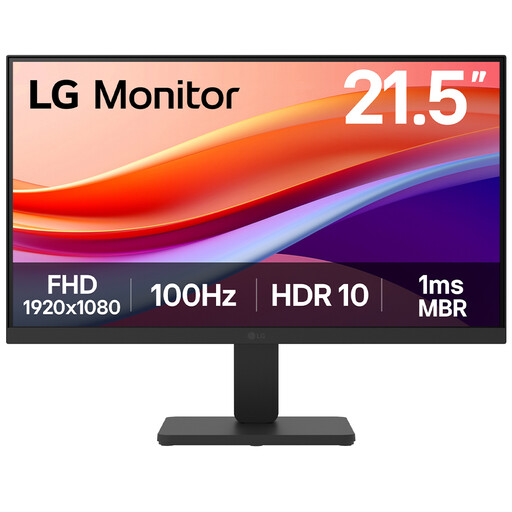
LG 22U401A-B 22-inch monitor

LG 22U401A-B 22-inch Full HD VA monitor, 100Hz

This 22-inch model is relevant when keeping the screen small leaves more room to arrange flight controls.

Full HD VA panel, 100Hz and HDMI.

Its listed with-stand dimensions are 496.2 × 370.0 × 190.0 mm. Check that the depth works on your desk; if adaptive sync matters to you, confirm that feature for this exact model.

View on Joybuy

MSI MAG 274QF gaming monitor

MSI MAG 274QF 27-inch WQHD Rapid IPS, 180Hz

Choose this route to assess if you want more pixels for cockpit information and can give a 27-inch screen enough room beside your controls.

WQHD Rapid IPS panel rated at 180Hz, with adaptive sync.

Allow for its listed 62 × 44 × 25 cm dimensions. The listing distinguishes 180Hz via DisplayPort from 144Hz via HDMI at WQHD, so check the input available on your gaming system.

View on Joybuy

Common questions

What monitor size works with flight controls on a small desk?

Choose by the space left after placing your controls, not by screen diagonal alone. LG UK lists its 23.8-inch 24GS60F-B at 540.8 mm wide and 180.5 mm deep with its stand; compare the exact monitor you want with your measured clearance.

Is a 27-inch QHD monitor worth considering for space combat?

Yes, if you value QHD cockpit and scene detail, have room for the screen and can run the game acceptably at 2560 × 1440. LG UK lists 27-inch QHD models at 180Hz and 200Hz, but check the stand dimensions and connection needed for your chosen settings.

Will a 180Hz or 240Hz monitor make every game run at that frame rate?

No. The monitor rating does not guarantee the frame rate delivered by your PC or console. Check the game settings, output, cable and refresh rate supported at the monitor’s native resolution.

What if an online monitor order is unsuitable or faulty?

Treat a change of mind separately from a fault. Check the cancellation terms that apply to your order and the seller’s process if the monitor simply does not suit your setup. For a faulty, misdescribed or non-functioning item, GOV.UK says a full refund must be offered; a voluntary returns policy does not replace those remedies.

What should I do with the monitor I replace?

Use an appropriate electrical-waste take-back or collection route rather than ordinary household rubbish. Ask the seller how its take-back arrangements work for an old monitor, or check a local electrical-waste service.