PS5 football-night hosts
If the game runs on a PS5, choose additional controllers for that console. Check how many players the game’s local mode allows before buying a pad for each guest.


Choose a controller that matches the console or PC running your football game: DualSense for a PS5 setup, an Xbox-compatible controller for Xbox or Windows PC, or a Nintendo controller matched to your Switch generation. Before buying pads for guests, check the game version and local mode as well as the number of controllers your host can connect. Connection method and Bluetooth audio can impose further limits.
If the game runs on a PS5, choose additional controllers for that console. Check how many players the game’s local mode allows before buying a pad for each guest.
If an Xbox console or Windows PC feeds the home-cinema display, match the controller to that host and decide how each player will connect from their seat.
For matches on a docked Switch 2, plan the number of controllers alongside the game’s local-player limit. Bluetooth audio can also restrict how many wireless players connect.
Start with the device running the game, then work out how many people can join its local mode and which connection will suit the room.
Choose when: The football game runs on a PS5 and you want a controller made for that console.
Bear in mind: PlayStation says DualSense haptic feedback and adaptive triggers depend on game support and may require USB.
Choose when: An Xbox console or Windows PC runs the game and the controller supports that particular host.
Bear in mind: On Windows, Xbox says Bluetooth does not support audio through an Xbox Wireless Controller or accessories attached to it.
Choose when: Matches run on Switch 2 and each guest needs a full-size controller.
Bear in mind: Nintendo limits wireless-controller connections to two players while Bluetooth audio is connected.
Choose when: The host is an original Switch-family console and the intended football game supports your local-play plan.
Bear in mind: Do not treat the similarly named Switch 2 Pro Controller as a substitute for an original Switch Pro Controller.
| Concern | What to check | Who this matters to |
|---|---|---|
| Host compatibility | Identify the exact console or PC and confirm controller compatibility with it and the game version. | If the pad will be used with one particular console or PC, avoiding a mismatch comes before extra features. Around 42% of consumers would put host compatibility first. |
| Local group size | Check the game mode’s player limit and the host’s controller rules; on Switch 2, account for connected Bluetooth audio. | When guests play together, I need enough controllers that can actually join the same match. For around 33% of consumers, usable group capacity would be the primary concern. |
| PC connection | For a Windows setup, choose a supported connection method and check whether controller audio or attached accessories matter. | If a PC drives the display, I want a connection that works from the seating area without losing functions I need. Connection flexibility would come first for around 25% of consumers. |
A controller’s name or premium controls do not establish that it works with the console or PC running your game. The Switch 2 Pro Controller, for example, is intended for Switch 2.
Note the exact host and football-game version before comparing controllers.
A host’s controller capacity does not establish the player limit of a particular football mode. Nintendo says Switch 2 pairing capacity also varies with controller type and features.
Check both the game mode’s local-player support and the host’s pairing rules before buying several pads.
Nintendo says that with Bluetooth audio connected, Switch 2 can connect wireless controllers for no more than two players.
For a larger wireless group, disconnect Bluetooth audio and use another suitable audio path.
According to Xbox, Bluetooth on Windows does not support audio through the Xbox Wireless Controller or accessories attached to it.
If you need those functions, plan a supported USB or Xbox Wireless Adapter connection instead; a USB cable must transfer data, not just charge.
DualSense is the official controller route for a PS5-centred football setup. PlayStation also lists compatibility with PC, Mac and mobile devices.
The Xbox Wireless Controller is listed for Xbox consoles and Windows PCs, among other devices.
Nintendo offers Pro Controllers for Switch-family setups; the Switch 2 Pro Controller is specifically for Switch 2.
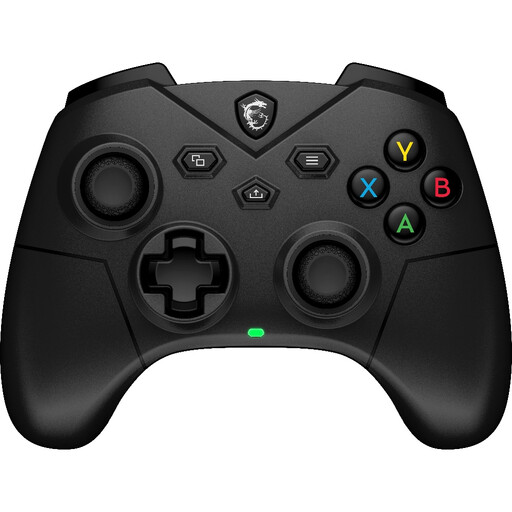
These choices cover PS5, Switch 2 and selected Xbox or Windows-PC setups. The MSI controller is a Windows-PC option, not an Xbox-console choice. Match each pad to your host and check the football game’s local mode before buying for a group.
 No image available
Consider this model when an Xbox console or compatible Windows PC runs the match. Confirm that your game version recognises it for local play and supports the number of players you intend to seat.
 No image available
Consider this for a Windows-PC football setup, rather than assuming it works with a console. Check controller recognition in your game version and the local mode’s player limit.
 No image available
Consider this when an Xbox console or compatible Windows PC hosts the match. If a Windows PC uses Bluetooth, Xbox says audio through the controller and attached accessories will not work over that connection; also check your game’s local-player support.
 No image available
Consider this DualSense variant for a PS5 football setup. Check the game’s local-player limit before adding pads for guests; PlayStation says haptic feedback and adaptive triggers depend on game support and may require USB.
 No image available
Consider this full-size controller when the game runs on Switch 2, not an original Switch. Nintendo includes a USB charging cable. For more than two wireless players, avoid connected Bluetooth audio and confirm the game mode supports the group.
Choose the host first. PlayStation lists DualSense for PS5 and other supported devices, Xbox lists its Wireless Controller for Xbox consoles and Windows PC, and Nintendo’s Switch 2 Pro Controller is for Switch 2. Check the exact game version as well as the host.
No: pairing capacity and a football game’s local-player limit are separate. Nintendo says Switch 2 can connect up to eight wireless controllers in most circumstances, with the maximum varying by controller type and features; check the particular game mode before buying that many pads.
Yes, if more than two people need wireless controllers. Nintendo says Switch 2 connects wireless controllers for no more than two players while a Bluetooth audio device is connected; disconnect that audio device before connecting a third wireless player.
Choose according to the functions you need. Xbox documents USB, Bluetooth and Xbox Wireless Adapter options, but says Bluetooth does not support controller audio or attached accessories on Windows. If those functions matter, use a supported USB or Xbox Wireless Adapter connection, with a data-capable cable for USB.