Who each setup suits

Households keeping a TV without a useful aerial

Your television works, but its apps do not provide the live and catch-up services you want. An HDMI streaming device offers a route that does not depend on an aerial, provided your broadband is suitable.

Households that value broadcast and recording

You have a usable aerial and want broadcast channels to remain available without broadband, or you want to record programmes. Choose between a receiver and a recorder according to what you need to save for later.

Viewers who need easier programme discovery

Finding programmes with subtitles, audio description or signing—and using the remote comfortably—matters as much as getting the service itself. Check the guide and device controls on the exact model.

What matters when choosing

Freely streaming device

Choose when: You want to keep an HDMI television and receive Freely without an aerial.

Trade-off: Viewing depends on broadband, and the device adds its own interface and remote. Freely recommends a connection of at least 10Mbps for live streaming and on-demand viewing.

Aerial-based Freeview receiver

Choose when: You have a working aerial and want broadcast channels even when broadband is unavailable.

Trade-off: Broadcast reception needs the aerial; catch-up features need internet. Recording also requires a recorder rather than a basic box.

TV with Freely built in

Choose when: You also want to replace the screen and prefer to use the television’s own interface.

Trade-off: Freely support is model-specific; a smart-TV app store alone does not establish compatibility.

Concern What to check Who this matters to
Viewing without an aerial Confirm a spare HDMI input, suitable Wi-Fi and that the exact device carries the wanted services. Freely recommends at least 10Mbps for streaming. If I am keeping my TV but cannot use an aerial, I need the wanted live and catch-up services to work through broadband. Around 42% of consumers put that need first.
Broadcast and recording Check aerial reception and whether you need a recorder, rather than only a receiver; check internet access separately for catch-up. When broadband is unavailable, I still want aerial channels, and I may need to save programmes for later. That is the primary need for around 33% of consumers.
Accessible operation Check the remote, guide filters, voice guidance and required audio connections on the exact TV and device. I need to find and operate the programmes I can use comfortably, not merely have the service installed. Around 25% of consumers would make accessible operation their first concern.

Mistakes to avoid

  • Assuming any smart-TV app store or streaming stick has Freely

    Service support depends on the device and model. Freely says its service is not currently built into Samsung, LG or Sony televisions; Freeview says Freeview Play cannot simply be downloaded onto equipment that lacks it.

    List the services you need and check them against the exact UK model. If Freely is essential, look for a device or television that explicitly includes it.

  • Choosing a Freeview receiver without checking the aerial

    An aerial-based box needs usable reception to deliver broadcast channels. An HDMI socket on the television does not replace the aerial connection.

    Check the room’s aerial connection and reception before choosing a box or recorder. If there is no viable aerial, assess a broadband-based Freely device instead.

    Making an aerial route usable may involve additional cabling, installation or repair work.

  • Confusing catch-up and live-TV pause with recording

    A box that plays catch-up programmes does not necessarily save broadcasts. Humax says its AuraEZ records aerial-delivered channels, not streamed Freely channels.

    Decide which channels you need to record, then check that the particular recorder supports them before buying.

  • Assuming every app and programme has the same accessibility features

    Programme subtitles, audio description and signing differ from device features such as voice guidance and remote layout. Freely notes that text-to-speech in its accessible guide depends on television support.

    Check both the device controls and the programmes or services used most often. Where possible, try the remote and guide before deciding.

Relevant brands to consider

Manhattan

Offers different routes for keeping an existing TV: the Aero Freely streamer and the aerial-based T4 and T4•R Freeview Play devices.

  • The Aero connects to an HDMI television for Freely streaming; Manhattan’s T4 can receive Freeview broadcasts through an aerial without internet.
  • The T4 and T4•R need an aerial for broadcast channels, while their catch-up features need internet. Choose the T4•R if recording is required.

Netgem

Its PLEIO 4K puck is a Freely-enabled HDMI device for an existing television.

  • Freely lists PLEIO as an aerial-free route and says using Freely on it does not require a PLEIO subscription.
  • Optional PLEIO extras are separate from Freely. Check the wanted services and broadband connection before choosing it.

Humax

Its AuraEZ combines Freely streaming with aerial-based recording.

  • The AuraEZ has a 2TB drive for households that want to record aerial-delivered broadcasts.
  • Humax says streamed Freely channels cannot be recorded on the AuraEZ; recording requires an aerial.

Panasonic

A replacement-TV route: Freely lists Panasonic 4K OLED, QLED and LED television lines with Freely built in.

  • A listed Freely model puts the service in the television’s own interface instead of an external box.
  • Check the exact UK model, screen size, inputs and accessibility controls; the brand name alone does not establish support.

Toshiba

A replacement-TV option that includes the Freely-listed 40-inch LV25.

  • Freely lists the LV25 with access from its television remote, which may suit a household seeking a smaller new screen.
  • Confirm that the LV25’s size, services and controls suit the room and viewer rather than assuming the same features across Toshiba models.

Joybuy TVs for the replacement route

These Haier televisions are options if you want a new screen with Freely and Fire TV built in. If your current screen still suits you, compare an external Freely device or an aerial receiver before replacing it.

Haier H50K85GUF 50-inch television

Haier H50K85GUF 50-inch 4K LED TV with Freely and Fire TV

Consider this model if you are replacing your screen and want Freely built into a 50-inch TV; Freely viewing requires internet.

Its listed features include HDR10, Dolby Audio and an Alexa voice remote. Check the services and accessibility controls you need on this exact model; a voice remote does not establish voice guidance.

View on Joybuy

Haier H43S80GUF 43-inch television

Haier H43S80GUF 43-inch 4K QLED TV with Freely and Fire TV

Consider this 43-inch model if a new screen suits the room and you want Freely built in; streaming requires internet.

Its listed features include HDR10+, Dolby Audio and an Alexa voice remote. Check exact service availability and any required accessibility functions separately.

View on Joybuy
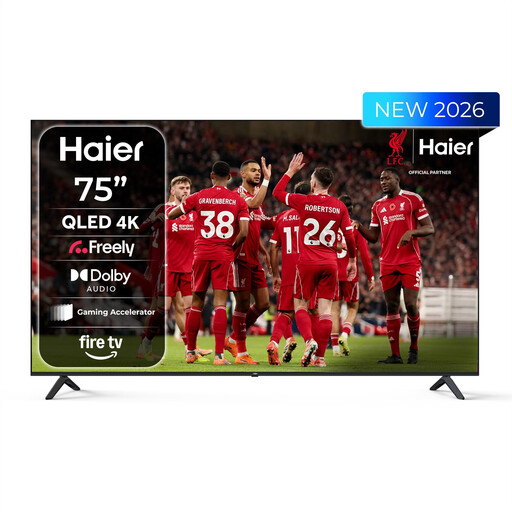
Haier H75S80GUF 75-inch television

Haier H75S80GUF 75-inch 4K QLED TV with Freely and Fire TV

This is a replacement-screen option if you want built-in Freely and have a suitable location for a 75-inch television; Freely streaming requires internet.

Its listed features include HDR10+, Dolby Audio and an Alexa voice remote. Check the installation space, wanted services and accessibility controls before choosing it.

View on Joybuy
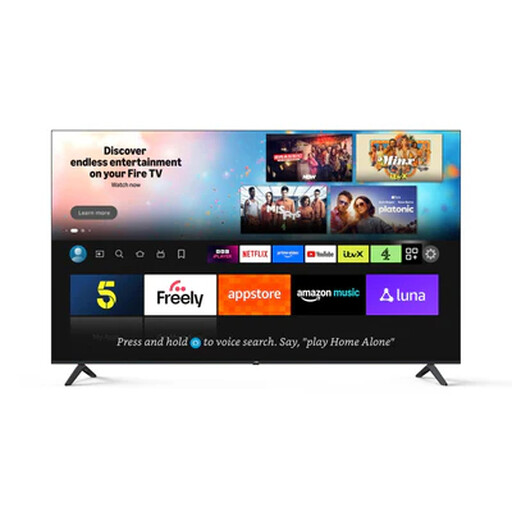
Haier H65S80GUF 65-inch television

Haier H65S80GUF 65-inch 4K QLED TV with Freely and Fire TV

Consider this 65-inch replacement TV if you want Freely within the new screen rather than on a separate device; streaming requires internet.

Its listed features include HDR10+, Dolby Audio and an Alexa voice remote. Confirm the exact services and accessibility functions that matter to your household.

View on Joybuy
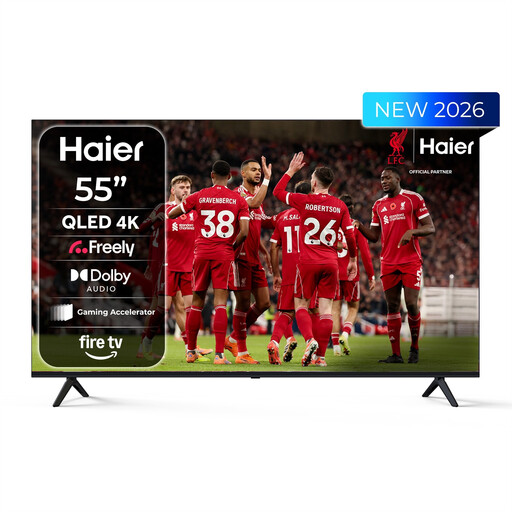
Haier H55S80GUF 55-inch television

Haier H55S80GUF 55-inch 4K QLED TV with Freely and Fire TV

This 55-inch model is an option when replacing the television is part of the plan and you want Freely built in; streaming requires internet.

Its listed features include HDR10+, Dolby Audio and an Alexa voice remote. Check the exact service list and accessibility settings before deciding.

View on Joybuy

Frequently asked questions

Will an ordinary streaming stick add Freely to my TV?

Not necessarily: being a streaming stick does not establish Freely support. Freely identifies dedicated devices including the Manhattan Aero and Netgem PLEIO for adding the service to an existing HDMI television; check the exact device and wanted UK services.

Do I need an aerial for Freely or Freeview Play?

A compatible Freely streaming device can deliver live and on-demand viewing over broadband without an aerial. An aerial-based Freeview Play receiver needs an aerial for broadcast channels and internet for catch-up features.

Can a Freeview box work if broadband goes down?

The Manhattan T4 can still receive aerial-delivered Freeview channels without internet, according to Manhattan. Catch-up, on-demand viewing and other connected features require internet; check the requirements of any different model separately.

Can a Freely recorder save streamed channels?

The Humax AuraEZ cannot record streamed Freely channels, according to Humax; its recording function is for broadcasts delivered through an aerial. Check channel-specific recording limits on any other recorder.

When does this viewing setup need a TV Licence?

In the UK, TV Licensing says you need a TV Licence to watch or record live TV on any channel or streaming service, or to download or watch BBC iPlayer. Changing from a television’s built-in apps to a box, stick or replacement TV does not change those viewing conditions.