What should you check before choosing?
Decide whether you need a new screen, an internet platform or a broadcast receiver, then check the connections each choice requires.
| Priority | What to check | Your needs |
|---|
| Screen or add-on |
Check whether the current screen still suits you and has a free HDMI input. If replacing it, compare the new TV’s platform and required broadcast tuner. |
My existing picture is fine, but I want different streaming apps; an external player could meet that need without changing the screen. |
| Live-TV reception |
For Freeview, check predicted channels at your address and the aerial connection. For Freesat, check the dish, cabling and compatible receiver. |
I watch live broadcast channels, so an app interface alone does not answer whether I can receive them at home. |
| Apps and internet |
Check the exact UK model’s current apps and software support, plus the home broadband connection. Freesat says its on-demand players vary by box or TV model. |
The particular catch-up and streaming services I use matter more than a general smart-TV label. |
| Setup requirements |
Check available HDMI inputs, any required cable or power connection, Wi-Fi access and platform accounts. Amazon lists an Amazon account for Fire TV Stick setup; Apple lists an Apple Account and HDMI cable for Apple TV 4K. |
I would rather know what must be connected or signed into before I choose an add-on for my TV. |
| Recording and services |
If recording matters, check the receiver’s recording functions and input requirements. Check subscriptions separately from free-to-view broadcast access; Freesat says some on-demand services require them. |
I want to record programmes or use catch-up, but I do not want to assume those features and services come with every receiver. |
Relevant platforms and brands
These names describe different reception and streaming routes; their inclusion does not mean every TV or device supports the same features.
Freeview
A UK terrestrial-TV route through compatible equipment connected to an aerial.
- Freeview’s address checker predicts local channel availability.
- Freeview says live TV through the TV guide still needs an aerial, even when the equipment also offers internet viewing.
Freesat
A UK satellite-TV route for compatible TVs and boxes connected to a dish.
- Supported equipment can combine satellite channels with on-demand players.
- Freesat says player availability varies by model; streaming needs broadband, and selected services require separate subscriptions.
Amazon Fire TV
An external streaming-platform route for an existing HDMI-equipped TV.
- Amazon lists an HDMI-equipped TV, internet connection and Amazon account as Fire TV Stick setup requirements.
- A streaming stick does not itself provide Freeview aerial or Freesat dish reception.
Apple TV
An external set-top-box route for an HDMI-equipped HD or 4K display.
- Apple specifies HDMI, broadband and an Apple Account for Apple TV 4K setup.
- Check the required HDMI cable and the services available for the particular device and region.
Manhattan
A maker of Freeview, Freesat and Freely boxes and recorders, including the Freesat S4•R.
- Manhattan specifies satellite recording and selected on-demand apps for the S4•R.
- Its stated recording capability depends on a compatible satellite setup; on-demand features need an internet connection.
Smart TVs to consider on Joybuy
These TVs address the screen-replacement route. If you plan to keep your current display, compare an external streaming player instead; for live Freeview or Freesat, check the exact TV’s reception compatibility and your home connection.
 No image available
LG 32LQ63006LA 32-inch Smart TV
A 32-inch screen with webOS for households replacing a TV rather than adding a streaming player. Freeview HD appears in the product name; check the exact model’s live-TV reception, required aerial or dish connection, UK apps and software support for your setup.
View on Joybuy
 No image available
VISPERA TV-Rx32T1 32-inch HD Ready Roku TV
A smaller screen for a household considering a TV with a Roku interface. Freeview HD appears in the product name; confirm the tuner and aerial requirements for live viewing, alongside the exact UK apps and software support.
View on Joybuy
 No image available
TeeView TV70UUW 70-inch QLED 4K Smart TV
A 70-inch screen to assess for a main-room replacement; check its dimensions against the intended space, stand or mount. Freeview Play appears in the product name, so confirm the exact tuner and aerial setup for live TV, as well as the UK apps you need.
View on Joybuy
 No image available
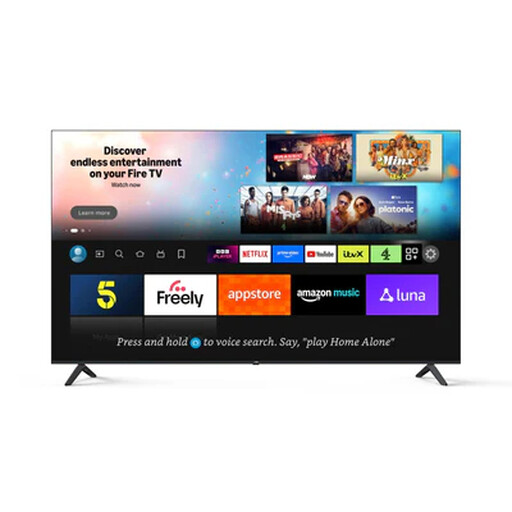
Coocaa 40CTQH38ZUK 40-inch QLED Freely Smart TV
A 40-inch integrated TV option for a household considering internet-delivered viewing. Check Freely and app availability on this exact UK model; if you also want Freeview or Freesat broadcast channels, confirm compatibility and the appropriate home connection separately.
View on Joybuy
 No image available
Haier H50S80GUF 50-inch 4K QLED Smart TV
A 50-inch Wi-Fi smart TV to consider when replacing the screen. Before choosing it for live broadcast viewing, confirm its Freeview or Freesat compatibility; also check the exact UK apps and software support you need for streaming.
View on Joybuy
TV setup questions
Do I need an aerial for Freeview live TV?
Yes, Freeview says live TV through the TV guide needs an aerial. Check predicted channels at your address using Freeview’s Channel Checker before choosing terrestrial equipment.
Can a streaming stick replace Freeview or Freesat?
Not as a like-for-like broadcast receiver. The Department for Culture, Media and Sport distinguishes internet-delivered TV from Freeview via an aerial and Freesat via a dish; a streaming stick can instead sit alongside an existing broadcast setup.
Will every Freesat box offer the same streaming apps?
No. Freesat says on-demand players vary by box or TV model and need a stable broadband connection. Check the exact model for your services and whether any require a separate subscription.
What does an external streaming device need?
Start with an available HDMI input and check the chosen device’s internet, account, cable and power requirements. Amazon lists internet and an Amazon account for Fire TV Stick setup; Apple lists broadband, an HDMI cable and an Apple Account for Apple TV 4K.
Does streaming or broadcast viewing require a TV Licence?
TV Licensing says you need to be covered by a TV Licence if you watch TV channels on any TV service, watch live TV on a streaming service or use BBC iPlayer. Check your household’s intended viewing rather than assuming the equipment or delivery route determines the answer.


