
24/7 Customer Support

Free returns

Same-day & Next-day Delivery

Quality Guaranteed

Unlock Your Welcome Offers: FREE Delivery | Up to 80% OFF | Free 30-day JoyPlus trial
Download the APP
A front and rear dash cam can provide useful video evidence during a collision, help document parking damage and record everyday journeys. However, choosing one involves more than selecting the largest resolution number on a product page. UK buyers should consider installation, storage, night footage, parking power requirements and whether the camera is suitable for their vehicle.
A 4K dash cam records more pixels than a 1080P camera, but resolution is only one part of image quality. Lens quality, sensor performance, exposure control and compression also affect whether number plates and road signs remain readable.
A high-resolution front camera paired with a lower-resolution rear unit can still be practical, particularly when the rear camera is positioned behind tinted glass or a heated window. Check the resolution of each channel rather than relying on the headline specification.
A 24-hour parking mode dash cam normally needs power while the ignition is switched off. In many systems, this means purchasing a compatible hardwire kit separately and connecting it to the vehicle’s fuse box. A standard cigarette-lighter connection may stop supplying power once the car is parked.
Hardwiring should be carried out carefully, with suitable low-voltage protection. Incorrect installation can contribute to battery drainage or electrical faults. If you drive a newer vehicle, an EV, a taxi or a van with complex electronics, professional installation may be sensible.
A dash cam with memory card uses continuous recording, so storage is repeatedly overwritten. Loop recording normally replaces older unlocked files when the card is full, while impact-protected clips may be stored separately.
Use a compatible Class 10 or U3 high-endurance microSD card, where specified. Format the card through the camera at suitable intervals and replace it if recording errors, corrupted files or missing clips occur. A 3-channel system will generally use storage more quickly than a dual dash camera.
A dash cam with rear camera records both the road ahead and vehicles approaching from behind. This is particularly useful for rear-end incidents, motorway driving, delivery work and vehicles that spend time parked in public areas.
Check the cable length and route before installation. Rear-camera wiring may need to pass along the headliner, through hatchback rubber seals or towards an external mounting point. A waterproof rear camera may offer more flexibility for exterior installation, but it still needs a secure, unobstructed position.
A car camera with GPS can record information such as speed, time and location, depending on the model and software. This may help organise footage, although recorded data should be checked for accuracy before being relied upon in an insurance or legal context.
A Wi-Fi dash cam or dash cam with app control allows you to view and download clips to a smartphone without removing the card. App compatibility, phone permissions and wireless transfer speed vary, so check that the required app supports your device. Wi-Fi is usually intended for short-range file transfer rather than internet access.
A night vision dash cam should be assessed by its sensor, lens aperture and exposure features rather than the label alone. HDR or WDR processing can help balance bright headlights and darker areas, but no camera can guarantee clear plates in every lighting or weather condition.
Position the camera behind the rear-view mirror where possible, keeping the lens clean and ensuring it does not obstruct the driver’s view. UK drivers should also check that cables and mounts do not interfere with airbags or vehicle controls.
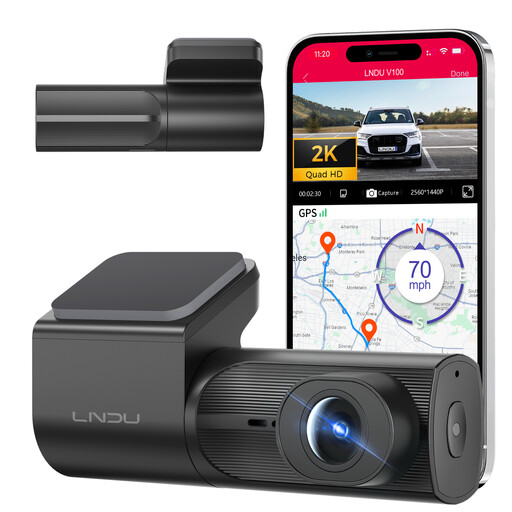
Why This Fits Their Persona: A compact front camera for commuters and drivers who want 2K recording, app access and parking monitoring without moving straight to a multi-camera system.
Its specifications state that parking mode requires a separate hardwire kit, making the power requirement clear before purchase.
2K recording, built-in Wi-Fi, app control, G-sensor emergency locking and loop recording.
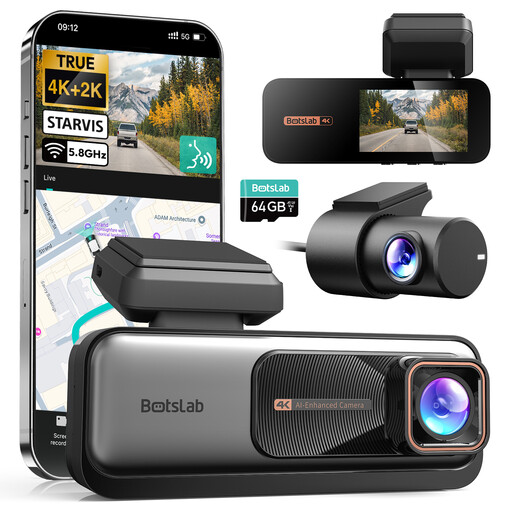
Why This Fits Their Persona: Suitable for motorists who prioritise detailed front footage, broad coverage and straightforward wireless access for frequent journeys.
The front and rear resolutions, viewing angles and separate hardwire-kit requirement are specified rather than hidden behind a general “dual” label.
4K front and 2K rear recording, 170° and 150° viewing angles, GPS, 5.8GHz Wi-Fi and a 64GB card included.
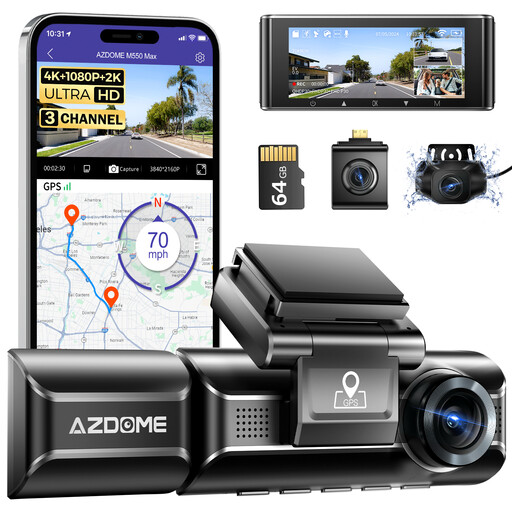
Why This Fits Their Persona: A practical match for drivers who need road, rear and cabin coverage, including family vehicles and passenger-carrying work.
It identifies the separate hardwire kit and recommends professional installation, which helps buyers plan for the full setup.
Three-channel 4K, 1080P and 2.5K recording, IR interior night vision, GPS, Wi-Fi and a 64GB card.
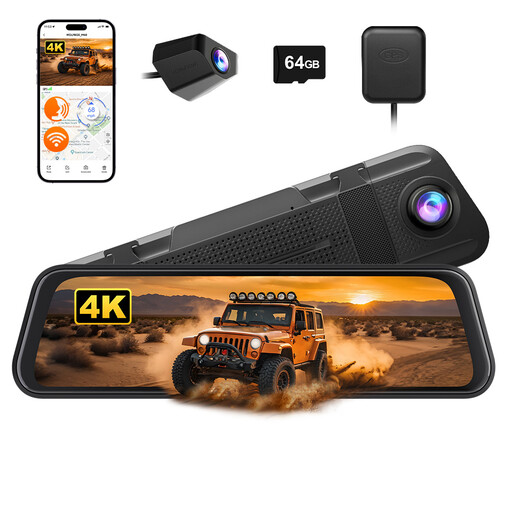
Why This Fits Their Persona: Designed for drivers who prefer a large viewing screen and a mirror-style installation rather than a small windscreen-mounted unit.
The rear camera can be mounted internally or externally, and parking monitoring is clearly noted as requiring a separate hardwire kit.
10-inch display, 4K front and 1080P rear recording, GPS, Wi-Fi, voice control and loop recording.
Before installation, clean the mounting surface and position the front unit without blocking the driver’s forward view. Secure rear-camera cables away from pedals, curtain airbags and moving tailgate parts. Test both channels, GPS reception and audio settings before regular use.
A memory card is a consumable component. Repeated loop recording, heat and vibration can shorten its usable life, so check files periodically rather than waiting until an incident occurs. Parking mode may also increase battery demand, particularly when the car is left unused for extended periods.
If footage includes other people or private property, handle and share it responsibly. Keep only recordings that serve a clear purpose, and check the camera’s settings if you do not need cabin audio or interior coverage.
It can be useful for recording incidents ahead of the vehicle and impacts or tailgating from behind. It also provides a second angle when reviewing a collision, although footage quality depends on placement, lighting, storage and correct operation.
Only if the model supports parking mode and receives power while the ignition is off. Many systems require a separately purchased hardwire kit. Confirm compatibility with your vehicle and monitor battery protection settings.
The duration depends on card capacity, resolution, frame rate and the number of active cameras. A dual or triple camera system fills storage faster. Loop recording overwrites older unlocked files, while G-sensor-protected clips may remain until manually removed or the card is formatted.