What should you prioritise when preparing for Full Fibre?
Start by agreeing the ONT position and a practical router location; then decide whether you need a simple Ethernet route, permanent room wiring, extra LAN ports or separate Wi-Fi coverage.
| Concern |
What to check when buying |
Who this matters to |
| Router location |
Agree the ONT route with the engineer; plan Ethernet and a double power socket at the router position. |
I want the router away from an inconvenient ONT position but still somewhere useful for Wi-Fi; around 36% of consumers put router position first. |
| Permanent wiring |
Match the cable, RJ45 modules and patch leads to the intended link; include compatible housings and termination. |
I want a tidy, lasting connection between rooms and need the cable and terminations to work as one link; around 29% of consumers prioritise permanent wiring. |
| Wired-device ports |
Count connected devices and the switch’s router uplink; check port speed against your devices. |
I need more LAN connections for fixed devices than the router provides; around 21% of consumers put wired-port capacity first. |
| Wi-Fi coverage |
Identify where coverage is needed and whether wired or wireless backhaul suits the layout; check the mesh system’s connection rules. |
I have a separate coverage problem that router relocation alone may not address; around 14% of consumers prioritise coverage expansion. |
Joybuy products for coverage and wired connections
These Joybuy options cover a separate Wi-Fi coverage need and additional wired-device connections. Choose mesh for coverage expansion; choose a switch when you need more wired ports, checking PoE requirements for compatible equipment.
 No image available
NETGEAR Orbi 370 RBE373 WiFi 7 Mesh System, 3-Pack
For a separate Wi-Fi coverage need, this system is described as one router and two satellites.
Dual-band BE3600 WiFi 7; 2.5Gbps Ethernet ports on the router and satellites. The description says a high-speed internet connection and an existing modem or gateway are required.
Shop on Joybuy
 No image available
D-Link DGS-108GL 8-Port Gigabit Unmanaged Desktop Switch
For adding wired connections to a router when several fixed devices need LAN access.
Eight Gigabit Ethernet ports; unmanaged, plug-and-play operation and fanless design.
Shop on Joybuy
 No image available
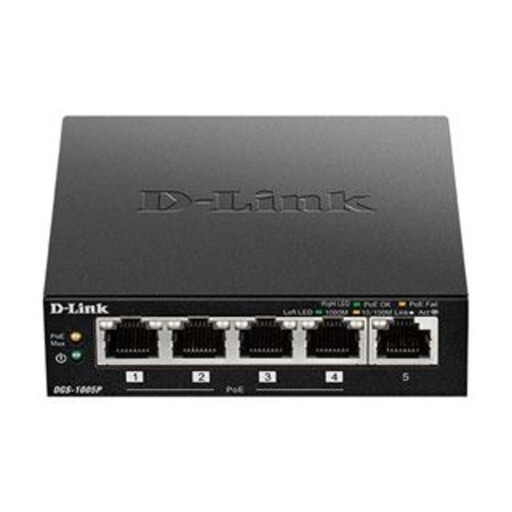
D-Link DGS-1005P 5-Port Gigabit PoE+ Switch
For wired connections where compatible devices also need power over Ethernet.
Five Gigabit ports, including four PoE+ ports; 60W total PoE budget. Unmanaged, plug-and-play operation.
Shop on Joybuy
 No image available
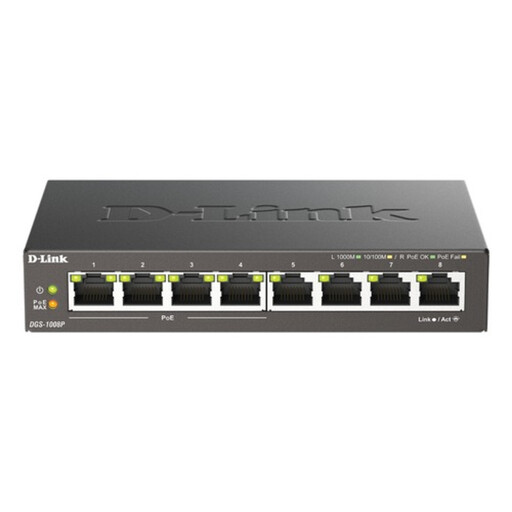
D-Link 8-Port Gigabit PoE Unmanaged Desktop Switch
For several wired devices, including compatible equipment that takes power over Ethernet.
Eight Gigabit ports, including four PoE-enabled ports; 68W total PoE budget. Unmanaged, plug-and-play operation.
Shop on Joybuy
 No image available
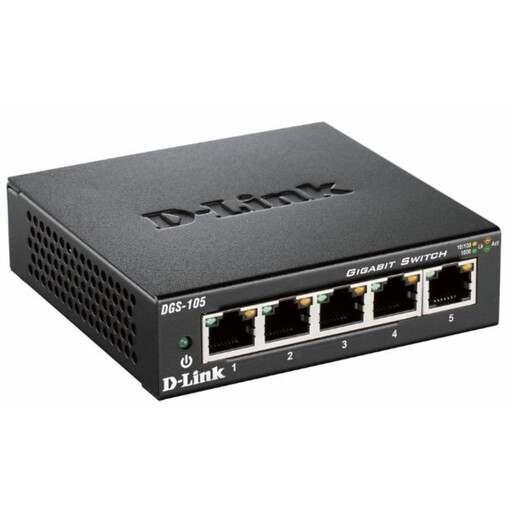
D-Link DGS-105 5-Port Gigabit Unmanaged Desktop Switch
For a small group of fixed devices that need wired connections through a switch.
Five Gigabit ports; unmanaged, plug-and-play operation and fanless design.
Shop on Joybuy
Frequently asked questions
Must the router stay beside the ONT?
No. Openreach’s July 2026 installation guidance describes connecting the ONT through paired RJ45 data points to a router in another room. The router still needs power and the correct WAN or service-port connection.
Will the engineer install the ONT in any room I request?
A preferred position is not guaranteed. Openreach says the fibre route and installation position are assessed and agreed with the engineer, so raise your preference before work starts. Development guidance showing other ONT positions does not establish what an existing-home appointment includes.
Do I need to buy an ONT or fibre patch cable?
The consumer-side choices in this plan are Ethernet wiring and equipment connected beyond the ONT, not ordinary purchases of Openreach-installed fibre equipment. Openreach says its installed equipment belongs to Openreach, and BT advises customers not to unplug the optical cable.
Is Cat6e the same as Cat6A?
No. Fluke Networks distinguishes cable labelled Category 6e from Category 6A, and Openreach’s July 2026 illustration uses the wording CAT6e. If your requirement is 10GBASE-T over a channel up to 100 m, specify a complete Cat6A design rather than assuming Cat6 or Cat6e wording meets it.
Where should a switch connect in a Deco Ethernet-backhaul setup?
In Deco router mode, TP-Link says satellite units must connect to the main Deco’s LAN port, either directly or through a switch connected to that LAN port. Access-point mode permits a different topology, so follow the instructions for the selected mode.


