
24/7 Customer Support

Free returns

Same-day & Next-day Delivery

Quality Guaranteed
Download the APP
Categories
Finding the right position for your television can transform your viewing experience. A cluttered TV stand can take up valuable floor space, while glare from windows or lights can ruin a perfect movie night. A full motion TV wall mount offers a practical solution, allowing you to reclaim your space, achieve the perfect viewing angle and create a clean, modern look in any room.
However, with so many options available, choosing the right one can feel complicated. This guide is designed to help you understand the key features to look for and to present a few carefully selected options that cater to different needs and room layouts. As a Joybuy Product Recommendation Officer, my goal is to provide clear, objective advice to help you make a confident choice.
Before you add a mount to your basket, a few key considerations will ensure you get a secure and functional fit for your television and your home.
This is the most critical step. Every TV mount has specific limits for the television it can safely support.
A full motion TV wall mount provides the ultimate flexibility, but the degree of movement varies.
For safety, a TV wall mount must be fixed to a solid, load-bearing structure. In most UK homes, this means brick, concrete or the wooden studs behind a plasterboard wall. Installing a heavy, articulating mount onto plasterboard alone is not safe and is strongly discouraged. Always use a stud finder to locate the wooden supports within your wall before drilling.
Here are three full motion wall mounts that offer distinct features to suit different requirements.
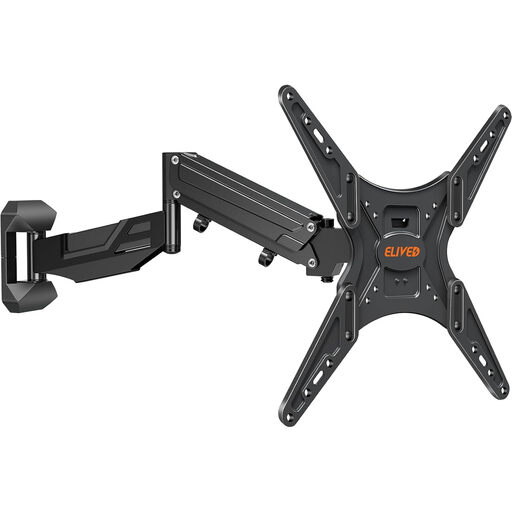
Why It Stands Out This mount’s standout feature is its gas spring mechanism. It allows for incredibly smooth and effortless height, swivel and tilt adjustments without the need for tools. This makes it simple to move the TV from a comfortable movie-watching position to a higher level for standing activities, like following a workout video. The full motion articulation and integrated cable management create a highly functional and tidy setup.
Pros
Who is it for? This is an excellent choice for anyone seeking maximum viewing flexibility in a multi-use space, such as a living room or home office, where the ideal screen height may change frequently.
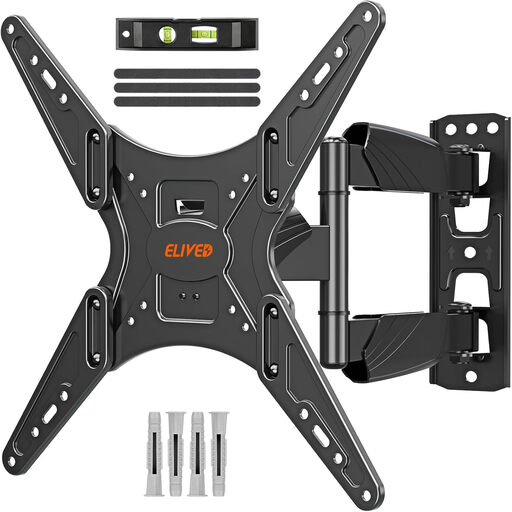
Why It Stands Out This bracket is a robust and reliable workhorse. Built from heavy-gauge steel, it is designed to securely hold larger televisions up to 40 kg. Its dual-arm articulating design provides stability even when fully extended and the wide range of swivel makes it particularly well-suited for corner installations or large rooms where the viewing angle needs to cover a wide area.
Pros
Who is it for? This mount is ideal for homeowners with mid-to-large-sized TVs (26" to 60") who need a strong, dependable bracket for a flat wall or corner installation.
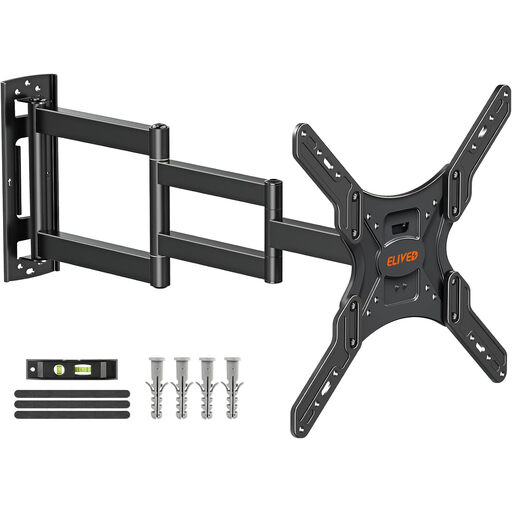
Why It Stands Out The defining feature of this mount is its exceptional extension capability. The long reach TV mount arm extends up to 749 mm from the wall, offering unparalleled positioning freedom. This makes it the perfect solution for deep corners, large open-plan spaces or rooms with awkward layouts where the TV needs to be pulled out and angled significantly. When not in use, it retracts to a slim 65 mm profile.
Pros
Who is it for? This is the go-to option for those with challenging room configurations, deep alcoves or anyone who needs to bring their TV significantly forward and around obstacles for the perfect view.
If these specific models don't quite match your needs, whether you're looking for a simple fixed mount, a tilting bracket for a bedroom or a solution for a different TV size, there are many other choices available.
Explore our complete collection of TV mounts and accessories to find the perfect fit for your home. Explore All TV Mounts & Accessories
By Joybuy, Product Recommendation Officer
1. Can I install a full motion TV wall mount on a plasterboard wall? You should not install a TV mount directly onto plasterboard (drywall) alone, as it cannot support the weight, especially with an articulating arm. The mount must be securely fastened to the wooden studs behind the plasterboard or into a solid brick or concrete wall.
2. What is a VESA pattern and how do I find it on my TV? The VESA pattern is the standardised distance between the four mounting holes on the back of your television, measured in millimetres (e.g., 400 x 400 mm). You can find this information in your TV's user manual or by measuring the horizontal and vertical distance between the holes yourself. Your chosen mount must support your TV's specific VESA pattern.
3. Will a full motion mount work for a curved TV? Yes, many modern full motion mounts are designed to be compatible with both flat and curved screens. The product descriptions for the mounts we've highlighted specify their suitability as a TV bracket for curved TV models. However, it is always important to check the manufacturer's specifications to confirm compatibility and see if any special spacers or hardware are included or required.