Offline-first bid drafters
If signal may disappear between sites, you need to open and edit the bid locally. Microsoft Support advises downloading and opening the documents you need before going offline.


Choose the tablet around the bid workflow before comparing screens: an iPad Air with a separate keyboard suits someone comfortable with iPadOS, a Galaxy Tab S10 FE offers Samsung's stated outdoor-oriented features, and a Surface Pro offers a more laptop-like working position with an optional keyboard. Whichever route you take, test the actual template and funder portal, prepare documents for offline use, and check connectivity at the places you will visit.
If signal may disappear between sites, you need to open and edit the bid locally. Microsoft Support advises downloading and opening the documents you need before going offline.
If you will review notes or revise text outside, screen visibility and exposure to dust or rain matter. Samsung states that its Galaxy Tab S10 FE line has a High Brightness Mode and IP68-rated water and dust resistance; check network coverage separately for the places you will work.
If the bid involves prolonged typing and frequent movement between documents or windows, assess the complete input setup. Microsoft describes Surface Pro as a two-in-one with an adjustable kickstand and an optional keyboard with a full-sized haptic touchpad.
Start with the operating system and the exact document workflow, then decide how you will type and work when connectivity drops. The device routes differ in their field-use features and working positions; none replaces a test of your bid process.
Consider it: If your bid tools work on iPadOS and you want a tablet to carry between sites. Apple lists the 11-inch Wi-Fi model at 464 g.
Trade-off: Apple's reviewed purchase configuration does not bundle the Magic Keyboard; confirm that your required portal, templates and add-ins work on iPadOS.
Consider it: If pen input and Samsung's stated outdoor-display and water-and-dust-resistance features matter at your field sites; the UK range includes a 10.9-inch 5G configuration.
Trade-off: A 5G-capable model still depends on local network service, and Samsung says the series does not include a travel adaptor.
Consider it: If sustained drafting calls for a kickstand, keyboard and touchpad working position. Microsoft describes 12-inch and 13-inch Surface Pro options.
Trade-off: The keyboard is optional. Test the selected configuration with the actual funder portal and any required desktop components.
| Concern | What to check | Who this matters to |
|---|---|---|
| Offline document access | Open the real template while connected, then test editing, local saving and later synchronisation without a connection. Microsoft Support advises downloading and opening needed Office files before going offline. | If I lose signal after starting a revision, I still need to reach and save the active bid. Around 36% of consumers put uninterrupted document access first. |
| Outdoor use and connectivity | Check the exact model's display and protection specifications, and use Ofcom's coverage checker for your intended network and field locations; its predictions may differ from conditions on the ground. | When I review evidence outside, I need to read the screen and know whether I can connect from the site. For around 29% of consumers, field usability is the primary concern. |
| Typing and workflow | Try the keyboard arrangement and run the real portal, template, signature process and required add-ins on the chosen operating system. | If I will spend hours drafting and moving through a complex submission, touch input alone may not suit my working style. Around 21% of consumers prioritise the writing workflow. |
| Carrying the working kit | Compare what you will actually pack, including the keyboard, case and charging equipment. Apple lists its 11-inch iPad Air Wi-Fi model at 464 g and its 13-inch Wi-Fi model at 616 g. | Between sites, I want a kit I can carry without leaving behind something needed to finish the bid. Keeping the complete kit manageable comes first for around 14% of consumers. |
Ofcom warns that predicted coverage may not match conditions on the ground; terrain, buildings and vehicles can affect reception.
Check the intended network at each planned location and prepare the bid and supporting files for offline work regardless.
A keyboard and charging equipment may be important parts of the field kit. Apple lists its iPad Air Magic Keyboard separately, while Samsung says the Tab S10 FE series does not include a travel adaptor.
Check the exact box contents and plan the keyboard, case and charging setup before travelling.
Samsung's IP68 and High Brightness Mode statements concern the Galaxy Tab S10 FE line, not every Android tablet or accessory combination.
Check the exact model specification and choose protection appropriate to how you will carry and use it.
Access to Word in a browser or mobile app does not establish that a particular portal, template or approval step will work on the chosen device.
Test the real template, authentication, editing, upload and collaboration steps before relying on the tablet in the field.
The iPad Air line is relevant if you already work comfortably in iPadOS and want an 11-inch or 13-inch writing setup.
The Galaxy Tab S10 FE line is relevant when pen input and Samsung's stated features for variable outdoor conditions matter.
Surface Pro is relevant when the bid-writing setup needs to work more like a laptop.
These tablets offer different screen sizes, storage configurations and ways to connect. For any of them, test your bid workflow and check what you need to type, charge and work offline before the trip.
 No image available
Consider this configuration if a 13-inch screen and cellular capability suit your planned writing setup. Check reception at the actual sites and confirm the keyboard arrangement and bid workflow before travelling.
 No image available
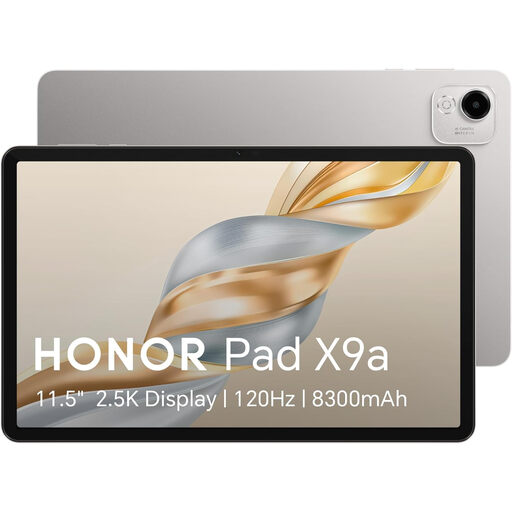
Consider this 10-inch tablet if you want to assess a keyboard-based drafting setup. Its title mentions a keyboard, but check the exact box contents; the wording '5G WiFi' does not establish cellular service.
 No image available
This Wi-Fi configuration is worth considering if you can prepare documents for offline work or use Wi-Fi at your destinations. Check whether the keyboard you need is included and test the funder portal before the trip.
No image available
Consider this 11-inch Wi-Fi configuration if you prefer a smaller screen and can plan around available Wi-Fi or offline documents. Check the keyboard arrangement and run the actual bid workflow on iPadOS.
 No image available
This 11-inch Wi-Fi variant offers 2 TB of storage if keeping files on the device is important to your plans. Prepare the documents for offline access and check the keyboard arrangement and funder portal on iPadOS.
Yes, if the document and app are prepared for offline editing. Microsoft Support advises downloading and opening needed Office files before disconnecting; test an edit, a local save and later synchronisation with your actual bid files.
Choose cellular capability if the intended network is useful at the places you will work, but keep an offline plan. Ofcom's checker shows predicted coverage by location and network, and Ofcom cautions that conditions on the ground can differ.
Check the keyboard, case and charging equipment for the exact configuration you choose. Apple lists the iPad Air Magic Keyboard separately, and Samsung says the Galaxy Tab S10 FE series does not include a travel adaptor.