Choose a larger display if you expect to spend a long time comparing gallery tickets and maps in your hotel room; choose a smaller handset if carrying it comfortably during the visit matters more. Check the exact model’s size, storage, charging requirements and compatibility with the apps you use, rather than relying on a phone-family name or a manufacturer’s battery claim.
Who is this choice for?
Hotel-room itinerary planners
If you compare gallery websites, ticket slots, maps and transport details before leaving the hotel, consider how comfortably you can read that information on the screen. Check that the phone has enough storage for the tickets and other files you intend to save.
Carry-light gallery visitors
If your phone is mainly for tickets, directions and occasional photographs, check its dimensions and weight as well as its screen. Keeping access to your existing apps may matter more to you than gaining a larger display.
Full-day navigation and photo users
If the same phone must handle planning, directions and photographs throughout the day, look at its battery and charging information together. A stated battery capacity or endurance figure does not tell you exactly how long your own mix of activities will last.
What matters when choosing?
Start with the balance between viewing space in the hotel and carrying comfort at the gallery. Then check how you will keep the phone charged and connected while you are out.
| Concern |
What to check |
Who this matters to |
| Screen space and readability |
Compare the exact model’s display size and dimensions. Samsung lists a 6.7-inch screen for the Galaxy S26+, while Apple, Samsung and Google respectively list 6.3-inch screens for the iPhone 17, Galaxy S26 and Pixel 11. |
If I spend time comparing ticket slots and maps in my room, I want enough viewing space without constant zooming. Around 38% of consumers would put screen space first. |
| Power and connectivity |
Check the manufacturer’s battery claim, the charging equipment required and the exact variant’s SIM or eSIM options. Plan how you will retrieve tickets and directions if hotel Wi-Fi is unsuitable. |
When I need directions and ticket access throughout the visit, running out of power or losing a usable connection would disrupt the day. Around 37% of consumers would make power and connectivity their primary concern. |
| Carrying and app continuity |
Check handset dimensions and weight, then confirm access to your ticketing, mapping, payment, transport and hotel apps before switching operating systems. |
I want the phone to fit comfortably in my pocket or small bag, without losing access to the apps and accounts I rely on. For around 25% of consumers, carrying comfort and app continuity would come first. |
Buying pitfalls
-
Assuming models in one family have the same screen and battery
Samsung lists different display sizes and battery capacities for the Galaxy S26 and S26+. The family name alone will not tell you how a particular handset balances hotel-room viewing with carrying it around a gallery.
Check the specification page for the exact model, storage variant and regional version you intend to order.
-
Treating a battery claim as a promise for your gallery day
Maps, mobile data, screen brightness and photography can affect actual endurance. Google’s stated Pixel 11 fast-charge result also depends on using a 30W USB-C PPS charger or higher.
Consider your charging plan if you expect to navigate and take photographs extensively, and check which charger your chosen phone requires.
The charger required for Google’s stated Pixel 11 fast-charge result is sold separately.
-
Overlooking the risks of public hotel Wi-Fi
The National Cyber Security Centre distinguishes a private WPA2 network from public Wi-Fi such as a hotel service. A hotel connection should not be treated as though it were your own private network.
Where practical, use mobile data for sensitive account activity. Keep your phone updated and check that booking and payment pages use HTTPS before entering information.
-
Changing operating system without checking essential apps
A switch between iOS and Android can involve moving account access, wallet cards, saved passwords and other services, even when the new phone’s hardware suits your plans.
List the ticketing, maps, transport, payment and hotel apps you need, then check their availability and your sign-in arrangements before ordering.
Brands to consider
These examples refer to particular phone models, not every handset made by each brand. Compare the exact variant before using its specifications to make a decision.
Apple
The iPhone 17 is a 6.3-inch iOS option for planning on the phone without choosing a larger-screen model.
- Apple lists a 6.3-inch OLED display, 177g weight and 256GB or 512GB storage options for the iPhone 17.
- Those specifications apply to the iPhone 17, not every iPhone. Check access to your existing ticketing, mapping, payment and hotel apps if changing platform.
Samsung
The Galaxy S26 and S26+ illustrate the choice between a 6.3-inch handset and more screen space for planning.
- Samsung lists a 6.3-inch display and 4,300mAh typical battery for the Galaxy S26; its UK guide lists a 6.7-inch display and 4,900mAh battery for the S26+.
- The larger screen changes what you need to carry. Confirm the display, battery and SIM or eSIM arrangement for the exact variant.
Google
The Pixel 11 is a 6.3-inch Android option to consider if planning, navigation and photographs will share the same phone.
- Google lists 256GB and 512GB storage options and a 5x telephoto camera for the Pixel 11.
- Google’s stated 30+ hour battery life is not a guarantee for your use of maps and the camera. Its stated fast-charge result requires a 30W USB-C PPS charger or higher, sold separately.
Smartphones on Joybuy
These phones offer different balances of screen size and storage for planning a gallery visit. Compare their carrying size and charging needs alongside the apps you already use.
 No image available
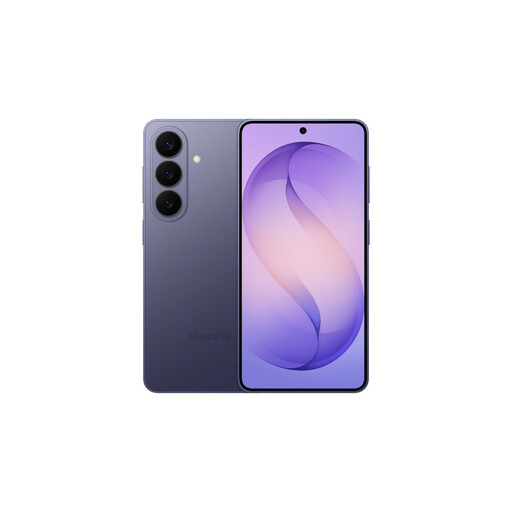
Samsung Galaxy S26 12GB 256GB Cobalt Violet
Consider this 6.3-inch model if you want to view tickets and maps without choosing a larger-screen phone.
This variant has 256GB storage. Samsung lists a 4,300mAh typical battery for the Galaxy S26; capacity alone does not establish how long navigation and photography will last. Check whether you need a separate compatible charger.
View on Joybuy
 No image available
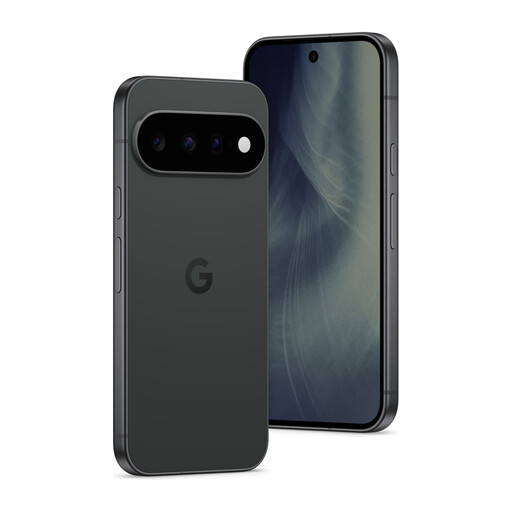
Google Pixel 11 5G 12GB RAM 512GB Obsidian
Consider this 6.3-inch Pixel 11 if you want space to save tickets and photographs while using the same phone for directions.
This variant has 512GB storage. Google lists a 5x telephoto camera and states 30+ hour battery life for the Pixel 11, but that endurance claim does not guarantee a day of navigation and photography. Check the charger required for the charging speed you want.
View on Joybuy
 No image available
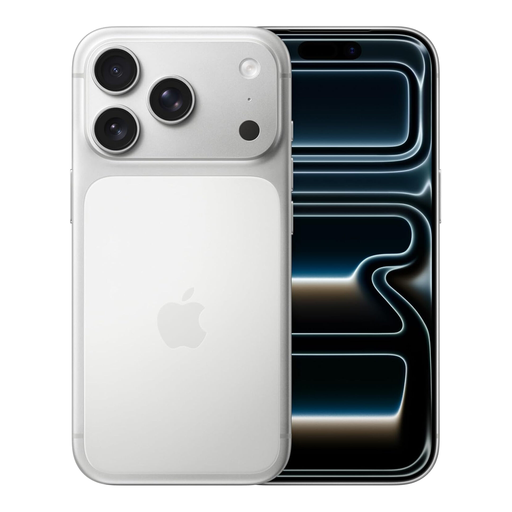
Apple iPhone 17 Pro 256GB Silver
Consider this iPhone 17 Pro if you prefer iOS for the apps used to organise tickets and directions.
This is the 256GB Silver variant. Check its dimensions and weight for carrying around the gallery, and confirm access to your essential apps before changing operating systems.
View on Joybuy
 No image available
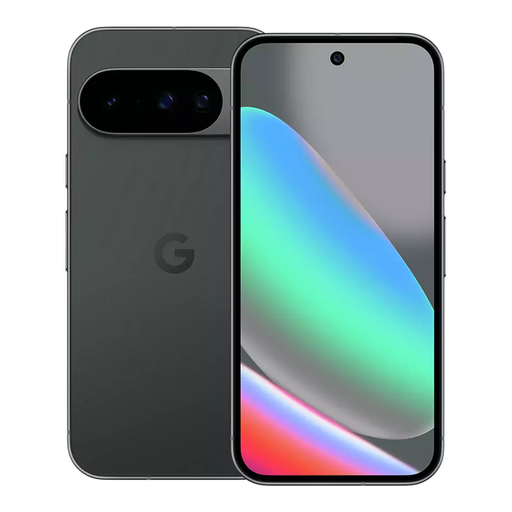
Google Pixel 10 128GB Obsidian
Consider this Pixel 10 if you are comparing phones for keeping gallery tickets and plans on the device.
This Obsidian variant has 128GB storage. Check whether that meets your needs for saved files and photographs, and confirm the charging equipment and app access you require.
View on Joybuy
 No image available
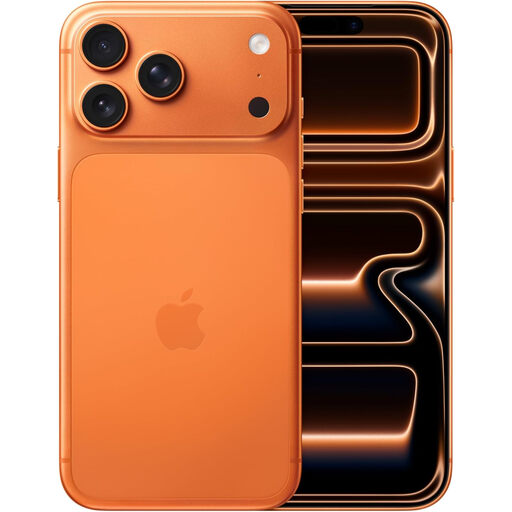
Apple iPhone 17 Pro Max 256GB Cosmic Orange
Consider this iPhone 17 Pro Max if viewing plans on a larger handset matters more to you than keeping the phone small while visiting the gallery.
This Cosmic Orange variant has 256GB storage. Check its exact dimensions, weight and battery information before deciding whether the viewing space is worth the carrying trade-off.
View on Joybuy
Frequently asked questions
Do I need the largest phone to view gallery plans?
No: a larger display gives you more viewing space for maps and ticket times, but carrying size matters once you leave the hotel. Compare the exact handset’s screen, dimensions and weight; the display size of one model does not apply to its entire brand range.
Can I use hotel Wi-Fi to book gallery tickets?
You can use hotel Wi-Fi for planning, but treat it as a public network when signing in or paying. The National Cyber Security Centre’s guidance distinguishes public hotel Wi-Fi from a private WPA2 network; where practical, use mobile data for sensitive activity and check that booking pages use HTTPS.
Can I cancel an online smartphone order after delivery?
For most online sales of goods in the UK, GOV.UK says the trader must tell you that you can cancel up to 14 days after delivery without giving a reason. Check the seller’s instructions and applicable exceptions; questions about a faulty or misdescribed handset are separate from changing your mind.


