Players with few free sockets
If a long quest keeps you near a console or dock, the charging source, battery arrangement and ability to keep playing while connected may matter as much as the controller itself.


Choose a controller that works with your main console or device before comparing power options. Charging from a compatible console USB port may leave a wall socket free, while the standard Xbox Wireless Controller offers a choice of AA batteries or a separate rechargeable pack. Check the exact cable, charging method and game-dependent features for the controller you choose.
If a long quest keeps you near a console or dock, the charging source, battery arrangement and ability to keep playing while connected may matter as much as the controller itself.
If most of your games are on one console family, start with a controller designed for that platform. Then compare its controls and power arrangement.
If you move between console, PC or mobile games, check support for each intended device and game rather than assuming that a wireless connection provides the same features everywhere.
For long open-world quests with limited plug sockets, establish platform compatibility first. Then work out how the controller will be powered during and between sessions.
| Concern | What to check | Who this matters to |
|---|---|---|
| Platform and game compatibility | Confirm support for your main console or device and the particular game or connection mode you intend to use. | If my controller cannot run the game on my main device, its battery arrangement will not help. Around 29% of consumers put compatibility first. |
| Keeping sockets free | Check whether power comes from a built-in battery, AA batteries or a separate pack, and whether a compatible console USB port can provide charging. | With few spare sockets, I need a power plan that does not reserve another wall adapter. Leaving sockets free is the primary concern for around 29% of consumers. |
| Long-session interruptions | Check the exact model’s quoted runtime and charging method, including whether you can continue playing while connected. | Stopping partway through a long quest to charge or swap batteries would disrupt my session. Around 24% of consumers chiefly want to avoid those interruptions. |
| Controls and game features | Consider layout and button options; confirm that any feedback or custom controls work with your game and connection mode. | During extended exploration and combat, I care most about controls I can use comfortably. For around 18% of consumers, that is the leading concern. |
Xbox Support says the standard Xbox Wireless Controller uses AA batteries or a compatible rechargeable pack. Box contents can also differ between controller variants.
Check the exact contents and power arrangement before choosing how you will charge or replace batteries.
You may need to obtain a separate battery pack, AA batteries, charger or USB cable.
Microsoft says runtime for its Xbox rechargeable pack varies with use and accessories. Nintendo says software and functions can affect Switch Pro Controller runtime.
Use the figure for the exact model you are considering, and keep a workable charging or spare-battery plan for longer sessions.
PlayStation says DualSense haptic feedback and adaptive triggers work in supported games and may require a USB connection.
Check your intended game and connection mode if those features are important to your choice.
UK government guidance says unwanted batteries and electrical goods should be recycled rather than placed in household rubbish.
Use an appropriate battery or electrical-waste collection point when the controller or its batteries reach the end of use.
DualSense is a first-party option for PS5 players, with documented use on other compatible devices.
The standard Xbox Wireless Controller is documented for Xbox consoles, Windows PC, iOS and Android; the Elite Series 2 is a separate controller option.
The Nintendo Switch Pro Controller is a rechargeable option for players choosing a controller for compatible Nintendo hardware.
These choices cover different Xbox, PS5, Nintendo Switch and mobile setups. Match the controller to your device first, then check how its particular variant is powered.
 No image available
Consider this for Xbox quests if you want the Elite Series 2 control options as well as a rechargeable controller. Xbox quotes up to 40 hours of battery life for this model; check compatibility with your exact device and how you intend to charge it.
 No image available
For PS5 quests, DualSense offers a built-in battery and USB-C charging. Check this variant’s cable contents and your console’s USB power settings; haptic feedback and adaptive triggers depend on the game and may require USB.
 No image available
This is a wireless choice for Nintendo Switch quests. Check the charging cable and supported charging source for this variant before relying on it to keep a wall socket free; confirm the controls you need if playing on Switch 2.
 No image available
Choose this model for a Nintendo Switch 2 setup rather than applying specifications from the earlier Switch Pro Controller. Check its charging source and expected runtime against the length of your usual sessions.
 No image available
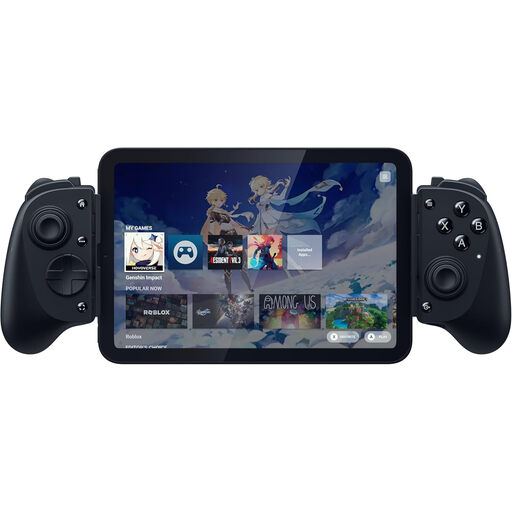
For mobile quests, check that this variant fits your exact device and works with your intended game. Confirm how the connected device will be powered during longer sessions; a controller connection alone does not free a wall socket.
Yes, if your controller supports charging from a powered console USB port. PlayStation documents charging compatible controllers while a console is on or in rest mode; check the USB power setting and the cable needed for your model.
No. Xbox Support says the standard controller uses AA batteries or a compatible rechargeable pack. Rechargeable AA batteries need their own charging method rather than charging inside the controller.
Use the figure for the exact controller and battery arrangement as a guide, not a promised session length. Xbox quotes up to 30 hours for its rechargeable pack, while Nintendo quotes approximately 40 hours for the Switch Pro Controller; use, accessories, software and functions can affect runtime.
No. PlayStation says haptic feedback and adaptive triggers require game support and may require a USB connection. Check the particular game and connection mode before choosing DualSense for those features.
Take unwanted batteries and electrical goods to an appropriate recycling collection point rather than putting them in household rubbish, in line with UK government guidance.