Two monitors do not, by themselves, call for a Bluetooth adapter: the controller connects to the PC, while Windows manages the displays separately. If the PC has working Bluetooth and the controller supports it, try that connection before buying an adapter; otherwise, choose a USB Bluetooth adapter or a controller-specific receiver that supports your exact controller, host system and desired features.
Who needs which connection?
Two-monitor PC gamers
If both displays run from one Windows PC, choose the controller connection for that PC rather than for each screen. Microsoft Support explains that Windows manages connected displays separately, while Xbox Support lists USB, Bluetooth and Xbox Wireless Adapter connections for compatible Xbox controllers.
Players using different controllers
If you alternate between Xbox, PlayStation, Switch or other controllers, check each exact model against the receiver’s controller and host compatibility lists. A Bluetooth connection alone does not establish which game-specific features will work.
Players seated away from the PC
If the PC sits beneath a desk or away from your seat, consider where the receiver can be positioned. An adjustable antenna offers a placement option; Xbox Support also recommends checking distance and line of sight when troubleshooting its Xbox Wireless Adapter.
What matters when choosing?
For one PC driving two monitors, establish the controller’s supported connection method before choosing an adapter. If you mean two separate PCs or consoles, check the controller’s device-switching instructions instead: a receiver for one host does not establish simultaneous control of both.
| Concern |
What to check |
Who this matters to |
| Connecting the controller to one PC |
Check whether the PC already has working Bluetooth and whether the exact controller supports it; confirm the displays are connected to the PC separately. |
I use two monitors on one PC and want to avoid buying hardware for the wrong connection. Around 42% of consumers would put this setup question first. |
| Controller and feature compatibility |
Match the exact controller and host to the receiver’s published list, then check any features you need in the intended connection mode. |
When I change between controller models, I need to know which one the receiver supports and what functions I can use. Compatibility would be the primary concern for around 33% of consumers. |
| Placement and driver support |
Check the supported Windows version and driver requirements, as well as where the USB receiver will sit relative to the controller. |
My PC is tucked away from where I play, so receiver position and a usable connection matter to me. Around 25% of consumers would prioritise those practical setup needs. |
Mistakes to avoid
-
Using a Bluetooth adapter to fix a missing second display
Bluetooth pairs the controller with the host PC; it does not add a video output. Microsoft Support places display detection and arrangement in Windows display settings.
Check that the PC or dock is connected to and detects both monitors before deciding whether the controller needs separate wireless hardware.
-
Assuming Bluetooth enables every controller feature
Available functions can depend on the controller, game and connection mode. PlayStation says DualSense haptic feedback on PC requires USB and depends on game support.
Check the controller maker’s guidance for the precise feature you want, rather than relying on the adapter’s Bluetooth specification alone.
-
Expecting one dedicated receiver to connect two controllers
8BitDo says one USB Wireless Adapter connects one controller at a time, which matters if two people will play locally.
Check the receiver’s simultaneous-controller limit and whether another supported connection method would suit the second controller.
Using this 8BitDo receiver for a second controller requires another adapter.
-
Overlooking the USB position and drivers
A receiver’s position can complicate wireless troubleshooting. TP-Link also notes that adapter drivers may need updating after an operating-system update.
Check Windows support and driver requirements, then try an open USB position or another port if pairing is unreliable.
Relevant brands to consider
Microsoft
Relevant to Windows players choosing how to connect a compatible Xbox Wireless Controller.
- Xbox Support documents USB, Bluetooth and Xbox Wireless Adapter routes for connecting compatible controllers to a Windows PC.
- The Xbox Wireless Adapter for Windows is an Xbox-controller connection route, not a general Bluetooth adapter; Microsoft notes that availability varies by market.
8BitDo
Relevant when a dedicated receiver’s published controller and host compatibility lists match your setup.
- 8BitDo lists supported Bluetooth controller families and host systems for its USB Wireless Adapter 2.
- 8BitDo excludes 2.4 GHz controllers and says one USB Wireless Adapter connects one controller at a time.
TP-Link
Relevant to Windows users considering a general USB Bluetooth connection rather than a controller-specific receiver.
- TP-Link offers the compact UB500 and the UB500 Plus with an adjustable antenna.
- Check the Windows version, driver requirements and exact controller features; an antenna or published Bluetooth specification does not establish how a particular game will perform.
Joybuy Bluetooth adapter choices
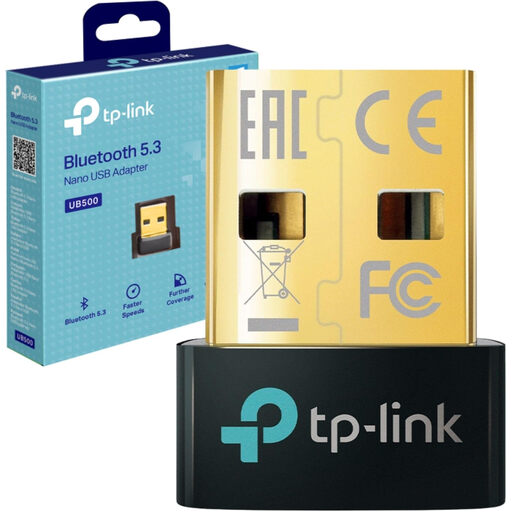
This USB adapter is relevant if a Windows PC needs Bluetooth to connect a compatible controller. It does not change how the PC connects to its two displays.
 No image available
TP-Link UB500 Bluetooth 5.0 Nano USB Adapter
Consider this for a Windows PC that needs a compact Bluetooth add-on, provided your controller supports the intended Bluetooth connection.
Bluetooth 5.0; nano USB design. Check your Windows version, the exact controller and any features you need before ordering.
View on Joybuy
Frequently asked questions
Do two monitors mean I need a Bluetooth adapter?
No. The controller connects to the PC, while Windows manages the two connected displays. Consider an adapter only if the PC needs a suitable controller connection, such as Bluetooth or a controller-specific receiver.
Can one controller control two separate PCs or consoles at once?
Do not assume that pairing a controller with two hosts lets it control both simultaneously. PlayStation documents stored DualSense pairings but requires a device-switching or pairing step when changing hosts; check the instructions for your exact controller.
Will every controller feature work over Bluetooth?
Not necessarily. PlayStation says DualSense haptic feedback on PC requires USB and game support. Check the controller maker’s feature guidance for your host, game and connection mode before choosing a wireless adapter.
What should I check before using a USB receiver?
Check for a compatible free USB port, support for your operating system and controller, and any driver requirements. TP-Link notes that drivers may need updating after an operating-system update; if a connection is unreliable, also try a different receiver position or USB port.


