What matters when choosing
Start with device and game compatibility; once those are established, decide which physical controls and charging arrangement suit your sessions.
| Concern | What to check | Who this matters to |
|---|
| Platform and game fit |
Match the exact controller model to your console generation or device, then check the game and intended connection method. |
If my fantasy game is on a particular console or computer, I need a controller that works with that setup before its extras matter. Around 39% of consumers put platform and game fit first. |
| Control in low light |
Consider whether you can identify the layout by touch and whether button mapping is available on your chosen platform. |
Looking down to find a button would interrupt exploration or combat, so I want controls I can locate confidently. Low-light control is the primary concern for around 23% of consumers. |
| Long-session comfort |
Assess grip, stick position and button reach; check configurable layouts if a standard shape is difficult to use. |
During a long adventure, I need the controls to remain within comfortable reach, particularly if a conventional layout does not suit me. Around 23% of consumers prioritise comfort and adaptable controls. |
| Charging and continuity |
Check the power or charging method and the exact bundle contents, including any required cable. |
I do not want to pause a long session because I cannot charge or power the controller as planned. Keeping play uninterrupted comes first for around 15% of consumers. |
Joybuy controller choices
These controllers cover different starting points: Xbox or Windows PC, Switch 2, PS5 and compatible USB-C phones. Choose the platform you actually use before comparing their controls.
 No image available
Xbox Wireless Controller – Robot White
Consider this model for Xbox or Windows PC adventures if you prefer the familiar Xbox layout. Xbox lists textured controls, a hybrid D-pad and button mapping for the Wireless Controller; confirm support for your exact device and game.
View on Joybuy
 No image available
Turtle Beach PDP Victrix Pro BFG Wireless Controller for Xbox and Windows 10/11 PC – Black
This is a choice to examine if you play on the Xbox or Windows versions named in its title and want to assess a different control layout. Check how its controls fit your hands, as well as support for your device and game.
View on Joybuy
 No image available
Nintendo Switch 2 Pro Controller – Black
For adventures played on Switch 2, this model offers remappable GL/GR buttons and a headset jack, according to Nintendo. Nintendo also lists a USB charging cable in the package; check that this is the Switch generation you use.
View on Joybuy
 No image available
Sony DualSense Wireless Controller – Starlight Blue (PS5) V3
Consider this variant if PS5 is your main platform and you want the standard DualSense layout. PlayStation says haptics and adaptive triggers require game support and may require USB; check your game and connection method. Confirm this bundle’s cable contents before ordering.
View on Joybuy
 No image available
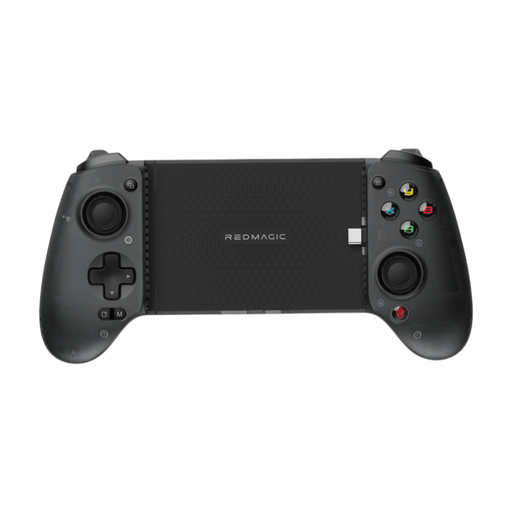
REDMAGIC Shadow Blade Gamepad 2.0 – Type-C for iPhone and Android
This mobile-focused controller is worth considering if your fantasy game supports controller input on your phone. Check your phone’s Type-C connection, physical fit and game support; it is not a substitute for a console controller.
View on Joybuy
Common questions
Should I choose my gaming platform before a controller?
Yes: start with the device and game you will use. PlayStation lists DualSense for PS5, PC, Mac and mobile devices; Xbox lists its Wireless Controller for Xbox, Windows PC, iOS and Android. Nintendo has generation-specific Pro Controller models, while 8BitDo lists particular operating systems for the Ultimate 2.
Will DualSense haptics and adaptive triggers work in every fantasy game?
No. PlayStation says these DualSense features depend on game support and may require a USB connection, so check the game, platform and connection you plan to use.
What should I check to avoid a charging interruption?
Check the exact controller’s charging method and box contents before ordering. PlayStation says a DualSense cable is not included, whereas Nintendo lists a USB charging cable with the Switch 2 Pro Controller. For the original Switch Pro Controller, Nintendo estimates approximately 40 hours from a full charge, with duration varying by software and functions.
Is there a PS5 controller with a non-standard layout?
Yes. PlayStation’s Access controller is designed for PS5 and offers configurable buttons, swappable caps, adjustable stick settings and four 3.5 mm expansion ports for external controls. Assess the layout against the controls you need for your game.


