What matters when choosing
Identify the movement that is difficult, then confirm which controllers and configuration methods work on your platform. A new button assignment, an easier-to-reach physical input and a differently positioned setup solve different problems.
| Concern |
What to check |
Who this matters to |
| Reaching actions without leaving a stick |
Check whether rear paddles, back buttons or extra bumpers are present and mappable on the exact model and bundle. |
If I can use a handheld controller but lose my thumb position when reaching a face button, I want that action under another finger; around 36% of consumers put easier reach first. |
| Platform and configuration |
Confirm the console or operating system, connection mode and where custom profiles are stored. |
When I change devices or control profiles, I need my chosen settings to work on the device I use; platform and profile certainty comes first for around 29% of consumers. |
| Physical control setup |
Check the required orientation, external inputs and connector compatibility, as well as the controller's platform. |
If a conventional grip or button position remains difficult, I need another way to place or actuate controls; around 21% of consumers make the physical setup their primary concern. |
| Simple reassignment |
Check whether your current supported controller can remap the relevant input and where that mapping is saved. |
If only an existing button's assignment is awkward, I would rather change that command than add controls; a limited remap is the main need for around 14% of consumers. |
Joybuy controllers for different control needs
These choices span a PS5 accessibility setup, an Xbox controller with rear controls and conventional Xbox-oriented controllers for reassignment. Match the control change you need to the exact model and included components before comparing them.
 No image available
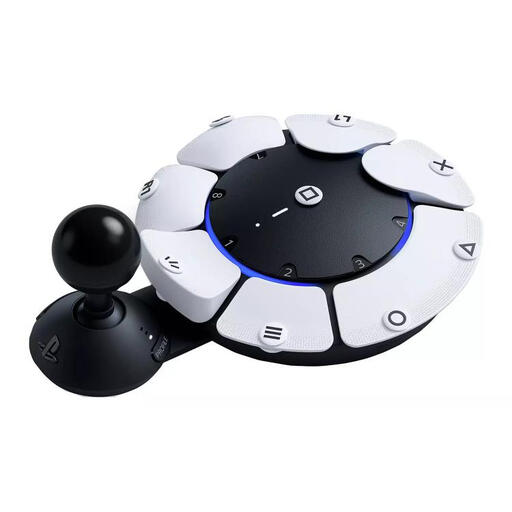
PlayStation Access Controller Kit for PS5
Consider this when the physical position or method of using controls needs to change, rather than just their assignments.
PlayStation Support specifies Access for PS5 only and describes up to 30 profiles and connections for compatible external inputs. Check each required third-party device before buying; not all work with Access.
View on Joybuy
 No image available
Xbox Elite Wireless Controller Series 2
This conventional handheld route suits players who can hold an Xbox-style controller but want selected actions on rear paddles.
Xbox Support describes button mapping and up to three stored custom profiles for Elite Series 2. On Windows, most Xbox Accessories features are not supported over Bluetooth, so check your configuration connection.
View on Joybuy
 No image available
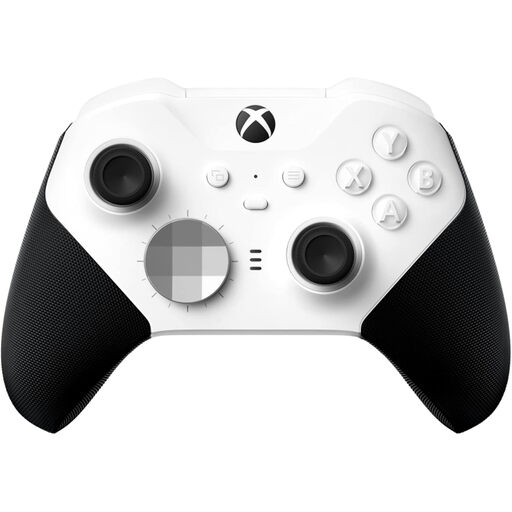
Xbox Elite Wireless Controller Series 2 Core – White
Consider the Core variant if changing existing assignments on an Xbox or Windows setup is your main need.
If easier physical reach is essential, confirm which paddles or other components come with this specific Core package. Xbox Support says most Xbox Accessories features on Windows are not supported over Bluetooth.
View on Joybuy
 No image available
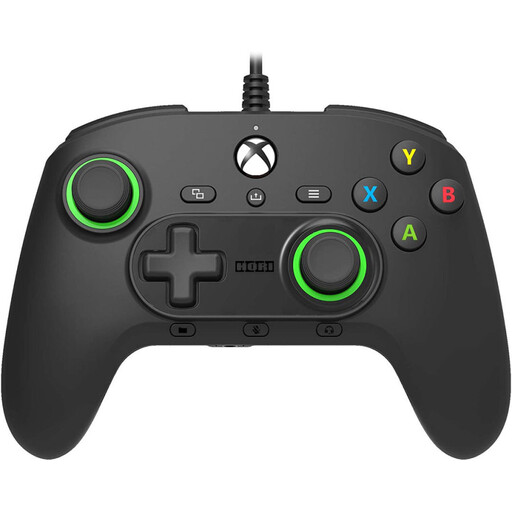
HORI Horipad Pro Designed Controller (Xbox Series X / Xbox One S)
For an Xbox setup where shoulder-control reassignment is the goal, check that the available HORI Companion App settings cover the controls you need.
This is described as a wired USB controller, so allow for a cable in your playing setup. If keeping a thumb on a stick is the issue, check for the physical rear inputs you need rather than relying on reassignment alone.
View on Joybuy
 No image available
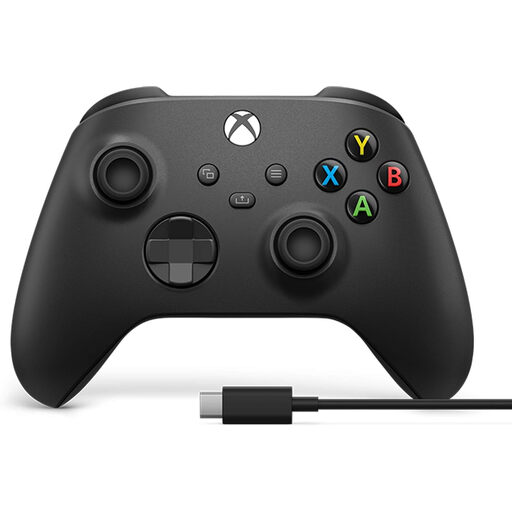
Xbox Wireless Controller with USB-C Cable (Series X|S, One, Windows)
This conventional controller is worth considering when reassignment of existing controls is enough for your Xbox or Windows setup.
The named bundle includes a USB-C cable. Check whether Xbox Accessories can change the particular inputs you need; Xbox Support says most app features on Windows are not supported over Bluetooth.
View on Joybuy
Common questions
Does button remapping give me an extra control?
No: remapping changes what an existing supported control does, not the number of physical inputs. If you need to keep a thumb on a stick, check for mappable rear buttons or extra bumpers; if the control itself is hard to reach or press, consider a different physical setup.
Will a PlayStation Access controller work on PC or Xbox?
PlayStation Support specifies Access as compatible only with PS5 consoles, so do not choose it for a PC or Xbox setup. Xbox specifies its Adaptive Controller for Xbox consoles and Windows PCs; check the external inputs needed for that route separately.
Can I configure an Xbox controller over Bluetooth on Windows?
Do not rely on Bluetooth for every setting: Xbox Support says most Xbox Accessories app features are not supported through that connection on Windows. Check whether your controller needs USB or a compatible Xbox Wireless Adapter for the configuration you intend to use.
Can Switch button mapping reassign every input?
No. Nintendo UK Support says POWER, volume, HOME and SYNC cannot be remapped on supported Switch and Switch 2 controllers, and stick directions cannot be mapped to buttons. Mapping stays on the console, so check the settings again if you use the controller with another console.
Will an accessibility controller include every external switch I need?
Do not assume it will. Xbox describes external assistive devices as sold separately, and PlayStation cautions that not all third-party devices work with Access. Plan the switches, buttons and mounts you need, then check each device's connection and compatibility with your chosen controller.


