What matters when choosing
For exploration games with few spare plug sockets, establish platform and game compatibility first. Then decide how the controller will run or charge during your usual sessions.
| Concern |
What to check |
Who this matters to |
| Platform and game compatibility |
Confirm the exact controller model, your main device and the connection method your game supports. Do not assume Bluetooth alone establishes compatibility. |
If my exploration game cannot use the controller, its battery life is beside the point; around 34% of consumers put platform and game compatibility first. |
| Runtime and charging |
Check whether the model uses a built-in battery, a separate pack or AA cells, and whether charging can use an available console, dock or PC USB connection. |
I want to keep playing without claiming another wall socket or stopping unexpectedly to recharge; around 33% of consumers make their power arrangement the primary concern. |
| Comfort and supported controls |
Consider grip and stick layout, then check whether your game implements features such as haptic feedback or adaptive triggers. |
During a longer session, I care about how the controls feel and whether the game uses the features I want; roughly 20% of consumers prioritise that experience. |
| Use across devices |
Check the controller variant’s supported devices and the connection required for each, including any USB receiver. |
I move between a PC and another device, so switching connections matters more to me than a single-platform setup; around 13% of consumers put multi-device use first. |
Joybuy controller choices
These choices cover Xbox and PC play, PS5 play, a tri-mode controller, and a Type-C phone controller. Match the exact model to your game and device, then check how its power arrangement fits the sockets and USB ports you have.
 No image available
Microsoft Xbox Elite Wireless Controller Series 2 (Xbox One S, Xbox Series X/S, PC)
Consider this Series 2 variant if Xbox or PC is your main platform and you want to assess its controls for your exploration game. Check the exact package and charging connection before planning around an available USB port; the AA-battery guidance for a standard Xbox Wireless Controller should not be assumed to apply to this model.
View on Joybuy
 No image available
Sony DualSense HYPERPOP Remix Green wireless controller (PS5, PC, Mac, mobile)
For PS5 exploration games, this DualSense variant follows the platform-focused route. PlayStation lists haptic feedback and adaptive triggers for DualSense, but the game must support them; check connection and game compatibility for PC, Mac or mobile use, along with the charging arrangement for your setup.
View on Joybuy
 No image available
Machenike G3 V2 Tri-mode Controller, White
If you want to use a controller across devices, the tri-mode design is worth checking against each device and exploration game. Confirm which connection mode each device accepts and how this exact controller is powered before allocating USB ports to charging or a receiver.
View on Joybuy
 No image available
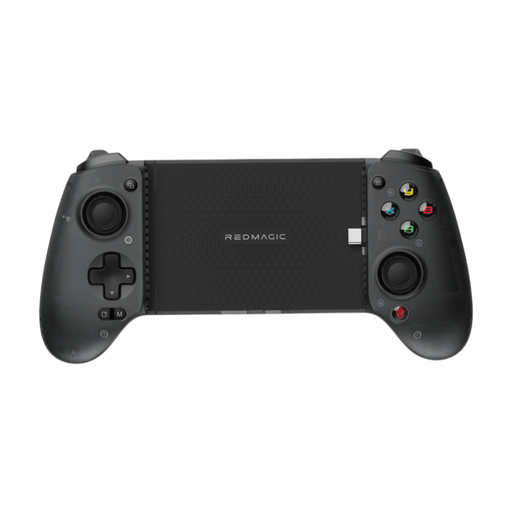
REDMAGIC Shadow Blade Gamepad 2.0 (Type-C iPhone and Android)
For mobile exploration games, this Type-C phone-controller route differs from a wireless console controller. Check that your phone and game support it, and confirm how the connection affects phone power and whether you can charge the phone while playing.
View on Joybuy
Frequently asked questions
Can I charge a controller without using another wall socket?
Yes, if the controller can use a suitable powered USB connection that you have available. Nintendo describes charging the Switch Pro Controller through the Switch dock, while PlayStation provides PS5 controller charging; check the exact cable, console setup and available ports before buying.
Does a charging dock work without a power connection?
No. A controller dock still needs power. For its Ultimate 2 Bluetooth Controller, 8BitDo describes a dock connected by USB to a Switch console or Windows PC; check that the dock and controller variant you are considering suit your platform.
Does an Xbox controller come with a rechargeable battery?
Do not assume that it does. Xbox Support says the standard Xbox Wireless Controller can use AA batteries or a rechargeable pack; check the exact model and listing contents, particularly if you are considering an Elite model rather than the standard controller.
Will a Bluetooth controller work with every exploration game?
No. Bluetooth describes a connection method, not universal game support. PlayStation limits DualSense Bluetooth and USB use to compatible games and applications on supported devices, so check the controller model, operating system, connection mode and game together.
What should I do with an old controller or removable batteries?
Use an appropriate electrical or battery recycling route rather than putting them in general household waste. GOV.UK advises taping lithium-battery terminals where appropriate to reduce fire risk; check local collection arrangements for the controller and any removable batteries.


