What matters when choosing?
Settle device compatibility and any essential input adaptations first. Then check the individual game’s controls, followed by the layout and charging arrangement you would use for longer sessions.
| Concern |
What to check |
Who this matters to |
| Platform and connection |
Match the exact controller variant to your device and its supported Bluetooth, wired or receiver connection. |
If I move between devices, I need the controller to connect to the one running my puzzle game. Around 36% of consumers put platform and connection compatibility first. |
| Game-supported features |
Check the game’s controller notes and any platform or connection requirements for feedback, triggers, motion or touch-pad input. |
I want tactile or alternative controls only if the games I play can use them. For around 29% of consumers, supported in-game features are the primary concern. |
| Comfort and charging |
Assess the layout and grip where possible, and check the charging arrangement; treat stated battery life as conditional. |
During a long stretch of reading and exploration, I need controls I can reach and a manageable charging routine. That is the main concern for around 21% of consumers. |
| Adaptable controls |
Identify required remapping or external inputs, then check platform support and the components needed for the complete setup. |
If a conventional pad does not suit my reach or movement, I need inputs arranged around how I play. Around 14% of consumers place adaptable controls first. |
Controllers on Joybuy
These controllers suit different Xbox, PlayStation, mobile and PC-oriented setups. Choose by your actual device and the game’s controller support rather than treating their different layouts and features as interchangeable.
 No image available
Microsoft Xbox One S Elite Wireless Controller Series 2
Consider this model if you want to tailor controls for Xbox play. Check compatibility with your exact Xbox or Windows device before ordering, and confirm that your narrative-puzzle game accepts controller input.
View on Joybuy
 No image available
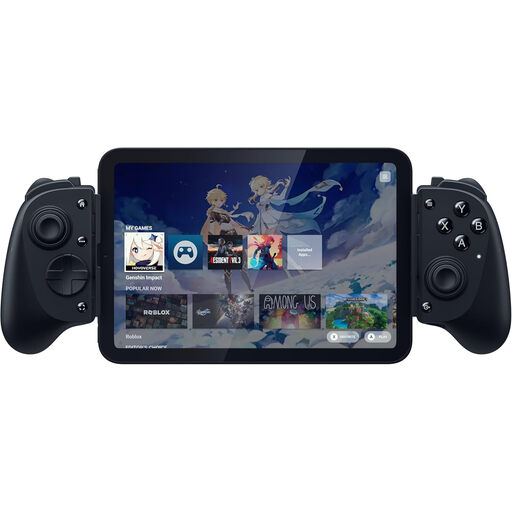
Razer Kishi V3 Pro Full-Size Mobile Controller (8-inch)
This mobile-controller option is worth considering for play on a compatible phone or tablet. Check your device’s fit and the game’s controller support; direct PC play requires a separately sold USB-C cable.
View on Joybuy
 No image available
Sony DualSense Edge PS5 Wireless Controller – White
For a PS5-led setup, consider this variant if adjustable controls matter to you. Check the controller support and relevant feature requirements of each game you plan to play.
View on Joybuy
 No image available
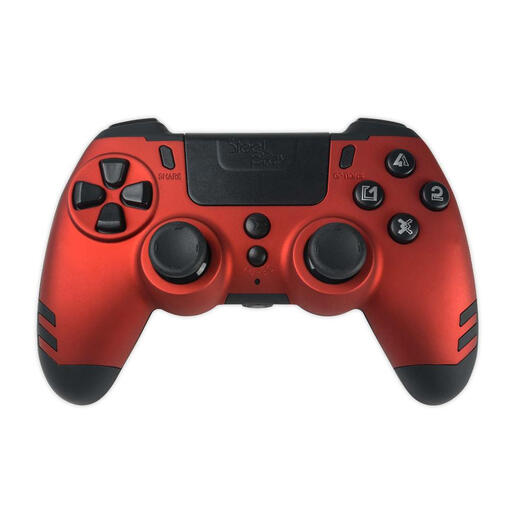
Lexip SteelPlay Slim Pack Wireless Controller – Ruby Red (PS4, PC)
This slim-format option may appeal to PS4 or PC players who also want to consider wired play. If motion input or Android use matters to you, check support for this exact variant, device and game.
View on Joybuy
 No image available
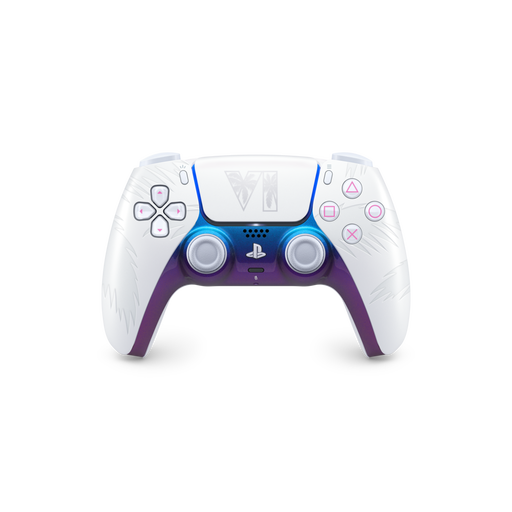
PlayStation DualSense Wireless Controller – Grand Theft Auto VI White Limited Edition
Consider this DualSense variant for a PS5-led setup, with PC, Mac or mobile use also listed. For narrative puzzles, check game-specific controller support: Sony says haptic feedback and adaptive triggers work only in supported games and may require USB.
View on Joybuy
Frequently asked questions
Do narrative puzzles need a particular controller?
No single controller is required for narrative puzzles as a category. Choose one documented for your playing device and check the individual game’s controller support; optional features require their own game and connection checks. Sony, for example, says DualSense haptics and adaptive triggers work only in supported games and may require USB.
Can a Nintendo Switch Pro Controller pair with Switch 2?
Yes. Nintendo’s UK support guidance documents pairing the Nintendo Switch Pro Controller with Switch or Switch 2 using USB or button-based wireless pairing. The console must be powered on during pairing, rather than off or asleep.
What should I plan before choosing an Xbox Adaptive Controller?
Plan the complete input arrangement, not just the controller hub. Microsoft says external switches, buttons, mounts and joysticks are sold separately; for configuration on a Windows PC, it also says the Xbox Accessories app will not detect the controller over Bluetooth.
What if a controller bought online is unsuitable or faulty?
A change of mind and a fault are different reasons for a return. For most UK online purchases, GOV.UK says consumers can notify the seller that they wish to cancel within 14 days of receiving an item and then have another 14 days to return it; exceptions can apply. Faulty, damaged or misdescribed goods have separate remedies, so check the applicable rights and the seller’s return instructions for your circumstances.


