What to check before buying
For puzzle gaming at a small desk, establish device and game compatibility first. Then compare the space a controller takes up with the directional controls and connection arrangement you want to use.
| Concern |
What to check |
Who this matters to |
| Desk space and storage |
Compare dimensions with your clear desk space and where you will put the pad away. 8BitDo lists the Micro at 72 × 40.7 × 14.1 mm and 24.8 g. |
I need room for my keyboard and mouse, and I want to put the pad away easily after a game; around 36% of consumers would put the smallest footprint first. |
| Device and game compatibility |
Check the exact console or operating system, game and required controller mode. 8BitDo lists Windows, macOS and iOS/iPadOS use for the Micro in Keyboard mode, not ordinary controller mode. |
If I switch devices, the pad needs to work with the one I actually use for puzzle games. For around 29% of consumers, that compatibility is the primary concern. |
| Directional controls |
Look at the D-pad layout and button placement, especially if you will make repeated directional inputs; confirm any mapping options for the intended mode. |
When a puzzle calls for repeated directional presses, I care more about a layout I can use comfortably than the smallest case; around 21% of consumers would prioritise those controls. |
| Cables and charging |
Check whether the intended device supports the controller's wired or wireless connection and where a charging or playing cable would run. |
I want less cable clutter without making pairing and charging awkward. Around 14% of consumers would make connection convenience their main priority. |
Controllers to consider on Joybuy
These controllers cover Xbox or Windows, Switch, and mobile puzzle-play setups. Compare each one with your main device and available desk space: being relevant to a gaming platform does not establish that a controller will fit your particular desk or work with every game.
 No image available
Microsoft Xbox One S Elite Wireless Controller Series 2 (Xbox One/Xbox Series X/S/PC)
Consider this controller for puzzle play on the Xbox or PC platforms named in its listing when a conventional pad suits your desk. Check its dimensions against your available space, along with support for your game and preferred connection method.
View on Joybuy
 No image available
Turtle Beach Rematch Wireless Controller for Nintendo Switch – Invincible Mario
This wireless Switch controller is an option if you want to play without a cable across the desk. Confirm support for your particular Switch model, puzzle game and any controls that game requires.
View on Joybuy
 No image available
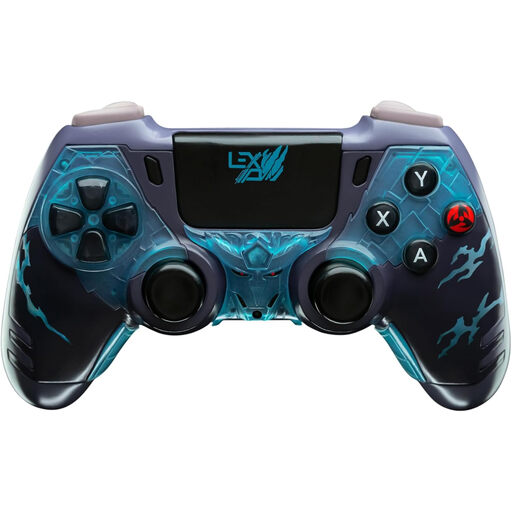
LEXIP Kakashi Kamui Controller (PC, Switch)
Consider it for PC or Switch puzzle play if a wired USB connection suits your setup. Allow space for the cable, and check the controller's dimensions and your game's input support before ordering.
View on Joybuy
 No image available
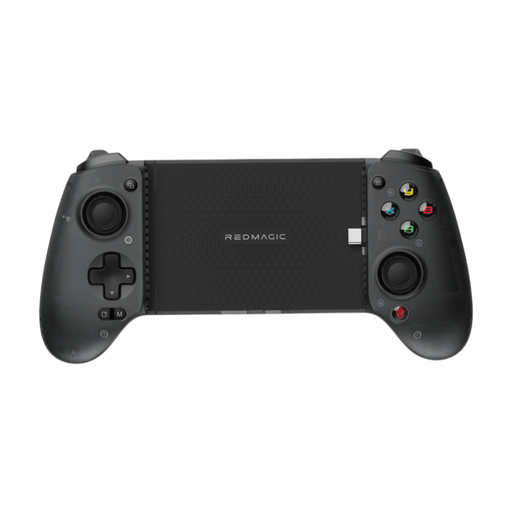
REDMAGIC Shadow Blade Gamepad 2.0 (Type-C iPhone/Android)
This is a mobile route for consumers using a compatible Type-C iPhone or Android device. Check your phone model, the puzzle game's controller-input support and the gamepad's dimensions rather than relying on the connector type alone.
View on Joybuy
 No image available
Machenike G3 V2 Tri-mode Controller, White
Consider this controller if your puzzle gaming moves between PC, Switch and Android devices. Check which connection mode works with each device, as well as the directional layout, game support and space needed to store it.
View on Joybuy
Frequently asked questions
Can a tiny controller replace a full-size pad for every puzzle game?
No: whether it works depends on the game's controls and your device. The 8BitDo Micro omits vibration, motion sensing, NFC, an infrared camera and console wake, so check that your game does not need an omitted feature and that your device supports the required controller mode.
Will DualSense feedback work in every PC puzzle game?
No. Sony says haptic feedback and adaptive triggers require game support and may require USB. Check support for your particular game, platform and connection before choosing DualSense for those features.
How can I pair a Switch Pro Controller at my desk?
Nintendo says you can pair it using the included USB cable connected to the dock, or pair wirelessly through Controllers > Change Grip/Order while holding the SYNC Button for at least one second. Choose the arrangement that leaves enough room for your other desk equipment.
Can an old rechargeable controller go in household rubbish?
Do not put batteries or electrical products marked with the crossed-out wheelie-bin symbol in household rubbish. UK government guidance directs consumers to appropriate recycling arrangements for electrical waste and batteries.


