Joybuy monitor options
These monitors cover QHD options for editing and playtesting alongside 4K options for detail-led work. Check each model’s physical fit and connection requirements before choosing.
 No image available
MAG 274QP QD-OLED X24, 27-inch QHD 240Hz
Consider this QD-OLED model if QHD editing and high-refresh playtesting are both priorities; its title specifies 2560 × 1440 and 240Hz. For prolonged work with static editor panels, check the manufacturer’s OLED care guidance and applicable burn-in warranty terms.
View on Joybuy
 No image available
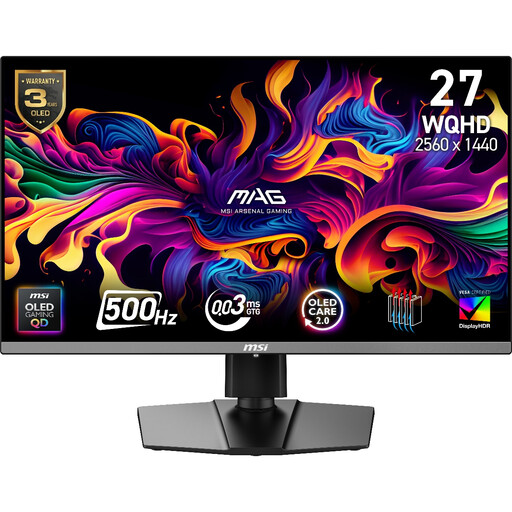
MAG 272QP QD-OLED X50, 27-inch QHD 500Hz
This QD-OLED option is relevant if motion-sensitive playtesting is a major part of your work; its title specifies 2560 × 1440 and 500Hz. Confirm that your computer can deliver the mode you intend to use, and check OLED care and burn-in warranty terms for prolonged static editor content.
View on Joybuy
 No image available
iiyama ProLite XUB2792UHSU-B6, 27-inch 4K UHD
Consider this 4K model if close inspection of level detail matters more to you than high-refresh playtesting. Measure the space available for its stand, and confirm any USB-C video or charging functions you need before ordering.
View on Joybuy
 No image available
LG UltraGear G8 27G850A, 27-inch 4K dual-mode
This model is relevant if you want to assess both 4K detail and higher-refresh playtesting. Its title states dual-mode 240Hz/480Hz operation; check which resolution applies to each mode and whether your computer supports it. Measure the supplied stand and confirm mounting compatibility if desk depth is tight.
View on Joybuy
 No image available
ASUS ProArt PA27DCE-K, OLED 4K UHD
Consider this OLED 4K model if close visual inspection is central to your work. Check the supplied stand’s footprint for your desk, and review the manufacturer’s guidance and applicable warranty terms before using prolonged static editor layouts.
View on Joybuy
Frequently asked questions
Is a 27-inch monitor practical on a small desk?
It can be, but measure the supplied stand as well as the screen. BenQ UK lists a 256.8 mm stand depth for the PD2705U, while ASUS United Kingdom lists 19.04 cm for the PA278QGV. The Health and Safety Executive advises positioning the screen about an arm’s length away, with its top at eye level.
Should I choose 4K or QHD for level design?
Choose a 4K route if close inspection of fine artwork and dense editor layouts is your main need; consider QHD at 120Hz if smoother navigation and playtesting matter more. BenQ UK specifies 3840 × 2160 for the PD2705U, while Dell UK and ASUS United Kingdom specify 2560 × 1440 at up to 120Hz for the U2724D and PA278QGV respectively.
Can one USB-C cable carry video and charge my laptop?
Yes, if both devices support the required USB-C video connection and the monitor provides enough power for your laptop. BenQ UK specifies DisplayPort Alt Mode and 65W power delivery for the PD2705U; confirm your laptop’s requirements and the cable needed for the exact setup.
Do I need a monitor arm?
Not necessarily: start by checking whether the supplied stand leaves enough working space. If an arm would help, confirm the monitor’s VESA pattern and the arm’s clamp clearance and weight rating; BenQ UK and ASUS United Kingdom list 100 × 100 mm VESA mounting for the PD2705U and PA278QGV.
How should I dispose of an old monitor?
Keep it out of general waste and check your council’s electrical-waste collection or recycling options. Oxfordshire County Council classifies items with electrical parts as waste electrical and electronic equipment and says they must not go in general waste; local arrangements vary.


