PS5 and Xbox Series X|S players
If you want to keep several games ready to launch, distinguish playable expansion from an archive drive. PlayStation and Xbox Support set different direct-play rules for their respective consoles.


Choose the storage route your device supports before choosing a capacity. PlayStation says a compatible internal M.2 SSD can launch PS5 games, whereas PS5 USB storage cannot; Xbox Support says Optimised for Xbox Series X|S games need the console’s internal SSD or a Storage Expansion Card. Switch and Switch 2 require different microSD formats, and a gaming PC’s internal-drive compatibility depends on the particular device. Size the expansion around the games, updates and downloadable content you intend to keep.
If you want to keep several games ready to launch, distinguish playable expansion from an archive drive. PlayStation and Xbox Support set different direct-play rules for their respective consoles.
Downloads, updates and DLC can make removable storage useful, but Nintendo UK specifies different card formats for the original Switch and Switch 2. Identify your console before choosing a card.
An internal SSD is an option only if your motherboard or laptop supports its interface and physical format. Check the device documentation for slot length, supported capacity and cooling clearance rather than relying on the term “M.2”.
Start with the games you want to launch from the expansion, then check the device’s connection and fit. Only then compare capacities with the library you plan to keep.
| Priority | What to check | Your needs |
|---|---|---|
| Direct play | PlayStation permits PS5 games to launch from a compatible internal M.2 SSD, but not USB extended storage. Xbox Support says Optimised Xbox Series X|S games play from the internal SSD or a Storage Expansion Card, not an external USB drive. | I want current-generation games ready to play without moving them back from an archive. If transfers are acceptable, USB storage may still serve that purpose. |
| Internal-drive fit | For PS5, compare the exact M.2 drive and cooling hardware with PlayStation’s interface, size and heat-dissipation requirements; its recommended sequential read speed is 5,500 MB/s or faster. For a PC, consult the specific motherboard or laptop documentation. | A capacity figure will not help me if the drive cannot be installed in my console or PC. I need the exact model and its cooling configuration to fit. |
| Switch card format | Nintendo UK specifies microSD, microSDHC or microSDXC for the original Switch, but only microSD Express for Switch 2. Check the card’s stated format, not just its capacity. | I’m adding room for Switch downloads and updates and need a card that works with my particular console generation. |
| Library size | List the games, updates and DLC you intend to retain, and compare their stated requirements with the free space shown on your device. Nintendo says requirements vary by game; Xbox Support notes that some console storage is reserved for system functions. | I would rather plan around the titles I keep installed than assume a fixed number of games will fit per terabyte. |
| Storage routine | For an archive drive, check whether you are willing to transfer games before play. Follow the device’s formatting procedure before relying on removable storage; Steam Support, for example, requires a microSD card to be formatted for Steam Deck. | If I move games between storage locations, I need that extra step to suit how often I switch titles. |
PlayStation says PS5 games cannot play directly from USB extended storage, although PS4 games can. Xbox Support requires Optimised Xbox Series X|S games to run from the internal SSD or a Storage Expansion Card.
Decide whether you need direct play or somewhere to store and transfer inactive games before choosing a USB drive.
For PS5, PlayStation’s installation requirements also cover the drive’s interface, physical size and effective heat dissipation. A PC’s slot and available space depend on the individual device.
Check the exact drive-and-cooling dimensions against PS5 requirements, or consult your motherboard or laptop documentation for a PC installation.
Nintendo UK specifies that Switch 2 uses microSD Express, while the original Switch supports microSD, microSDHC and microSDXC. A card bought for one generation should not be assumed to work in the other.
Confirm the console generation and the card format shown on the listing and packaging.
Setting up storage for a gaming device can involve formatting; Steam Support, for instance, requires it for a Steam Deck microSD card. Files already on a card or drive need attention before you repurpose it.
Save files you want to keep elsewhere, then follow the device’s storage setup and safe-removal instructions.
These ranges illustrate different storage routes; a brand name alone does not establish that a particular variant fits your device.
Its 990 PRO with Heatsink is an internal PCIe 4.0 NVMe option presented by Samsung for compatible PCs and PS5.
The FURY Renegade range includes an internal PCIe 4.0 M.2 SSD and a heatsink version that Kingston positions for PS5.
SanDisk presents the WD_BLACK SN850X as an internal NVMe SSD range for PC gaming and PS5.
Seagate’s Storage Expansion Card uses the dedicated expansion slot on Xbox Series X|S.
These options cover different parts of the decision: a Switch 2 card to check for the required format, portable drives for console game archiving, and an internal SSD for a compatible PC or a PS5 installation whose cooling and fit have been confirmed. They are not interchangeable routes to direct play.
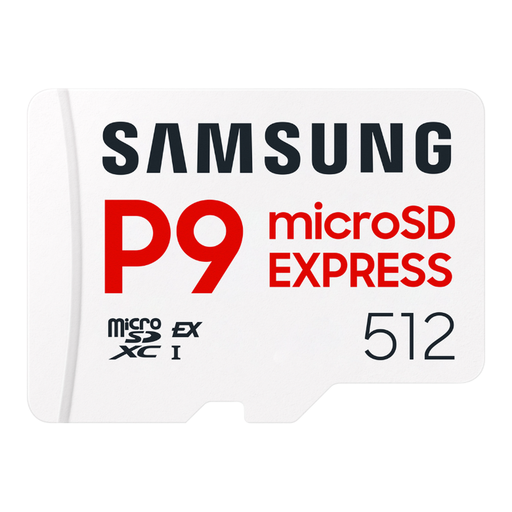 Image unavailable
For a Switch 2 digital library, confirm that the exact P9 Express card is labelled microSD Express, the format Nintendo UK requires. The product name states 512GB; compare that capacity with the downloads and updates you plan to keep. Nintendo says Switch game-save data remains in console memory rather than on microSD.
 Image unavailable
The named 2TB portable SSD is an option to consider for storing PS5 games between play sessions. PlayStation does not permit PS5 games to launch directly from USB extended storage: move them back to console storage or a compatible internal M.2 SSD to play. Check the drive’s connection and PS5 extended-storage requirements before setting it up.
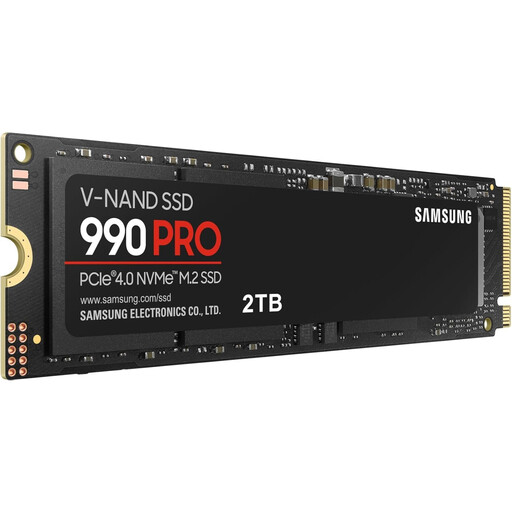 Image unavailable
This internal 2TB PCIe 4.0 NVMe drive is worth checking for a gaming PC with a compatible slot. For PS5 use, confirm the exact SKU’s M.2 format, effective cooling and installed dimensions against PlayStation’s requirements; do not assume that specifications for a separate 990 PRO with Heatsink variant apply to this one. PC owners should also check their device’s slot and cooling clearance.
 Image unavailable
The named 6TB Game Drive is an option for keeping inactive games on external storage, provided its connection meets your device’s requirements. PS5 games and Optimised Xbox Series X|S games cannot play directly from a USB archive drive; those titles need to be moved to the appropriate playable storage first. Base the space you need on your own library, not a fixed game-count estimate.
No. PlayStation says USB extended storage can hold PS5 games, but you must copy them back to console storage or a compatible internal M.2 SSD to play. PS4 games can play directly from PS5 USB extended storage.
No. Xbox Support says those games must be installed on the console’s internal SSD or a Storage Expansion Card to play. A compatible USB drive can store games for later transfer.
Check PlayStation’s supported PCIe Gen4 x4 M.2 NVMe specification, capacity and physical-size limits, including the installed cooling hardware. PlayStation requires effective heat dissipation and recommends a sequential read speed of 5,500 MB/s or faster; speed alone does not establish fit.
Do not assume so. Nintendo UK says Switch 2 accepts only microSD Express cards, whereas the original Switch supports microSD, microSDHC and microSDXC. Check the card’s stated format before buying for Switch 2.
No. Nintendo says original Switch game-save data stays in the console’s system memory and cannot be saved or copied to microSD. A supported card can instead hold downloadable software, updates, DLC, screenshots and captured video.