Choose the console ecosystem whose controls fit the way your household will use it, rather than relying on the console alone to manage a child’s access. Xbox and PlayStation centre many controls on a managed child account; Nintendo Switch and Switch 2 also use console-wide restrictions, with separate Nintendo Account settings for some store functions. Check the exact account, game and service settings for spending, communication and playtime before the child starts playing.
Who needs which controls?
Parents focused on purchase approval
If a child can buy games or add-ons, you need to check both approval settings and ways they could spend money already held in an account. Xbox Support notes that gift cards and existing Microsoft-account funds can still be used by a child account.
Families managing each child separately
If children need different game access, communication settings or playtime limits, check how the console links each child account to an adult-managed family group. Xbox Support and PlayStation Support describe controls built around that account arrangement.
Households sharing a console
If children and adults will use the same Switch or Switch 2, decide whether one set of console restrictions will work for everyone. Nintendo UK Support says its core parental controls apply to the console, not separately to each user.
What should you check before buying?
Xbox
Consider it when: You want content, communication, playtime and purchase settings tied to a child in an Xbox family group.
Allow for: Xbox Support says purchase approval does not stop a child spending gift cards or money already in their Microsoft account.
PlayStation
Consider it when: You want to manage a child account’s game access, online communication, playtime and monthly spending limit through PlayStation family tools.
Allow for: The child must be part of the managed family setup; PlayStation Support says parent and child account regions must match when using its documented UK and Ireland process to add an existing account.
Nintendo Switch or Switch 2
Consider it when: A portable or shared console suits your household and console-wide restrictions are workable for its users.
Allow for: Nintendo UK Support says core parental controls apply to the console; eShop restrictions use Nintendo Account settings, while Switch 2 GameChat needs separate attention.
| Concern | What to check | Who this matters to |
|---|
| Unapproved spending |
Check approval or spending-limit settings, then review stored funds, gift cards and the intended game’s purchases. |
If I want a say before my child buys games or add-ons, I need to know which ways of paying remain available. Around 31% of consumers put spending control first. |
| Age-appropriate access |
Check how the adult family manager and child account are set up, and where game and app age limits apply. |
When my child uses the console, I want their access kept separate from an adult’s account. For around 31% of consumers, that account and content setup is the primary concern. |
| Communication and playtime |
Look for communication permissions and playtime tools; inspect chat settings in the games and services the child will use. |
Online play makes me think about who can contact my child and how gaming fits into our routine. Supervision of communication and playtime comes first for around 25% of consumers. |
| Shared-device restrictions |
Find out whether limits follow a child account or apply to every user of the console. |
If siblings or adults share one device, I need restrictions they can all live with. Around 13% of consumers primarily weigh up that shared-device arrangement. |
Setup mistakes to avoid
-
Assuming approval blocks every purchase
Xbox Support says a child can still spend gift cards or money already in their Microsoft account when purchase approval is enabled.
Review stored balances and payment methods as well as approval settings, and check how the games the child will play handle purchases.
-
Expecting separate Switch restrictions for every user
Nintendo UK Support says Switch and Switch 2 core parental controls are set for the console, so they affect everyone using it.
Before choosing a shared device, decide whether one restriction level will suit its youngest player and everyone else who uses it.
-
Letting a child play through an adult account
Xbox and PlayStation describe child-specific controls through managed family accounts; owning the console alone does not establish that arrangement.
Set up the adult family manager and the child’s account before adding games, online services or payment details.
-
Relying on an age rating to manage online play
A game’s PEGI rating does not configure its communication or purchasing settings. UK Government online-gaming guidance also highlights unwanted contact and inappropriate language as considerations.
Check the rating and descriptors, then inspect the game’s chat, multiplayer, cross-platform and purchase options before allowing play.
Console brands for reference
Xbox
Xbox One and Xbox Series X|S family controls use Microsoft family groups and child accounts.
- Xbox Support documents content, screen-time, social and multiplayer settings, along with purchase approval and mobile family-management tools.
- Xbox Support says approval does not prevent spending from gift cards or money already in a child’s Microsoft account.
PlayStation
PlayStation family tools manage settings for a child account under a parent or guardian’s family account.
- PlayStation Support lists controls for games and apps, online communication, playtime and monthly spending.
- For its documented UK and Ireland process to add an existing child account, PlayStation Support requires the parent and child accounts to have matching regions.
Nintendo
Switch and Switch 2 combine console parental controls with Nintendo Account settings for certain store functions.
- Nintendo UK Support documents playtime, age-rating and selected communication controls, including separate attention to Switch 2 GameChat.
- Core parental controls apply to the console rather than each user; eShop viewing and purchase restrictions are managed through Nintendo Account settings.
Xbox consoles on Joybuy
These Xbox Series X consoles suit households considering child-account controls within an Xbox family group. Choose the console format that fits the games you intend to use, then set up the child account and review the games’ own settings.
 No image available
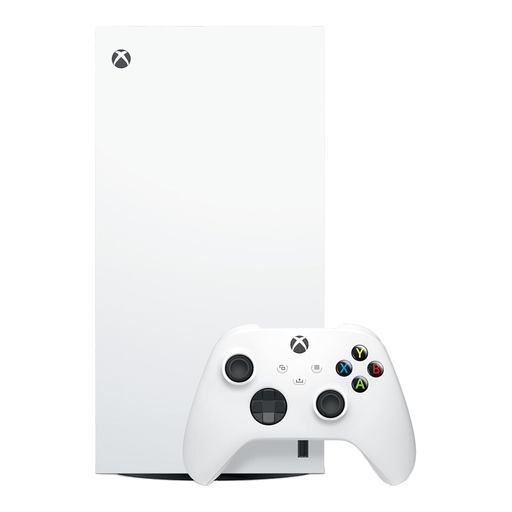
Xbox Series X 1TB Digital Edition (White)
For a household choosing an Xbox family-group setup, this Digital Edition console can be paired with a managed child account. It is the white 1TB variant; Xbox purchase approval still needs a separate check of gift cards and money already in the child’s Microsoft account.
View on Joybuy
 No image available
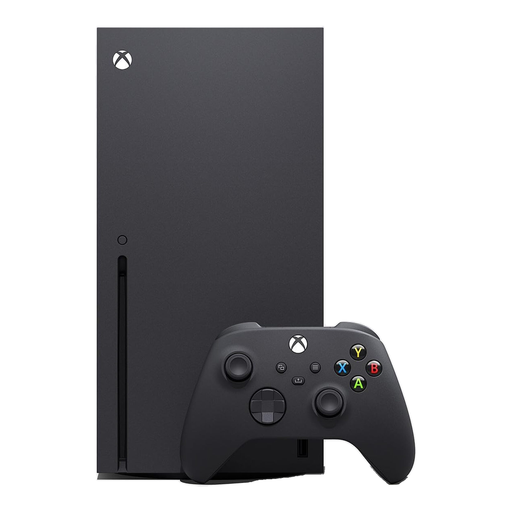
Xbox Series X 1TB (Black)
For a child using Xbox family settings, set up a managed child account before play. This is the black 1TB console; confirm its game format and the intended games’ chat and purchase settings when deciding whether it suits your household.
View on Joybuy
Common questions
Do I need a child account as well as console parental controls?
The setup depends on the ecosystem: Xbox and PlayStation use managed child accounts for many child-specific settings, while Nintendo combines console controls with separate Nintendo Account settings for functions such as eShop purchasing. Establish the relevant accounts before adding payment methods or letting the child play.
Will purchase approval stop every digital purchase?
No: Xbox Support says a child account can spend gift cards or money already in its Microsoft account despite organiser approval settings. Check stored funds, payment methods and the intended game’s purchase options alongside the platform control.
Can Switch parental controls give each child different console restrictions?
Not through the core console parental controls. Nintendo UK Support says Switch and Switch 2 restrictions apply to the console rather than each user, so decide whether one baseline suits everyone sharing it and review Nintendo Account settings separately where relevant.
Does a PEGI rating set the console’s online controls?
No. UK Government online-gaming guidance says PEGI 12, 16 and 18 games cannot be sold or hired to someone below the stated age in the UK, but a rating does not configure chat or purchases. Review the game’s online features and the relevant console and account settings separately.


