Dark-scene visual-detail seekers
Players who want to assess lighting, shadows and contrast in supported open-world games on a compatible 4K TV or monitor. The game’s available modes and the screen’s capabilities matter as much as the console choice.


Choose around the games you want to play and the display you already own: a console’s HDR, resolution or high-refresh capability matters only when the game and screen support the mode you want. Consider PS5 Pro for supported PS5 visual modes on a compatible 4K display, a disc-drive Xbox Series X if physical games matter, or Nintendo Switch 2 if you want to take quests away from the TV. Check the exact console variant before buying, particularly if you need a disc drive.
Players who want to assess lighting, shadows and contrast in supported open-world games on a compatible 4K TV or monitor. The game’s available modes and the screen’s capabilities matter as much as the console choice.
Players who want a home-console setup but also need a disc drive for physical games. The exact console variant matters because disc-drive and all-digital models can share a product-family name.
Players who want to continue a quest on a handheld screen away from the TV, with docked play available at home.
Start with your game library and whether you will play only at the TV; then check which visual modes your games, display and connection can actually use.
| Concern | What to check | Who this matters to |
|---|---|---|
| Dark-scene presentation | Check the exact game’s visual modes and your display’s HDR, VRR and HDMI capabilities. | I want the game’s lighting and darker areas to appear as intended on my own screen, not just see a high resolution on the box; around 50% of consumers put visual presentation first. |
| Physical or digital games | Check whether the exact console variant has a built-in disc drive and how you own the games you plan to play. | If I already use physical games, an all-digital variant changes how I can access my library; roughly 30% of consumers prioritise keeping the option to use discs. |
| Handheld or TV play | Compare handheld play with docked output, including the modes supported by your games and TV. | Being able to continue a quest away from the TV matters more to me than staying with a fixed setup; about 20% of consumers make portable play their primary need. |
A resolution or frame-rate capability does not mean every open-world game uses it. Xbox Support says Series X gaming at 4K and 120 Hz requires an HDMI 2.1 TV and a suitable Ultra High Speed HDMI cable; game support still matters.
Check the modes for the particular game, plus your TV or monitor’s HDR, VRR, refresh-rate and HDMI capabilities.
PlayStation states that PS5 Pro and PS5 Digital Edition have no built-in disc drive. Microsoft offers both disc-drive and all-digital Xbox Series X variants, so the family name alone does not settle the question.
List the physical games you intend to use, then confirm that the exact console listing includes the drive you need.
Nintendo specifies microSD Express cards for Nintendo Switch 2 game-storage expansion; a standard microSD card is not a substitute for that purpose.
If you expect to keep several digital games installed, check your storage needs and card compatibility before choosing an expansion card.
A home-console route for players choosing PS5 games and considering the visual features Sony describes for supported PS5 Pro titles.
A home-console route for players considering Series X, including a 1TB disc-drive variant and all-digital variants.
A handheld-and-docked route for players who want to move between the console screen and TV play.
These choices include fixed-TV consoles for physical or digital game libraries and a handheld-and-TV console. Compare the exact variant with your games, display and need for discs before choosing.
 No image available
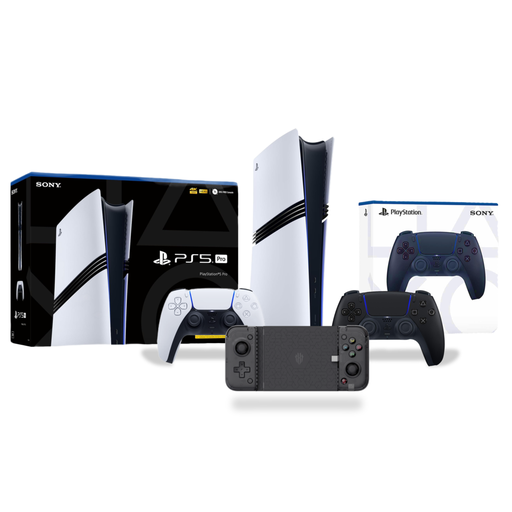
Consider this bundle if you want to play supported PS5 games on a compatible 4K display. Sony’s PS5 Pro visual enhancements vary by game; check your intended game’s modes and confirm the exact console configuration and bundle contents before buying.
 No image available
A fixed-TV option for players considering Xbox games; the listed capacity is 1TB. If physical games are important, confirm that this exact variant includes a disc drive. Xbox Support says 4K gaming at 120 Hz requires an HDMI 2.1 TV and a suitable Ultra High Speed HDMI cable, as well as support from the game.
 No image available
This variant suits a fixed-TV setup when using physical PlayStation games is part of your decision. Its Disc Edition designation distinguishes it from an all-digital PS5; check the exact open-world game’s visual modes against your display.
 No image available
Choose the handheld-and-docked format if continuing quests away from the TV matters to you. Nintendo specifies a 7.9-inch 1080p HDR10 screen and docked output up to 4K at 60 fps; visual-mode support varies by software, TV output needs a compatible display, and game-storage expansion requires microSD Express.
 No image available
Consider this fixed-TV PS5 variant if you intend to use digital games rather than discs. PlayStation states that PS5 Digital Edition has no built-in disc drive; check your intended game’s visual modes and your display before choosing it for dark-room play.
No. The particular game and connected display must support the mode you want to use. Nintendo says Switch 2 feature support varies by software, while Xbox Support specifies an HDMI 2.1 TV and suitable Ultra High Speed HDMI cable for Series X gaming at 4K and 120 Hz.
Choose a disc-drive variant if you need to use physical games, and confirm the drive on the exact listing. PlayStation states that PS5 Pro and PS5 Digital Edition have no built-in disc drive; Microsoft offers both disc-drive and all-digital Xbox Series X variants.
No. Nintendo specifies compatible microSD Express cards for Nintendo Switch 2 game-storage expansion; check that designation when choosing a card for installed games.