Buying priorities
Start with the audio-and-microphone path your device supports, then choose between a cable, a wireless receiver or a separate desktop microphone.
| Priority |
What to check |
Your needs |
| Private listening and chat |
Choose an integrated microphone if you want one wearable device for audio and voice chat. Check whether mute and game/chat controls work on your intended platform. |
I want to hear the game and speak to teammates without sending television or speaker audio into a shared room. |
| Platform and chat compatibility |
Match 3.5 mm, USB-C, USB receiver, Xbox Wireless, 2.4 GHz or Bluetooth to the exact PC, console and controller. Confirm microphone support, account linking and software requirements for the chat service you use. |
I need audio and a microphone that work with my actual PC, PlayStation or Xbox setup, rather than audio alone. |
| Wireless connection method |
Check the supported gaming mode rather than relying on a Bluetooth label. Allow for a free USB port when a receiver is required and for regular charging. |
I want freedom from a cable, but not at the cost of losing an important chat or control feature in the connection mode I use. |
| One device or separate components |
A headset combines listening and a microphone. For separate headphones, confirm the microphone, PC input and any combined or separate 3.5 mm socket arrangement. |
I may prefer my existing headphones at a desk, but I need a clear plan for adding team communication. |
Joybuy product options
Joybuy headset options for private game audio and team chat in a shared home, covering wired and wireless routes.
 No image available
LOGITECH ASTRO A10 Gen 2 Wired Headset – White
A wired all-in-one route for private listening and team chat on compatible devices.
Stated 3.5 mm connection, flip-to-mute boom microphone, closed-back design, in-line volume control and included PC splitter. Check that the intended console controller has a compatible 3.5 mm headset port and that its audio/chat settings recognise the microphone.
Joybuy
 No image available
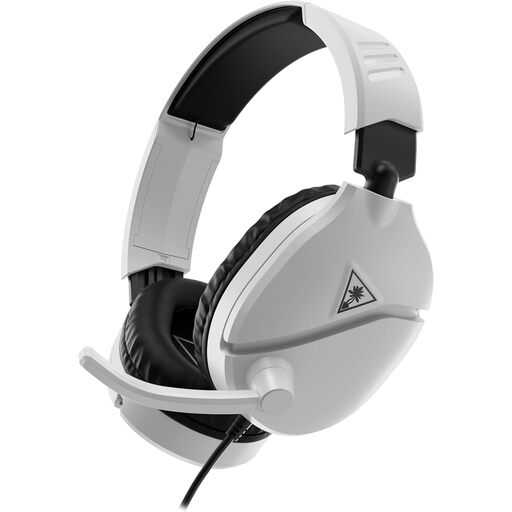
Turtle Beach Recon 70 MP Gaming Headset – White
An integrated wired headset for game audio and voice chat through a compatible 3.5 mm socket.
Stated 40 mm over-ear speakers, noise-isolating cushions and a flip-to-mute microphone, with compatibility listed for PS5, PS4, Xbox, PC, Switch and mobile devices via 3.5 mm. Confirm the socket on the particular controller or device.
Joybuy
 No image available
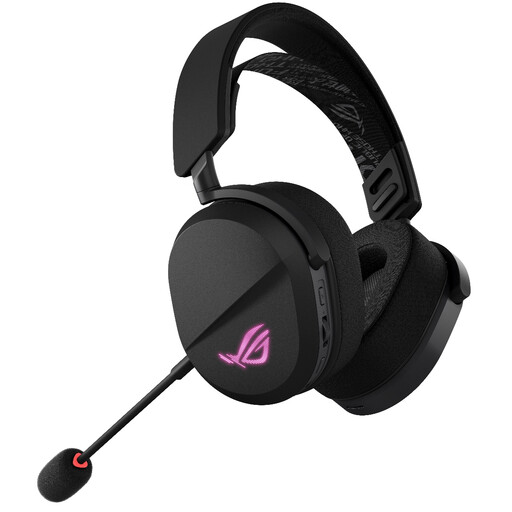
ASUS ROG Pelta Wireless Gaming Headset – Black
A multi-mode headset-and-microphone option for PC or PlayStation setups with a supported connection path.
Stated 2.4 GHz, Bluetooth and USB-C wired modes, 50 mm drivers and detachable unidirectional microphone; compatibility is listed for PC, PlayStation 5, Nintendo Switch and mobile devices. Use the platform-supported mode rather than treating Bluetooth as universal console compatibility, and allow for charging.
Joybuy
 No image available
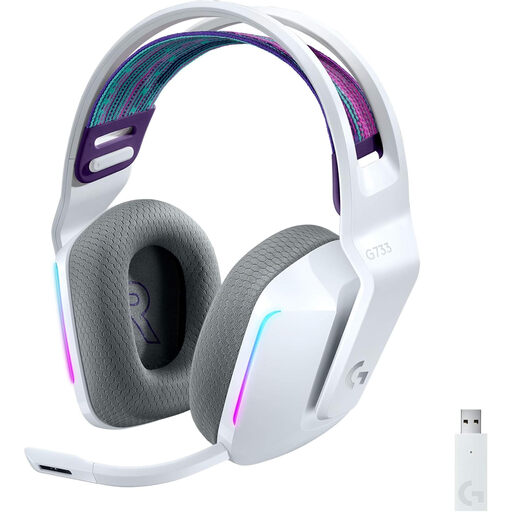
Logitech G G733 LIGHTSPEED Wireless Headset – White
A USB-receiver wireless route for private listening and chat on stated PC, PlayStation and docked Switch setups.
Stated LIGHTSPEED wireless via USB, included USB receiver, detachable microphone, on-ear volume and mute controls, and suspension headband. Console use is listed as stereo through the USB dongle; check required microphone and chat-service behaviour, a free USB port and charging needs.
Joybuy
 No image available
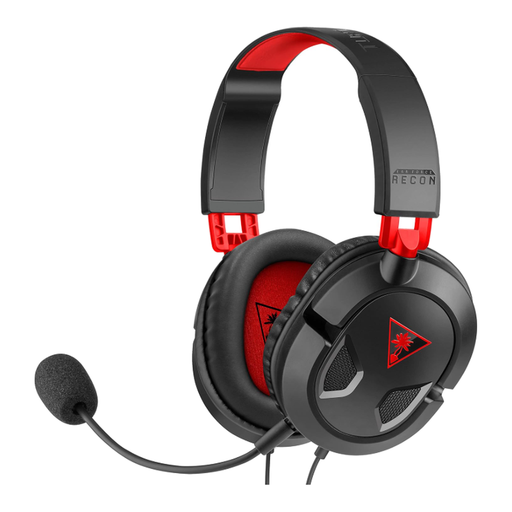
Turtle Beach Recon 50 Wired Gaming Headset
A straightforward 3.5 mm headset option for players who prefer audio and chat without battery charging.
Stated 40 mm speakers, adjustable high-sensitivity boom microphone, removable microphone, fold-flat cushions and in-line volume and mute controls. Confirm the controller’s compatible headset jack; PC users should check whether they need a combined socket or separate audio and microphone connections.
Joybuy
Frequently asked questions
Can I connect any Bluetooth gaming headset directly to an Xbox console?
No. Xbox Support states that Xbox One does not support Bluetooth headset connection. Check whether the exact headset uses Xbox Wireless, a controller 3.5 mm connection or another documented Xbox-compatible method.
What should I check before buying a wireless headset for PS5?
Check the exact model and its connection method. PlayStation’s PULSE pairing instructions use the supplied USB wireless adapter in the console, while third-party headset compatibility should be confirmed in the manufacturer’s instructions.
Can I use Discord voice chat with a PS5 or Xbox headset setup?
Yes, when the console and account setup meet Discord’s requirements. Discord says PS5 and Xbox use requires linked accounts and current console software, alongside a headset setup whose microphone path works with the console.
Do ordinary headphones provide team-chat microphone capability?
Not by themselves in the usual case. SCAN UK distinguishes headsets with built-in voice-communication microphones from traditional headphones intended primarily for listening; add a compatible separate microphone when using headphones at a PC desk.
Are UK product-safety markings a compatibility guarantee for a headset or USB adapter?
No. Great Britain’s electrical-equipment safety requirements concern products placed on the market, not whether a headset microphone, wireless method, Discord function or adapter will work with a particular console. Check the product’s documented platform support separately.


